Template details
Minimal Startpage
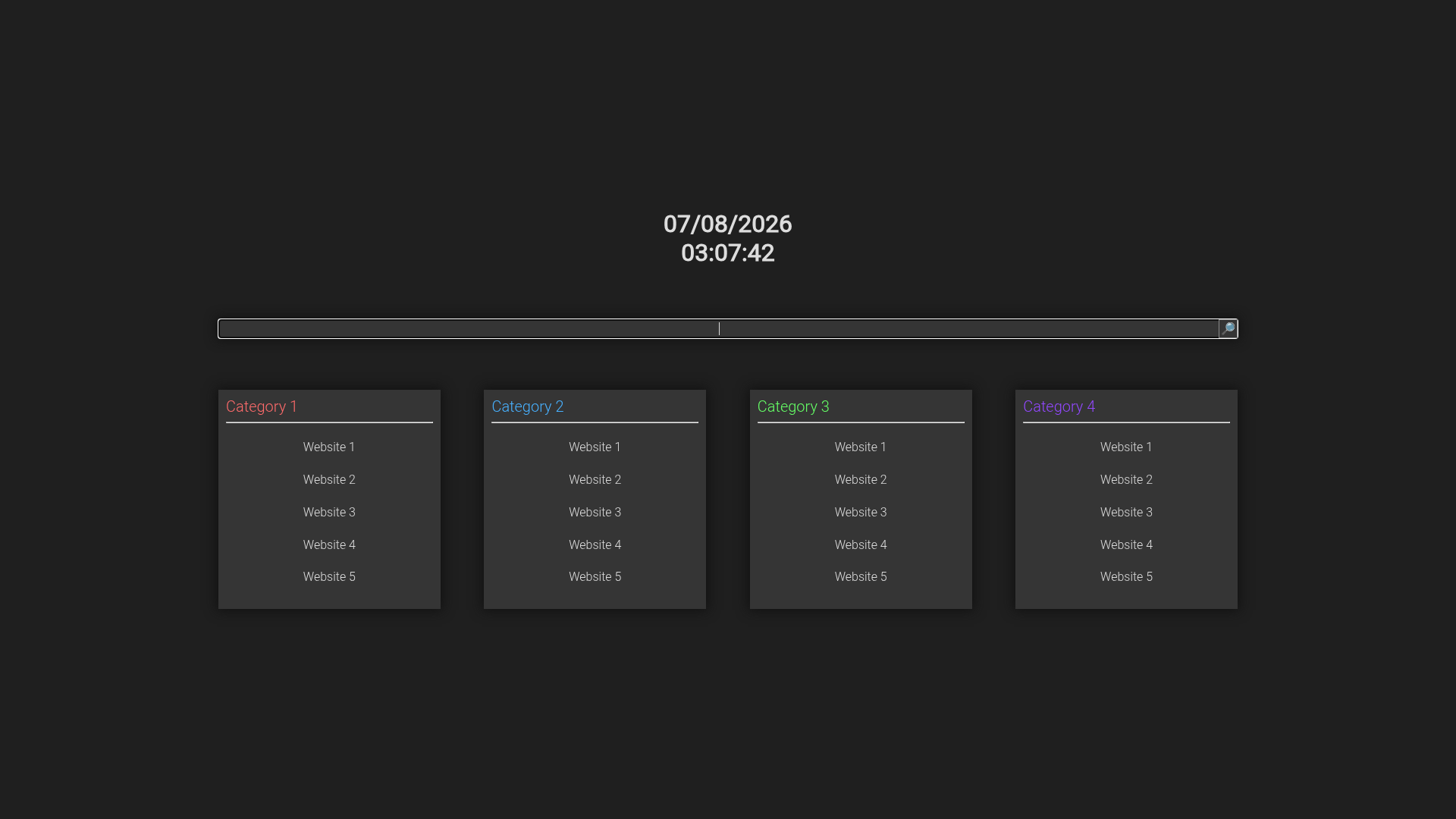
Minimalistic startpage template with search bar, clock, and categorized links, built with vanilla HTML, CSS, and JavaScript.
About this template
Minimal Startpage is a free, open-source HTML/CSS/JavaScript template that builds a minimalist browser startpage with a search bar, a clock, and categorized link sections, made by GitHub user pedro-pablo.
What is the Minimal Startpage Template?
It is a single-page startpage template built with vanilla HTML, CSS (using CSS Grid), and JavaScript, with no plugins or frameworks. You take the source files and edit the HTML to add your own links, categories, and preferences; the result is a responsive startpage you can set as your browser home page or new tab page. The template runs entirely in the browser and the repository is hosted on GitHub.
Key Features
- Responsive and mobile friendly — The layout adapts to different screen sizes, so the startpage works on phones and desktops.
- Easy to customize — Plain HTML and CSS files can be edited directly without a build step or external tooling.
- Quick navigation — Categorized link sections let you reach frequently visited sites with one click.
- Fast to load — No external dependencies or heavy assets, so the page loads almost instantly.
- No visual clutter — The minimalist design focuses on search, time, and links only.
- Works without JavaScript — Core navigation and links remain usable even if JavaScript is disabled in the browser.
- CSS Grid layout — Uses CSS Grid for arranging the link sections and overall page structure.
- Beginner-friendly — The source code is small and straightforward, making it a good learning project for new web developers.
Who should use the Minimal Startpage Template?
- Privacy-conscious users who want a self-hosted, local startpage instead of a browser-hijacking new tab page.
- Web beginners looking for a small, readable HTML/CSS/JS project to practice editing.
- Minimalists who want a distraction-free home page with just search, time, and bookmarks.
Use cases
- Daily browser home: Set the downloaded index.html as your browser home page to get search and links in one screen.
- Link organizer: Group dozens of bookmarks into categories in the HTML file to keep them tidy and one click away.
- Learning exercise: Read the JavaScript clock code and CSS grid to see how a self-contained page works.
Alternatives
- Neon Startpage — The same author's more colorful startpage template with additional features, mentioned in the repository's README.
FAQ
Is the Minimal Startpage Template free?
Yes, the template is open-source and hosted on GitHub, so you can download, modify, and use it without paying anything. The repository is public, and the source code is available for anyone to inspect or fork. There are no hidden fees or premium tiers.
Does it require Node.js or a build tool?
No, the template is made with plain HTML, CSS, and JavaScript, so there is no dependency on Node.js, npm, or any build tool. You simply download the repository and open the index.html file in your browser to see the startpage. No package installation or compilation step is involved.
Can I use it without JavaScript enabled?
Yes, "Works without Javascript" is listed as one of the template's features, meaning the link sections and page layout remain usable even if scripting is turned off. The one caveat is that the clock may not update in real time without JavaScript, but navigation and links still function.
What does the template include?
The template includes a search bar, a clock, and space for a large number of links organized into categories. The design is responsive and minimalist, and all customization happens directly in the HTML and CSS files. Because it is a static page, you can also host it anywhere.
Who made the Minimal Startpage Template?
It was created by GitHub user pedro-pablo. The same author also maintains Neon Startpage, a more colorful startpage template with additional features, which is linked in the repository's README. The project is beginner-friendly, with clear code intended for easy modification.