Template details
Next Level Auth
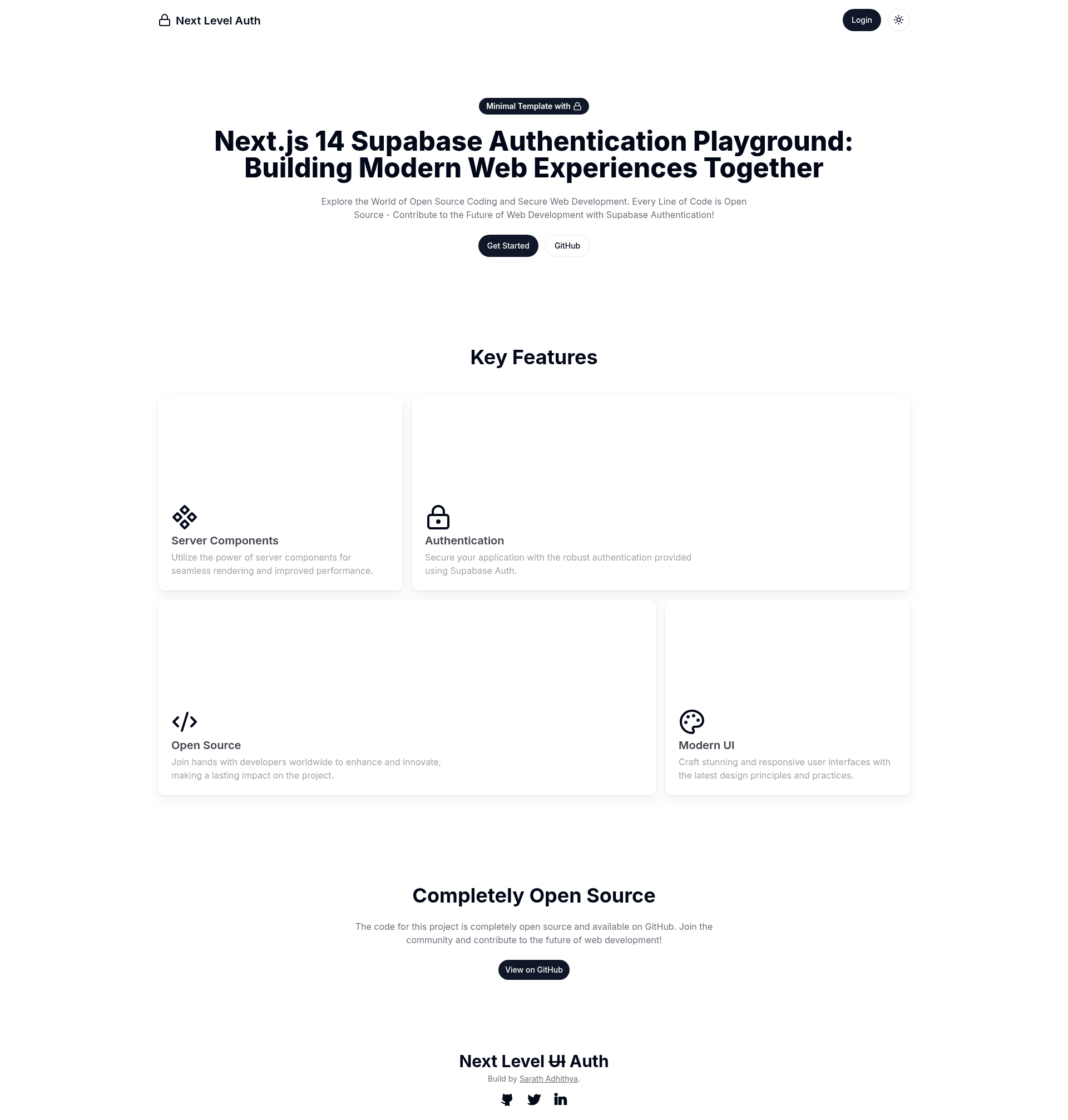
Next.js 14 (App Router) starter template with Supabase Authentication, Tailwind CSS, and Shadcn UI components.
About this template
Next Level Auth is an open-source starter template for Next.js 14 that combines Supabase Authentication, Tailwind CSS, and Shadcn UI components into a single ready-to-run application. The template uses the Next.js App Router and is written entirely in TypeScript, making it a direct starting point for projects that need sign-in, sign-up, and protected pages without building the plumbing manually.
What is Next Level Auth?
Next Level Auth is a GitHub-hosted starter template whose core function is to give you a Next.js 14 project with Supabase Authentication already configured. As input, it takes your Supabase project credentials via environment variables; as output, it produces a runnable web app with an editable main page and authentication flows. It runs on a Node.js environment and is explicitly designed for deployment on Vercel. The project is open source, inviting collaborative learning through code contribution.
Key Features
Next Level Auth bundles a modern Next.js stack that you can verify by reading the repository's feature list.
- Next.js 14 (App Router) — Uses the latest Next.js 14 framework with file-based routing and an
app/(main)/page.tsxentry file that auto-updates as you edit it. - Supabase Authentication — Integrates the
@supabase/ssrpackage to manage server-side and client-side authentication sessions. - Tailwind CSS — Styling is handled with Tailwind utility classes, with dark, light, and system theme modes included.
- Shadcn UI (Radix UI) — UI components are built on Shadcn UI, which wraps accessible Radix UI primitives and are fully customizable.
- Zod validations — Input validation is implemented using Zod schemas, giving you type-safe form checks.
- SEO optimized — The template ships with SEO optimization applied to its pages.
- TypeScript — The entire codebase is written in TypeScript for strong typing and maintainability.
- Inter font — Uses
next/fontto automatically optimize and load the Inter Google Font.
Who is it for?
Next Level Auth is for developers who want a head start on authentication in Next.js rather than wiring it themselves, and for anyone who wants to study how Supabase and Next.js 14 integrate in a minimal, readable example. It is also positioned as a collaborative learning project, so contributors are explicitly invited to join the development journey.
- Next.js developers — bootstrap new App Router projects with a working Supabase auth setup and then customize the main page to build their product.
- Supabase learners — trace how the
@supabase/ssrpackage works in the App Router by reading the open-source code. - Open-source contributors — fork the repository, suggest changes, and participate in the collaborative coding experience.
What can you do with it?
Because authentication is handled for you, the template is suited to a few common development scenarios.
- Bootstrap a SaaS product — start with the preconfigured auth and extend the template with your own pages, API routes, and database queries.
- Learn authentication patterns — study a production-style implementation of Supabase auth in Next.js 14, including environment variable setup and SSR.
- Build a themed app — use the included dark/light/system theme switching to create an interface that follows user preference.
How does it work?
The template follows a standard Next.js workflow. First, install dependencies with npm, yarn, or pnpm. Second, copy the .env.example file to .env.local and populate it with your Supabase credentials. Then run the development server with your chosen package manager, edit app/(main)/page.tsx, and the page reloads automatically. Deployment to Vercel is supported directly from the Next.js CLI or the Vercel dashboard.
Pricing
Open source — Every line of the template is open source, and the repository is shared on GitHub for anyone to use, modify, and learn from. No license fees apply to the template code.
FAQ
Is Next Level Auth free?
Yes, it is an open-source template; the full source code is published on GitHub and there are no license fees to use or modify it.
What packages does the template use?
It uses Next.js 14, Supabase via @supabase/ssr, Tailwind CSS, Shadcn UI (built on Radix UI), Zod for validation, and TypeScript throughout.
How do I run it locally?
Install dependencies with npm, yarn, or pnpm, copy the .env.example file to .env.local, fill in your Supabase environment variables, and run the development command. Then open http://localhost:3000.
Does it support dark mode?
Yes, it includes Dark, Light, and System color theme modes, selectable at runtime.
Can I deploy it on Vercel?
Yes, the README recommends deploying to the Vercel Platform and the project is configured to work with Vercel's deployment flow.