Template details
Minimalist
A Material Color Scheme Darker for Vim.
About this template
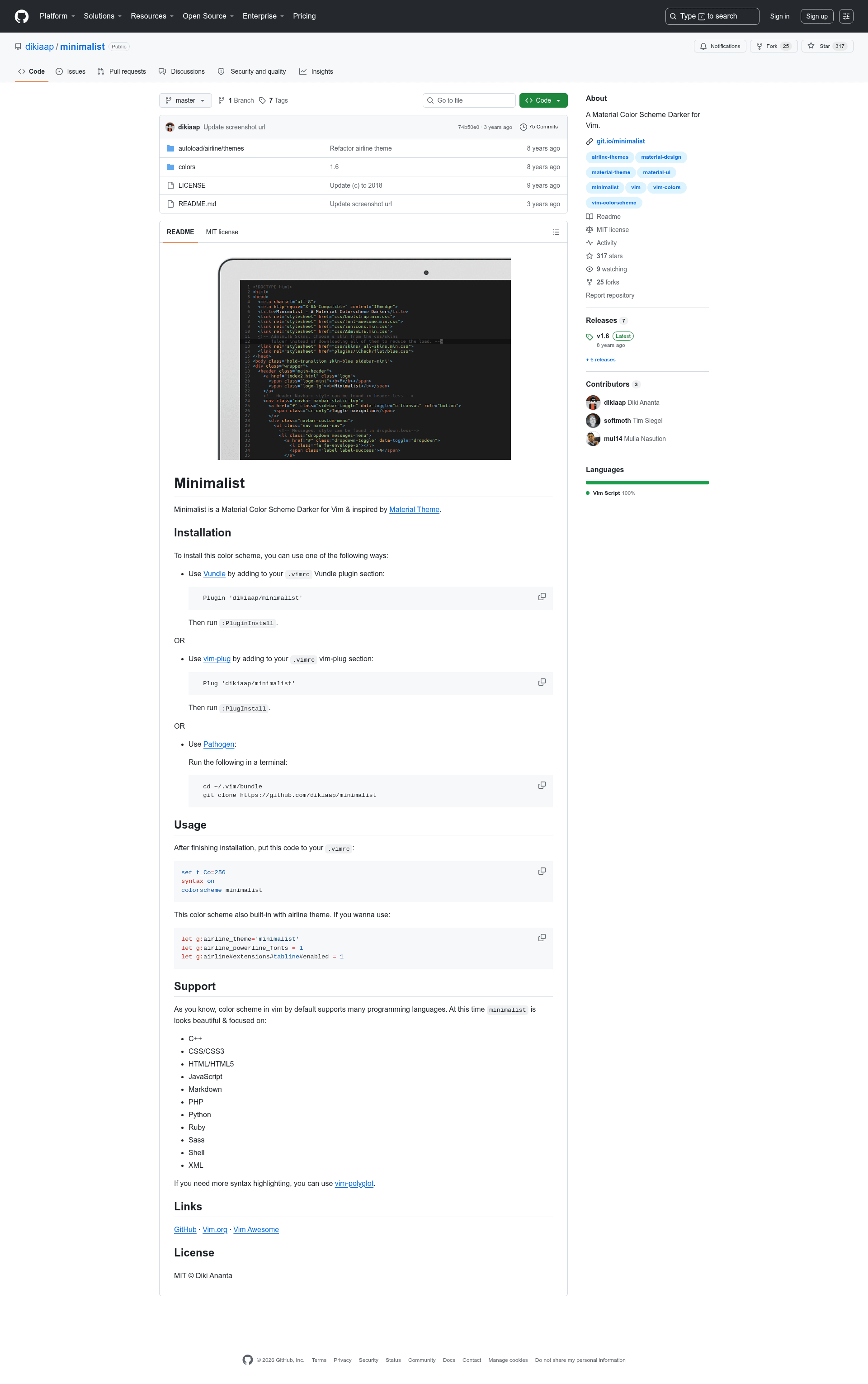
Minimalist is a dark Vim color scheme based on Material Theme, distributed as a plugin that can be installed with Vundle, vim-plug, or Pathogen.
What is Minimalist?
Minimalist is a color scheme for Vim that applies a Material Design inspired darker palette to the editor. It takes a user's .vimrc configuration as input and produces a re-themed syntax highlighting interface across the editor. The theme was created by Diki Ananta and is released under the MIT license, with a public repository and listings on Vim.org and Vim Awesome.
Key Features
- Built-in airline theme — Minimalist ships with a matching vim-airline theme, activated with
let g:airline_theme='minimalist', allowing the statusline to share the same darker palette. - Multiple installation methods — Supports Vundle, vim-plug, and Pathogen, with commands like
Plugin 'dikiaap/minimalist'orPlug 'dikiaap/minimalist'. - Focused syntax highlighting — Provides targeted highlighting for C++, CSS/CSS3, HTML/HTML5, JavaScript, Markdown, PHP, Python, Ruby, Sass, Shell, and XML, with a note that more languages require vim-polyglot.
- Powerline and tabline support — When combined with airline, users can enable powerline fonts and the tabline extension by setting
g:airline_powerline_fonts = 1andg:airline#extensions#tabline#enabled = 1. - 256-color terminal support — Requires
set t_Co=256andsyntax onin.vimrcto display the full palette. - Open source — Licensed under MIT, with source available on GitHub and a preview image hosted at dikiaap.pages.dev.
Who should use Minimalist?
- Vim users seeking a dark theme — Developers who want a Material Design darker color scheme without installing a full UI theme.
- vim-airline users — Those who already use vim-airline can get a coordinated statusline by setting the airline theme to
minimalist. - Polyglot programmers — Coders working in languages like Python, JavaScript, PHP, Ruby, or Shell get out-of-the-box highlighting, with vim-polyglot recommended for broader language support.
What can you do with Minimalist?
- Apply a consistent look — Add the colorscheme and airline configuration to
.vimrcto theme both the buffer and the statusline in a matching darker palette. - Leverage existing plugin manager flows — Install the theme the same way you install any Vim plugin, then run the plugin manager's install command to activate it.
- Extend language coverage — Combine with vim-polyglot when syntax highlighting is needed for languages outside the built-in supported list.
How does Minimalist work?
After adding the appropriate plugin line to .vimrc (Vundle, vim-plug, or Pathogen) and running the install command, you enable the theme with three lines: set t_Co=256, syntax on, and colorscheme minimalist. For airline integration, two additional let g: lines set the theme and enable powerline fonts.
Pros and cons
- Pros: Free under MIT; works with three popular plugin managers; includes a built-in airline theme; no configuration beyond a few lines in
.vimrc. - Cons: Out-of-the-box highlighting only covers the listed languages; for others, vim-polyglot is required. Dark-only, so users preferring light themes would need a different scheme.
Pricing
Minimalist is free and open source, distributed under the MIT license.
Alternatives
- gruvbox — a Vim color scheme that offers both dark and light palettes.
- solarized — a Vim color scheme with both light and dark variants.
FAQ
Is Minimalist free?
Yes, Minimalist is free and open source, released under the MIT license. You can use it, modify it, and distribute it for personal or commercial projects without paying fees.
How do I install Minimalist?
You can install Minimalist with Vundle, vim-plug, or Pathogen. For vim-plug, add Plug 'dikiaap/minimalist' to your .vimrc, run :PlugInstall, then set the colorscheme with colorscheme minimalist.
Which languages does Minimalist support?
The theme focuses on C++, CSS/CSS3, HTML/HTML5, JavaScript, Markdown, PHP, Python, Ruby, Sass, Shell, and XML. For additional languages, the README recommends installing the vim-polyglot plugin.
Does Minimalist include an airline theme?
Yes, Minimalist has a built-in airline theme. Activate it by adding let g:airline_theme='minimalist' to your .vimrc, optionally enabling powerline fonts and the tabline extension as well.
Can I use Minimalist with a light terminal?
The scheme is designed as a darker palette, so it requires a terminal with 256-color support. You must set set t_Co=256 in .vimrc for the colors to render correctly.