Template details
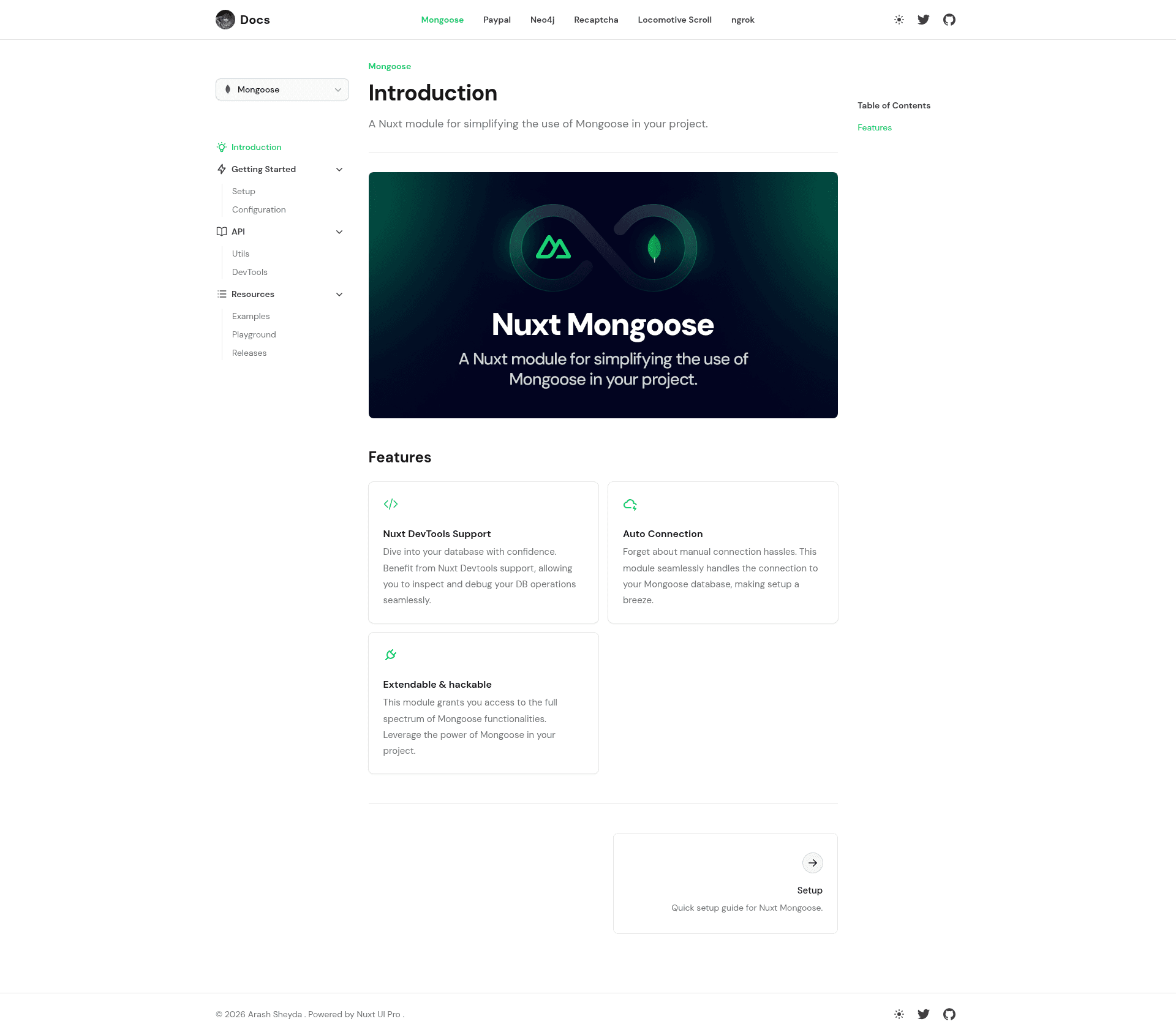
Nuxt Mongoose
A Nuxt module for simplifying the use of Mongoose in your project.
About this template
Nuxt Mongoose is a Nuxt module that simplifies adding the Mongoose ODM to Nuxt projects by auto-importing schemas and providing helper functions for models and connections. It accepts a MongoDB URI and schema definitions as input, and outputs auto-imported Mongoose models plus programmatic connection helpers. The module runs inside any Nuxt app's server directory and is installed via npx nuxi@latest module add nuxt-mongoose.
What is Nuxt Mongoose?
Nuxt Mongoose is a Nuxt module that integrates Mongoose, a MongoDB object data modeling library, with Nuxt's server environment. It takes a MongoDB URI and your schema files as input, and produces ready-to-use Mongoose models and connections. It runs on Nuxt (which is built on Vue) and is installable with a single nuxi command. The module is distributed through the Nuxt module registry and documented at docs.arashsheyda.me.
Key Features
- Auto-import of schemas — Place schema files in the
modelsdirectory underserver, and Nuxt Mongoose automatically imports them as models, eliminating manual import statements. - Environment variable connection — Defaults to reading the MongoDB URI from the
NUXT_MONGOOSE_URIenvironment variable, so minimal setup is just a.envfile entry. - Configurable via nuxt.config — You can override the URI, pass Mongoose connection options, and change the models directory by adding a
mongooseblock tonuxt.config.ts. - defineMongooseModel helper — Define a model with a schema using either
defineMongooseModel('User', schemaObject)or an object form withname,schema, andoptionsfields. - defineMongooseConnection helper — Create a fresh Mongoose connection with a single call, useful for multiple databases in one Nuxt app.
- Existing collection support — Specify
options.collectionin a model definition to bind to an existing MongoDB collection; otherwise Mongoose uses the pluralized model name. - MIT licensed — Released under the MIT License, allowing unrestricted commercial and personal use.
Who is it for?
- Nuxt developers building MongoDB-backed apps — They can wire up database connections and schemas without writing Mongoose connection boilerplate in every server route.
- Full-stack TypeScript teams — The module's auto-import and helper functions fit Nuxt's server API directory structure and reduce repetitive model setup.
- Developers migrating existing MongoDB projects to Nuxt — They can drop existing Mongoose schemas into the
modelsdirectory and use theoptions.collectionfield to point at their current collections.
Use cases
- Rapid API prototyping: Define a Mongoose model in one line inside a Nuxt server route and immediately query MongoDB from an API endpoint.
- Multi-database Nuxt applications: Use
defineMongooseConnectionto establish separate connections for different microservices or data domains within the same project. - Admin dashboards with MongoDB: Auto-imported schemas let you build CRUD endpoints for internal tools without repeating Mongoose setup code.
How does Nuxt Mongoose work?
After installation and registration in the modules array, Nuxt Mongoose reads your MongoDB URI from NUXT_MONGOOSE_URI or the mongoose config block. It then scans the configured models directory (default server/models) and auto-imports every schema as a Mongoose model. You can also define models imperatively with defineMongooseModel and create extra connections with defineMongooseConnection. The module follows standard Mongoose connection options, so any options you pass are forwarded to Mongoose's createConnection.
FAQ
How do I install Nuxt Mongoose?
Run npx nuxi@latest module add nuxt-mongoose inside your Nuxt project, then add 'nuxt-mongoose' to the modules array in nuxt.config.ts. After that, set the NUXT_MONGOOSE_URI environment variable in a .env file.
How do I connect to an existing MongoDB collection?
Define your model with defineMongooseModel and set the options.collection field to the exact collection name you already have. For example, if your collection is called products_collection, specify that in the model options; otherwise Mongoose auto-creates a collection using the pluralized model name.
Is Nuxt Mongoose free to use?
Yes, Nuxt Mongoose is released under the MIT License, so you can use it freely in personal and commercial projects without licensing fees.
Does Nuxt Mongoose support multiple databases?
Yes, the defineMongooseConnection function lets you create separate Mongoose connections, each with its own URI. You can maintain multiple connections within the same Nuxt application and use them with your models.