Template details
Modern Animated Portfolio Template
Open-source Next.js developer portfolio template with Framer Motion animations, Tailwind CSS, and centralized data customization.
About this template
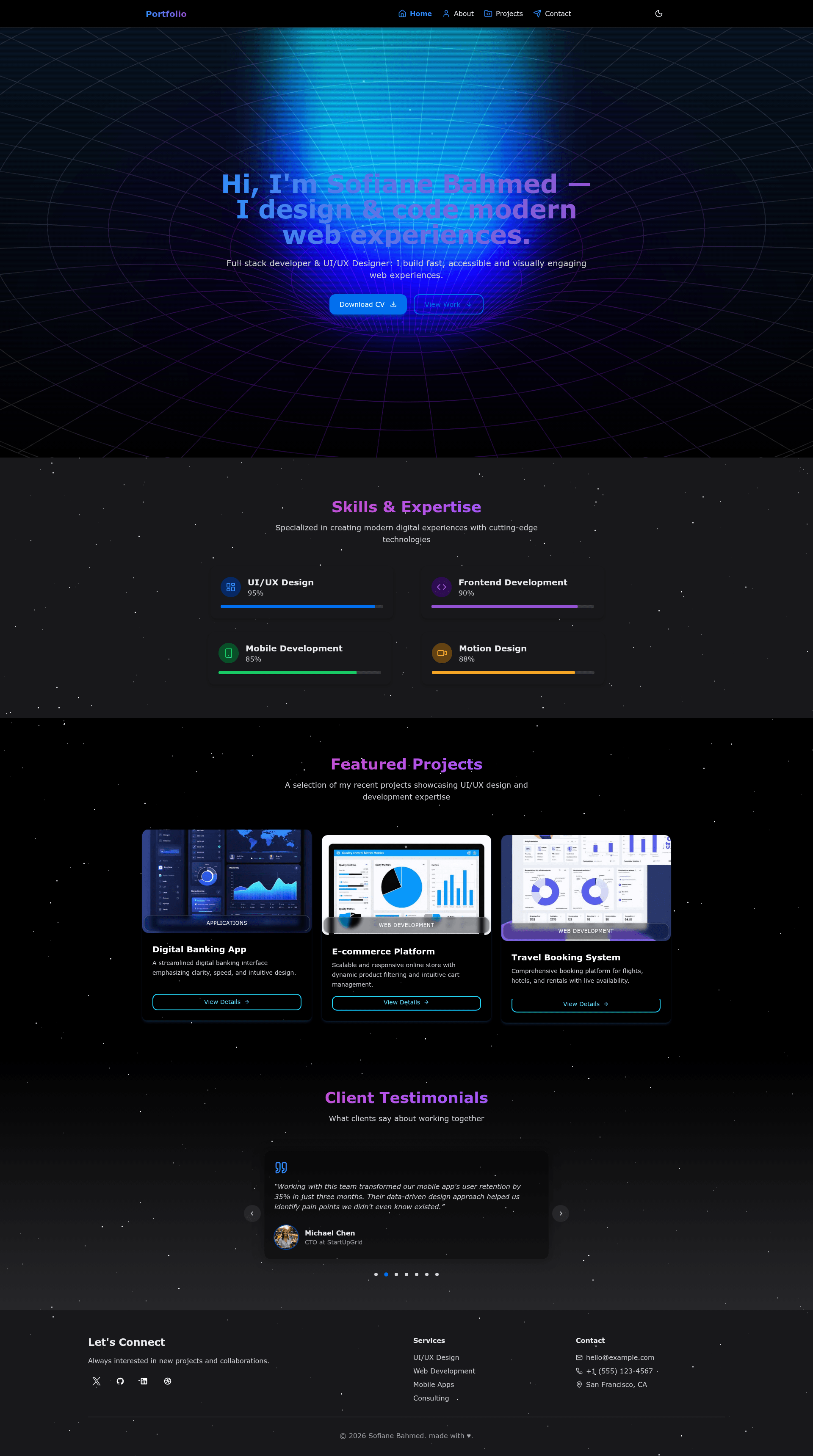
portfolio-template is an open-source developer portfolio template built with Next.js, TypeScript, Tailwind CSS, and Framer Motion, giving developers a modern, animated personal site with a centralized data file for customization.
What is portfolio-template?
portfolio-template is a free, MIT-licensed Next.js starter for personal portfolio websites, created by GitHub user Sofiane-Bahmed and published at github.com/Sofiane-Bahmed/portfolio-template. It takes your personal information stored in a single data/index.ts file and renders a multi-page portfolio with home, about, projects, and contact sections. The template runs on Node.js v18 or higher and produces a production build with npm run build, ready for deployment on Vercel or any Node.js host; a live demo is available at portfolio-template-seven-murex.vercel.app.
Key Features
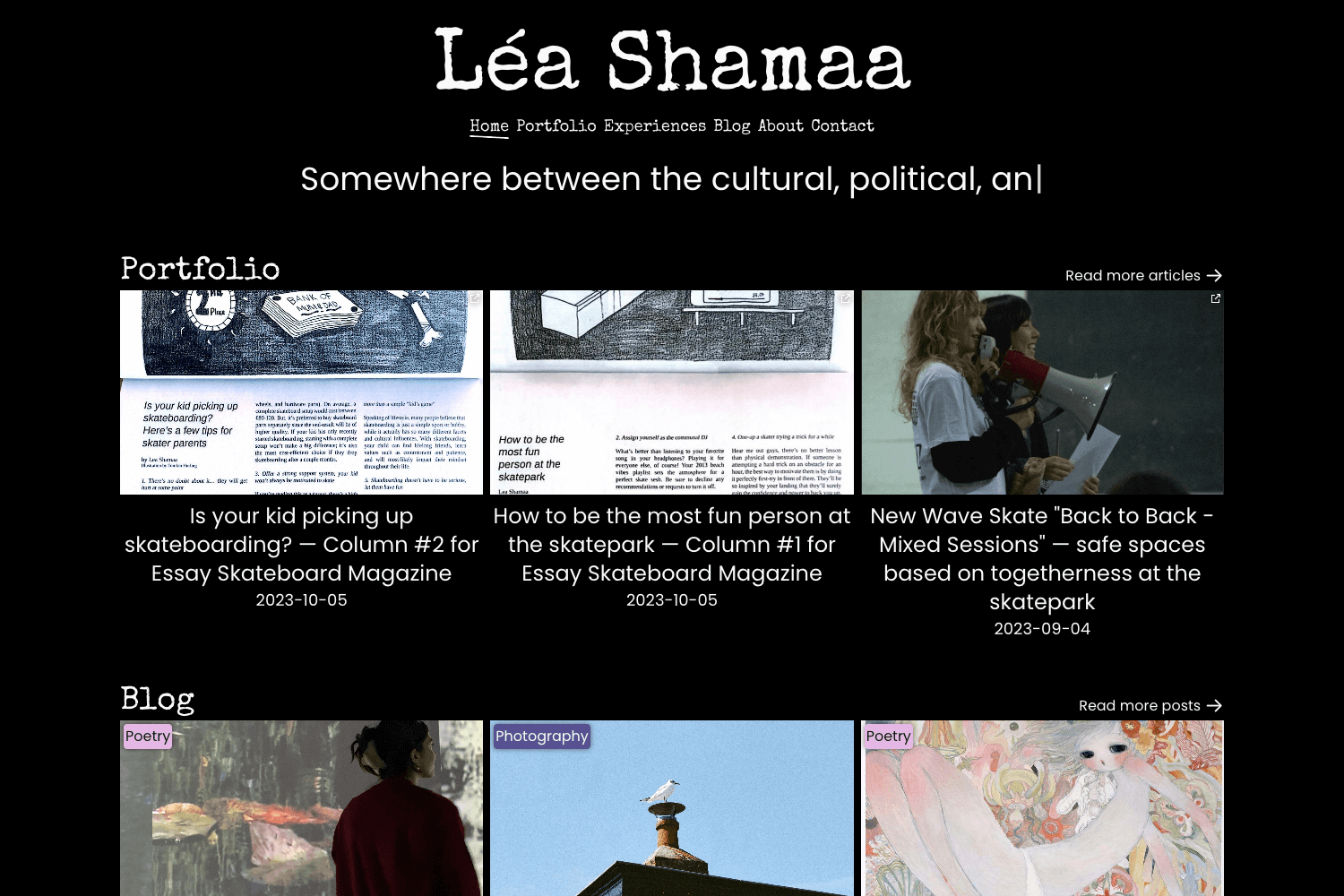
- Framer Motion animations — Page transitions and element animations powered by Framer Motion for React, including morphing text effects controlled by the
morphingTextsdata field. - Responsive layout — The layout adjusts automatically from mobile to desktop without extra media queries.
- Centralized customization — All portfolio content (hero, skills overview, testimonials, about profile, education, experience, projects, contact info, navigation, footer) lives in one
data/index.tsfile that exports aDATAobject. - Backend-free contact form — Integrates with Email.js through
NEXT_PUBLIC_EMAILJS_SERVICE_ID,NEXT_PUBLIC_EMAILJS_TEMPLATE_ID, andNEXT_PUBLIC_EMAILJS_PUBLIC_KEYenvironment variables, so form submissions are sent without a server. - HeroUI components — Uses HeroUI, a React UI library, for accessible and styled components such as buttons.
- Iconify icon system — Thousands of icons across icon sets are available, for example the
lucide:downloadicon on the CV button. - Theme switcher — The repository description confirms a theme switcher for toggling between light and dark modes.
- MIT License — The source is freely usable, modifiable, and redistributable for personal or commercial work.
Who should use portfolio-template?
- Developers — Launch a portfolio without front-end design work; clone the repo, run
npm install, and replace the data file with your own content. - Job seekers — Present projects, skills, education, and experience to recruiters, including a direct Download CV button linked to a PDF.
- Freelancers and agencies — Capture contact form leads through Email.js and display client testimonials in the home section.
- Open-source contributors — Fork the MIT-licensed repository to build themed or extended variants and share them.
What can you do with it?
- Showcase your projects: Add project entries with details, images, and links under the
projectsfield ofdata/index.ts. - Collect messages without a backend: Configure an Email.js service and template, set the three environment variables, and contact form messages land in your inbox.
- Provide a downloadable CV: Place a CV file in the
publicfolder and update thehrefinhero.tsx; the Download CV button then serves that file. - Customize animated text: Edit the
morphingTextsarray to change the rotating text animations shown on each page.
How does customization work?
- Clone or fork the repository at github.com/Sofiane-Bahmed/portfolio-template.
- Run
npm installoryarn installto install dependencies. - Edit
data/index.tsto replace personal information, projects, skills, and navigation links. - For the contact form, create an Email.js account, add an email service and template, then create a
.env.localfile with the service ID, template ID, and public key. - Run
npm run devto preview changes ornpm run buildto produce an optimized production bundle.
FAQ
Is this template free?
Yes, portfolio-template is open-source and released under the MIT License, so you can use it for personal, academic, or commercial projects without paying a license fee.
Do I need a backend for the contact form?
No. The contact form uses Email.js, a client-side service, so messages are sent via Email.js without your own server. You only need a free Email.js account and the three environment variables listed in the README.
What Node.js version do I need?
Node.js v18 or higher is required, and npm or yarn can be used as the package manager.
How do I deploy the template?
Because it is a standard Next.js application, you can deploy it to Vercel, Netlify, or other Node.js hosts. The repository includes a live demo URL that runs on Vercel.
How do I change the animated text?
The morphing text animations are defined in the morphingTexts array inside data/index.ts. Edit that array to change the words that cycle on each page.