Template details
Morandyt
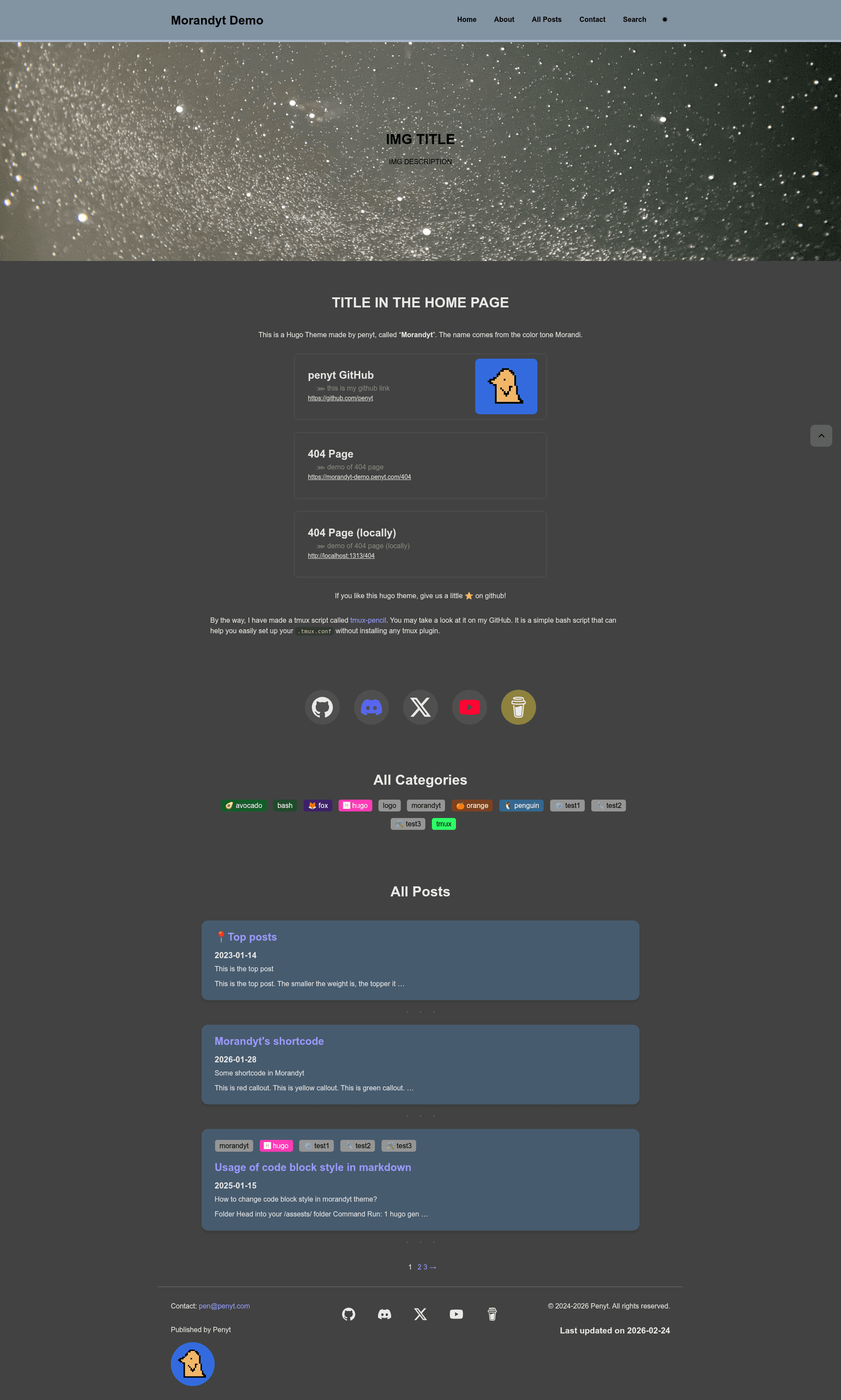
Morandyt is a minimal Hugo theme with soft, muted Morandi color palettes, built for blogs and personal sites.
About this template
Morandyt is a minimal Hugo theme that applies soft, muted Morandi-inspired color palettes to the static site generator Hugo, designed primarily for blogs and personal websites. It is maintained on GitHub under the repository penyt/morandyt and released under the MIT License.
What is Morandyt?
Morandyt is a Hugo theme that produces a lightweight, visually quiet website using the Morandi color scheme — a range of low-saturation, slightly grayed tones. The theme takes standard Hugo content as input and outputs a static HTML site with a soft, muted visual style. It runs on any Hugo site and is configured through a hugo.toml file.
Key Features
- Morandi color palette — Uses the eponymous soft, muted color tones as the primary design language, giving sites a gentle, low-contrast look.
- Minimal design — The theme is described as minimal, focusing on content without heavy layout elements.
- Built for Hugo — Installs as a standard Hugo theme, listed under the themes directory and selected with a theme key in hugo.toml.
- Git submodule installation — Users can add the theme to their site with
git submodule addand update it later withgit submodule update --remote --merge. - Example site included — A fully configured exampleSite folder lets you preview the theme locally with
hugo server -s themes/morandyt/exampleSite --themesDir ../... - Live demo — A public preview is hosted at https://morandyt-demo.penyt.com.
- MIT License — The theme is free to use, modify, and distribute.
- Blog orientation — GitHub topics list blog and hugo-theme, indicating it is intended for weblogs and Hugo-based content sites.
Who is it for?
Morandyt is aimed at Hugo users who prefer a minimal, muted aesthetic for their websites. Bloggers can use it to publish articles with a soft, unobtrusive reading experience. Personal site owners can set up a simple portfolio or profile page using Hugo's static site workflow. Design-conscious developers who want a low-saturation color scheme without spending time on custom CSS will find the palette ready-built. Static site enthusiasts who use Git submodules for theme management get a straightforward installation and update path.
What can you do with Morandyt?
- Bloggers: Build a personal blog with Hugo, leveraging the theme's muted Morandi palette to keep the focus on written content.
- Hobbyists: Create a simple website to share notes or project logs, using the example site as a starting point.
- Design experimenters: Use the theme as a base to customize colors further, since the palette is the core visual feature.
How does Morandyt work?
The installation follows the standard Hugo theme workflow. First create a new site with hugo new site mywebsite, then add the theme as a Git submodule with git submodule add https://github.com/penyt/morandyt.git themes/morandyt. After setting theme = "morandyt" in hugo.toml, you can run hugo server to view the site. To update the theme to the latest version, execute git submodule update --remote --merge.
Pros and Cons
- Pros: The theme is minimal and lightweight, uses a distinctive Morandi palette, is free under MIT, and includes a demo site and example configuration.
- Cons: Documentation is currently sparse — the README states "More documentation will be available soon" — and the project has a very small number of stars on GitHub, which may indicate limited community support.
FAQ
Is Morandyt free?
Yes. Morandyt is released under the MIT License, meaning you can use, modify, and redistribute it freely for personal or commercial projects.
How do I install Morandyt?
Create a new Hugo site, add the theme as a Git submodule from github.com/penyt/morandyt, set theme = "morandyt" in hugo.toml, and start Hugo's development server. The exact commands are in the README.
Can I preview Morandyt before installing it?
Yes. A live demo is available at https://morandyt-demo.penyt.com, and you can also run the example site locally using hugo server -s themes/morandyt/exampleSite --themesDir ../...
How do I update Morandyt to the latest version?
Run git submodule update --remote --merge in your site's root directory. This pulls the latest commit from the theme repository and merges it into your submodule.