Template details
NoteTheme
A Jekyll theme for taking notes with math and code support, featuring MathJax, DataCamp Light, Disqus, and search.
About this template
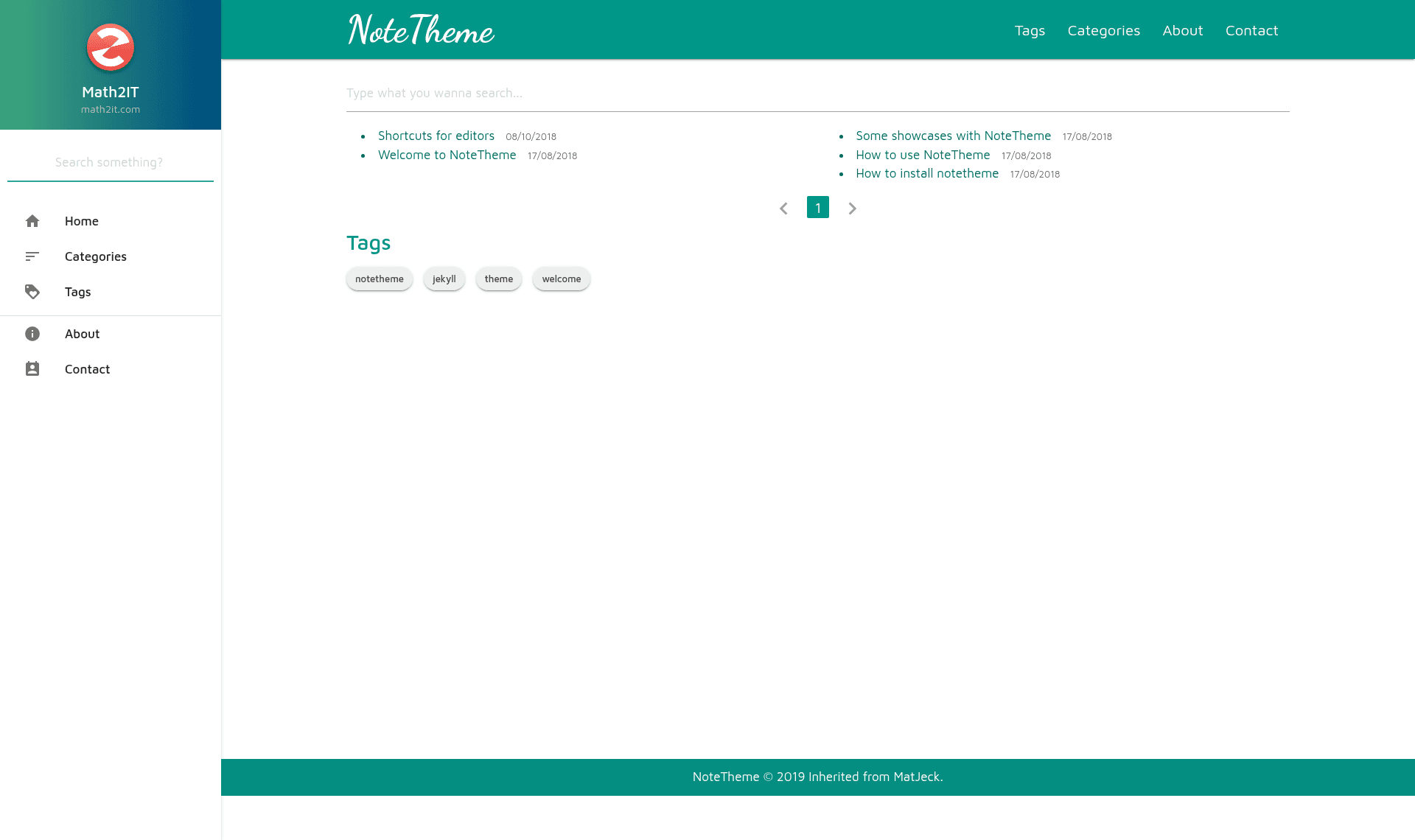
NoteTheme is a Jekyll theme built specifically for note-taking, forked from the Matjek theme and restructured around math and code content. It runs on any GitHub Pages Jekyll installation and produces a static site with automatic Table of Contents, search, Disqus comments, MathJax rendering, and embedded Python/R code environments via DataCamp Light.
What is NoteTheme?
NoteTheme is a Jekyll theme for creating note-focused static websites, designed for people who work heavily with mathematics and computer code. The theme takes Markdown posts as input and renders them into a static blog-style site with a fixed sidebar Table of Contents, search functionality, and category/tag organization. It is maintained by dinhanhthi (Dinh Anh Thi) and is available on GitHub under the gh-pages branch.
Key Features
- MaterializeCSS base — The theme is built on the MaterializeCSS framework, inheriting a clean, responsive design that works on mobile devices.
- MathJax integration — MathJax is included so you can type LaTeX math equations directly in your notes and have them rendered as typeset math.
- DataCamp Light integration — Embed side-by-side Python or R code environments in posts; readers can run code directly in the page, as demonstrated on DataCamp's standalone example.
- Automatic Table of Contents — Post headings are collected into a Table of Contents that appears in a fixed sidebar and also within the post content.
- Disqus comments — The Disqus comment system is integrated, so each note or post can have a threaded comment section.
- Site search — A quick site search feature is built in, with a demo at the search page filtered by query.
- Tags and categories — Posts support both tags and categories for organizing notes into taxonomies.
- Invisible option — A configuration setting makes your site invisible to search engines (noindex) when you want to keep notes private.
Who is it for?
- Math students and educators — Write lecture notes or tutorials containing LaTeX equations and have them rendered cleanly with MathJax.
- Programmers and data scientists — Document code projects with live Python or R examples embedded via DataCamp Light, letting readers experiment side-by-side.
- Technical bloggers — Publish a knowledge base with automatic navigation, search, and comments, all organized by tags and categories.
What can you do with NoteTheme?
- Publish a math note site — Write Markdown notes with notation like
$E=mc^2$and see them rendered as real equations on the page. - Add interactive code examples — Embed a DataCamp Light block so readers can run Python or R snippets directly in the browser without leaving your note.
- Build a searchable knowledge base — Use the built-in site search to let visitors quickly find notes by keyword, and group notes by tags and categories.
- Keep notes private — Enable the invisible option to prevent search engines from indexing the site, useful for personal notes.
How does NoteTheme work?
NoteTheme is installed by downloading the theme's code from its GitHub repository, specifically the gh-pages branch which contains the full source files. The repository includes instructions that walk you from the beginning: creating a GitHub Pages site with Jekyll, applying NoteTheme, and then writing notes. The theme expects posts as Markdown files with YAML front matter; it handles the rest of the rendering automatically.
FAQ
Is NoteTheme free?
The theme is available for download from its public GitHub repository; no pricing is stated on the project page. It is an open-source Jekyll theme you can use on GitHub Pages at no hosting cost.
What do I need to run NoteTheme?
You need a Jekyll environment — GitHub Pages provides this automatically when you push the theme code to a repository. The installation guide covers the setup from scratch, including creating a GitHub account and enabling Pages.
Does NoteTheme support math equations?
Yes, MathJax is integrated, so you can write LaTeX math in your Markdown posts and it will be rendered as formatted equations in the browser.
Can I embed code that readers can run?
Yes, via DataCamp Light. The theme supports embedding interactive Python or R code environments side-by-side, where visitors can run and edit the code snippets.