Template details
Natural Language Postgres
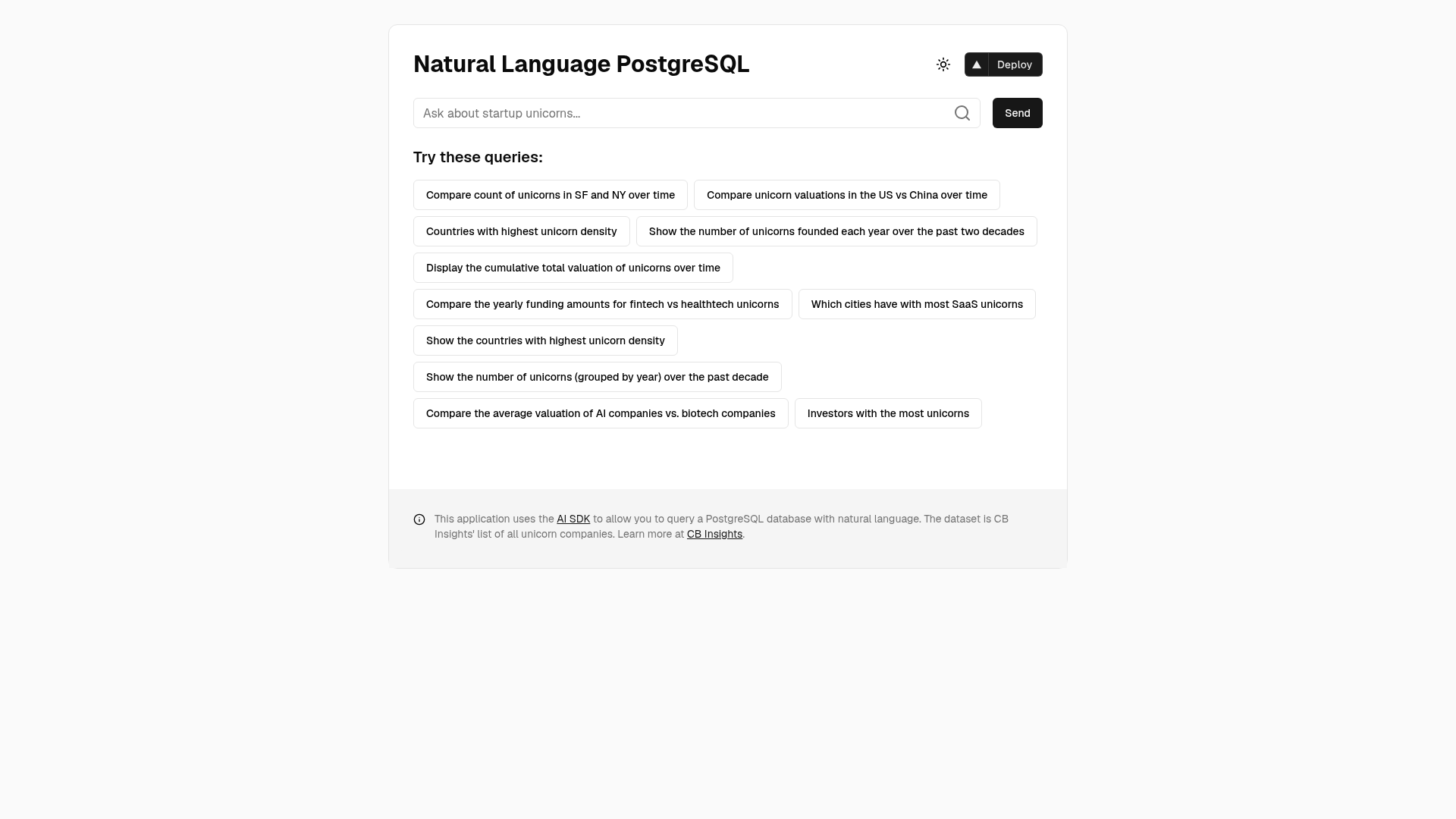
Query a PostgreSQL database using natural language and visualize results with this Next.js and AI SDK template.
About this template
Natural Language Postgres is an open-source Next.js template from Vercel Labs that translates plain-English questions into SQL queries against a PostgreSQL database and renders the results as tables or charts powered by the AI SDK.
What is Natural Language Postgres?
Natural Language Postgres is a reference application that demonstrates natural-language to SQL generation. It takes a user's question in English, uses OpenAI's GPT-4o model to produce a SQL statement, executes that statement on a PostgreSQL database, and returns the rows as a table plus an AI-selected chart. The project is built with Next.js, uses the AI SDK by Vercel for model calls, and includes a seeded dataset of unicorn companies based on CB Insights data. The repo lives under Vercel Labs and is designed as a deployable template.
Key Features
- Natural Language to SQL — Converts plain-English queries into executable SQL via OpenAI's GPT-4o, eliminating the need to write SQL by hand.
- Automatic data visualization — Results appear as both a table and a chart; the chart type is automatically selected based on the data, rendered with Recharts.
- Query explanation — Users can view the complete SQL query and read an AI-generated explanation of each part of it.
- Pre-loaded unicorn dataset — The seed script loads unicorn company info from a CSV, including valuation, country, city, industry, date joined, and select investors.
- One-click Vercel deployment — A Deploy with Vercel button clones the repository, sets the OpenAI API key, and provisions a Postgres store.
- Vercel Postgres hosting — The database layer uses Vercel Postgres powered by Neon, configured through environment variables.
- Modern UI stack — Styling uses Tailwind CSS with Shadcn UI components and Framer Motion animations.
Who should use this template?
Developers building text-to-SQL tools can use this template as a working foundation, replacing the unicorn schema with their own tables. Data analysts and product teams can explore the included unicorn dataset by asking questions in English, then inspect the generated SQL to understand the results. AI engineers can study how the AI SDK, GPT-4o, and Recharts are wired together to turn a query into a chart.
Use cases
- Product teams prototyping a data query feature — Deploy the template, point it at a dataset, and evaluate how GPT-4o interprets business questions.
- Analysts exploring the unicorn dataset — Ask "Which industry has the highest total valuation?" and toggle between table and chart to see the answer.
- Developers learning AI SDK patterns — Read the source to see how streaming, SQL generation, and JSON chart configuration fit into a Next.js app.
How does it work?
The README outlines an eight-step flow: the user enters a natural language question, GPT-4o generates a SQL query, the query executes against PostgreSQL, results display in a table, an AI-generated chart configuration is created, results render as a chart, users toggle between views, and users can request an explanation of the SQL. Setup takes a few minutes: run pnpm install, copy .env.example, fill in the OpenAI key and Postgres connection strings, download the CB Insights CSV as unicorns.csv, seed with pnpm run seed, then run pnpm run dev.
FAQ
What OpenAI model does Natural Language Postgres use?
It uses OpenAI's GPT-4o model for translating natural language to SQL and for generating chart configurations and SQL explanations.
What data does the template ship with?
The database is seeded with CB Insights unicorn company data, including company name, valuation, date joined, country, city, industry, and select investors.
Can I use it with my own database?
Yes, but the seed script and schema are written for the unicorn CSV. You would modify the schema and seed logic to load a different dataset.
Is the template free?
The source code is open source, but running the app requires an OpenAI API key for GPT-4o access and a PostgreSQL connection string. The Vercel deployment flow provisions a Postgres store for you.