Template details
Neumorphism
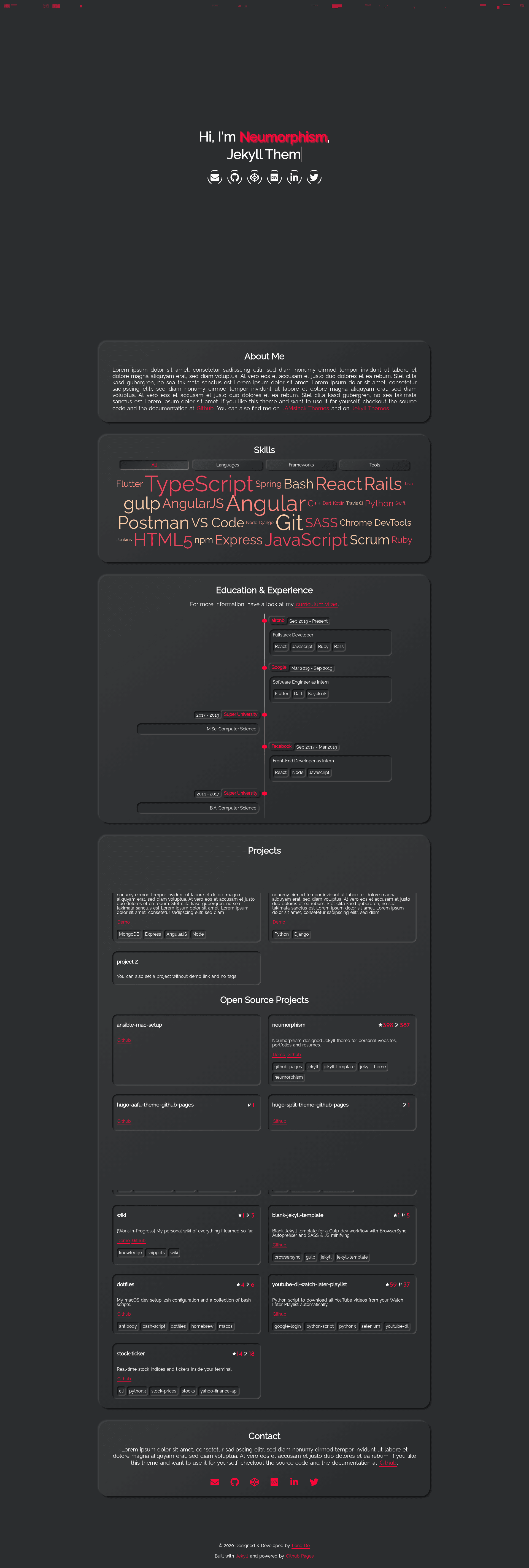
Neumorphism designed Jekyll theme for personal websites, portfolios and resumes.
About this template
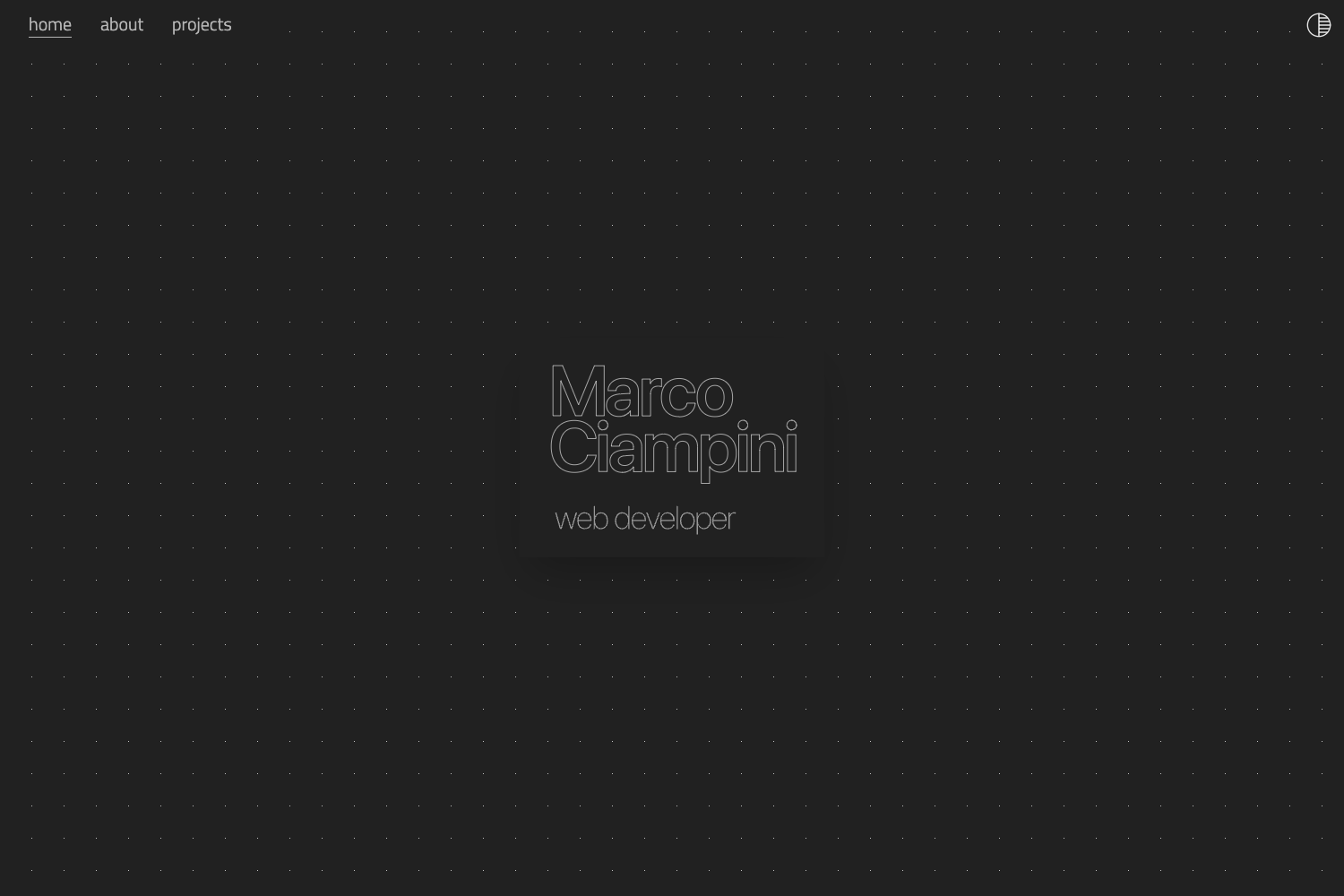
Neumorphism is a Jekyll theme for personal websites, portfolios, and resumes that applies the neumorphism design trend, developed with a mobile-first approach, and designed to be hosted on GitHub Pages.
What is Neumorphism?
Neumorphism is an open-source Jekyll theme created by longpdo, distributed under the MIT License, and featured on JAMstack Themes and Jekyll Themes. It takes a standard Jekyll configuration via _config.yml and YAML data files in _data, and produces a static personal portfolio site with a landing page, typing carousel, skills word cloud, and an automatically populated open source projects section. The theme is built with Jekyll only, runs locally with Gulp, and deploys through GitHub Pages.
Key Features
- Mobile-first responsive design — Layouts adapt to phone, tablet, and desktop viewports without a separate mobile configuration.
- Animated preloader — A CSS-based preloader animation greets visitors before the page content loads.
- Landing page with particles.js background — An interactive particle animation (configured in
assets/particles.json) behind a typing carousel and animated social media icons. - Dark neumorphism design — The main content uses soft shadows and the neumorphism color palette adapted from Damian Jankowski's codepen for a raised, soft UI look.
- Animations On Scroll (AOS) — Elements fade, slide, or flip into view as the user scrolls, controlled with data attributes.
- Filterable skills word cloud — The Skills section lets visitors filter displayed skills by category with animated transitions.
- Automatic GitHub projects via the GitHub API — The Open Source Projects section populates repositories for your GitHub user or organization using jekyll-github-metadata, requiring a personal access token with
public_repositoryscope. - Gulp development workflow — Gulp serves the site at
localhost:4000with browser-sync live reload, autoprefixes CSS, and minifies JS and SCSS for production. - Google Analytics integration — Site tracking can be enabled by adding your Google Analytics tracking ID in
_config.yml.
Who is it for?
- Developers — Showcase your resume, skills, and open source contributions in one place by forking the repository and replacing the demo content.
- Job seekers — Create an online portfolio that presents work experience through the timeline section and links to live projects scraped from GitHub.
- Freelancers or designers — Use the neumorphism aesthetic to stand out with a soft, modern UI without building a site from scratch.
What can you do with Neumorphism?
- Automate project showcases: Connect your GitHub account via a token, and your repositories appear in the Open Source Projects section with their description, homepage link, and topics pulled from GitHub.
- Customize all content via YAML: Edit
_data/*.ymlfiles to change the profile, experience timeline, skills, education, and social links without touching HTML. - Deploy instantly to GitHub Pages: After pushing to your repository, the Settings page shows the published URL, and every commit rebuilds the static site.
How does Neumorphism work?
The setup flow is: fork or create a repository from the template, clone it locally, run yarn and bundle install to install dependencies, then launch gulp to serve the site at http://localhost:4000 with live reload. Personalization happens through _config.yml, the YAML files inside _data, and assets/particles.json for the background animation.
FAQ
Is Neumorphism free to use?
Yes. The theme is open source under the MIT License, so you can use, modify, and distribute it freely, including for commercial personal websites.
Does Neumorphism require a GitHub token?
Only if you want the Open Source Projects section to automatically pull your repositories. You need to generate a personal access token with the public_repository scope, place it in a .env file as JEKYLL_GITHUB_TOKEN, and set repository in _config.yml.
Can I host Neumorphism on GitHub Pages?
Yes, the theme is designed for GitHub Pages. After pushing your content, the repository Settings page shows where your site is published.
How do I change the particle background animation?
Edit the assets/particles.json file. The options follow the particles.js configuration format documented on Vincent Garreau's particles.js GitHub repository.
What tools do I need to develop locally?
You need NodeJS, Jekyll, and Yarn. On macOS you can install Node with Homebrew (brew install node), Jekyll with gem install bundler jekyll, and Yarn with npm install -g yarn.