Template details
next-ts-tailwindcss-i18n
A Next.js boilerplate with TypeScript, Tailwind CSS, next-i18next, Jest, and atomic design.
About this template
next-ts-tailwindcss-i18n is a Next.js boilerplate that bundles TypeScript, Tailwind CSS, next-i18next, Jest, and atomic design into a single starting point for web applications.
What is next-ts-tailwindcss-i18n?
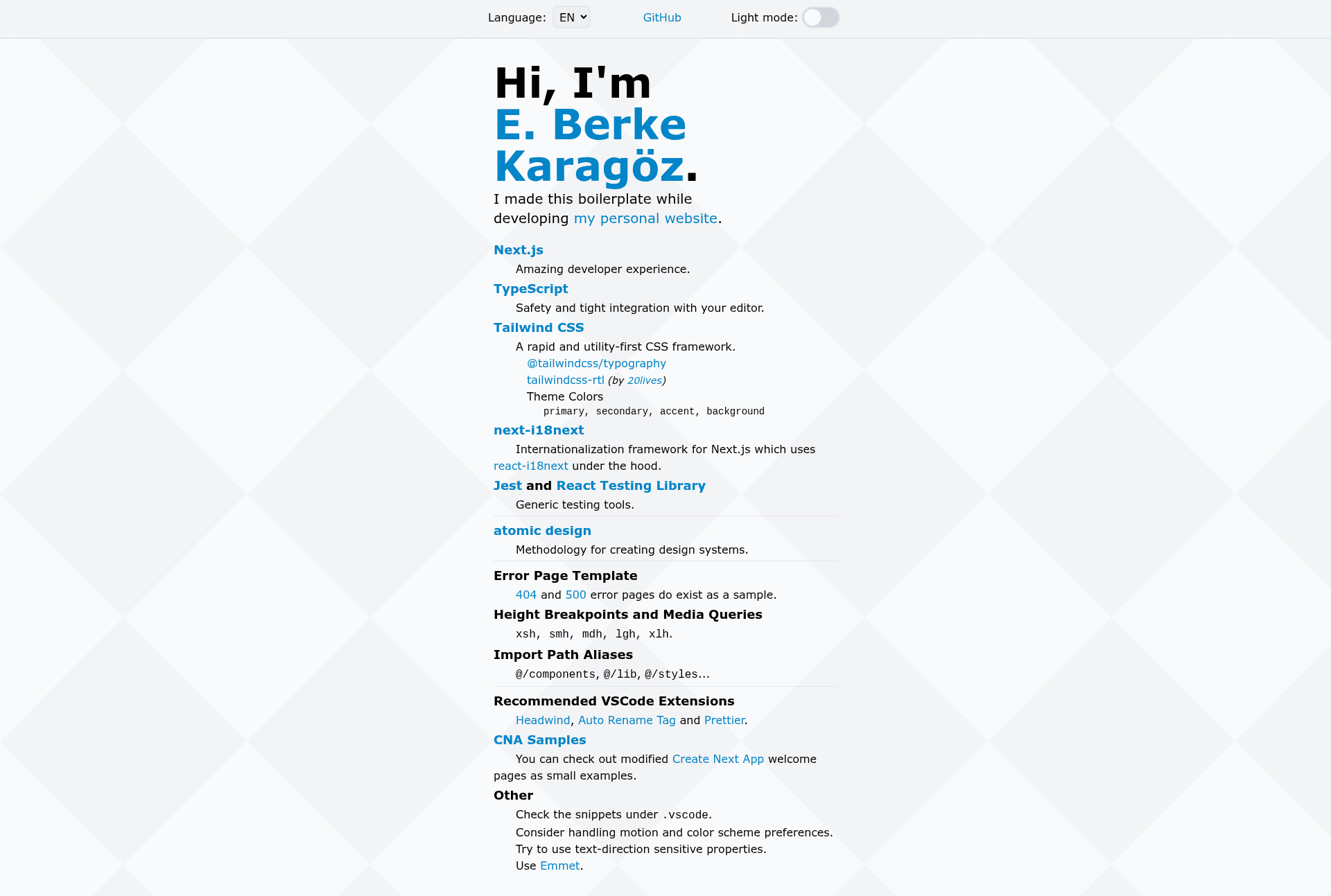
next-ts-tailwindcss-i18n is an open-source project template created by Berke Karagöz while developing his personal website. It takes a fresh Next.js app and layers on TypeScript for type safety, Tailwind CSS for styling, next-i18next for internationalization, Jest and React Testing Library for testing, and an atomic design folder structure. The output is a preconfigured codebase you can clone and run with npm run dev or yarn dev, then edit pages/index.tsx to build your own application.
Key Features
- Next.js and TypeScript — Built on the Next.js framework with TypeScript, giving you type safety and tight editor integration from the start.
- Tailwind CSS with plugins — Utility-first CSS preconfigured with @tailwindcss/typography, tailwindcss-rtl for right-to-left layouts, and custom theme colors named primary, secondary, accent, and background.
- next-i18next internationalization — Multi-language support is set up using next-i18next, which wraps react-i18next.
- Jest and React Testing Library — Testing tools included for writing unit and component tests without extra configuration.
- Atomic design structure — Components are organized using the atomic design methodology (atoms, molecules, organisms, templates, pages) for scalable design systems.
- Error page templates — Sample 404 and 500 error pages come ready to adapt.
- Import path aliases — Shortcuts like @/components, @/lib, and @/styles avoid deep relative imports.
- Height breakpoints and media queries — Custom height breakpoints xsh, smh, mdh, lgh, and xlh are available alongside standard width queries.
Who should use next-ts-tailwindcss-i18n?
- Next.js developers — who want a ready-made setup with TypeScript, Tailwind, i18n, and testing so they can focus on feature code.
- Frontend teams building multilingual websites — because next-i18next is already integrated, translations and locale routing are quick to add.
- Design system practitioners — the atomic design folder structure keeps components scalable and consistent.
- Developers requiring RTL support — tailwindcss-rtl and text-direction-sensitive utilities make Arabic and Hebrew layouts easier.
What can you do with next-ts-tailwindcss-i18n?
- Start a new web project: clone the repo, run npm run dev, and edit pages/index.tsx to build your own pages.
- Add multi-language support: use the next-i18next setup to manage translations and switch locales.
- Write tested components: use the preconfigured Jest and React Testing Library environment to add unit tests immediately.
- Prototype a design system: use the atomic design structure and custom theme colors to build a coherent UI.
How does next-ts-tailwindcss-i18n work?
The boilerplate follows a standard Next.js workflow. Run npm run dev or yarn dev to start the development server at http://localhost:3000. Pages live in the pages directory, and API routes are in pages/api — for example, a hello route is accessible at /api/hello. The project includes recommended VSCode extensions like Headwind, Auto Rename Tag, and Prettier, plus code snippets under .vscode.
FAQ
Does this boilerplate include internationalization?
Yes, next-i18next is included and configured using react-i18next under the hood. You can manage translations for multiple locales out of the box.
What testing tools are set up?
Jest and React Testing Library are preinstalled, so you can write and run unit and component tests without additional setup.
Does it support right-to-left languages?
Yes, the tailwindcss-rtl plugin is included, and the template encourages using text-direction-sensitive properties for RTL layouts.
How do I start the development server?
Run npm run dev or yarn dev from the project root. The app will be available at http://localhost:3000 and hot-reloads as you edit files.
What are the custom theme colors?
The Tailwind theme defines four custom colors: primary, secondary, accent, and background, which you can adjust in the Tailwind configuration.