Template details
Next.js Blog Starter
A blog built with Next.js that includes Markdown, image loading, sitemap, etc
About this template
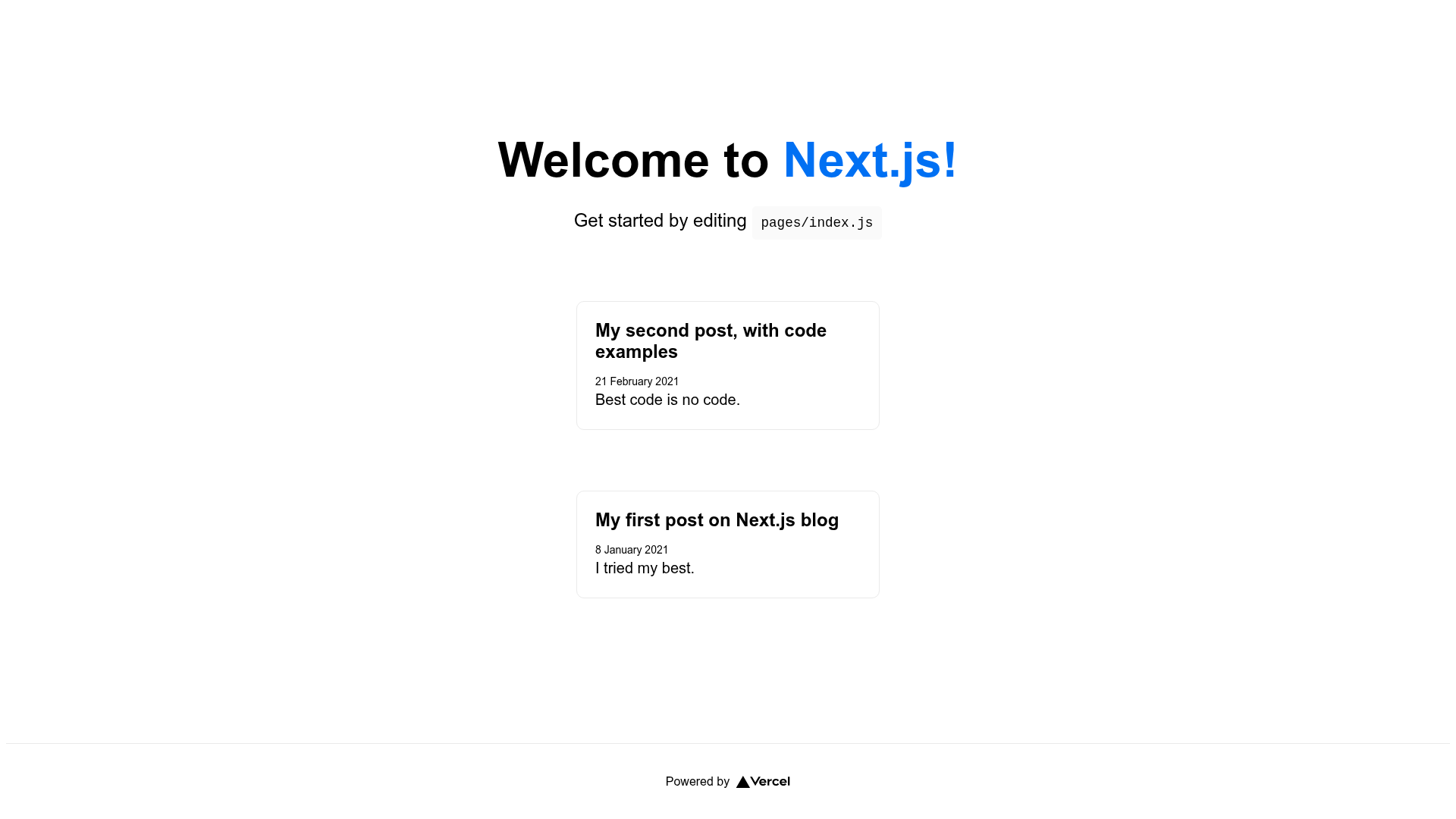
This Next.js blog starter, bootstrapped with create-next-app and published alongside the Pragmatic Pineapple tutorial "How to Migrate Your Blog from Gatsby to Next.js", combines Markdown authoring, image loading, and sitemap generation in a Vercel-ready template.
What is Next.js Blog Starter?
This is a starter repository for a blog built on Next.js that includes Markdown, image loading, sitemap, and related blog features. It serves as the companion code for the Pragmatic Pineapple blog post "How to Migrate Your Blog from Gatsby to Next.js", demonstrating a real-world migration path from Gatsby to Next.js. The template uses the standard create-next-app structure with a pages directory, React-based pages, and API routes, and it is designed to run on Node.js with deployment intended for the Vercel Platform.
Key Features
- Next.js framework — Built on the React-based Next.js framework, with project scaffolding generated by create-next-app, giving you file-based routing, static generation, and server-side rendering out of the box.
- Markdown support — The repository is configured for a Markdown-driven blog, letting you author posts as Markdown files instead of hard-coding content in React components, as described in the migration post.
- Image loading — Image handling is included so blog images can be optimized and served through Next.js's image component rather than raw img tags.
- Sitemap generation — A sitemap is included for SEO, helping search engines index all blog posts, a feature often needed when moving from Gatsby.
- API routes — The pages/api directory is mapped to /api/* and includes a sample api/hello endpoint that can be edited to build custom APIs alongside the blog.
- Vercel deployment — The README points to the Vercel Platform and Next.js deployment documentation, making it straightforward to publish the blog by connecting the repository.
- Development workflow — Use npm run dev or yarn dev to start a local dev server at localhost:3000; editing pages/index.js auto-updates the page in the browser.
Who is it for?
- Gatsby users considering a migration — Read the associated Pragmatic Pineapple post and follow the code to move an existing blog from Gatsby to Next.js, preserving Markdown, images, and sitemap.
- Frontend developers learning Next.js — Use this as a minimal but realistic Next.js blog example to explore the pages directory, API routes, and deployment flow.
- Bloggers who want to own their stack — Set up a self-hosted Markdown blog with Next.js and deploy it to Vercel without paying for a hosted CMS.
How does it work?
After cloning the repository, install dependencies and run npm run dev. The app starts on localhost:3000, where you can edit pages/index.js to see live updates. The pages/api/hello.js file exposes an API route at api/hello, and the project follows Next.js conventions so you can extend it by adding page files or Markdown content.