Template details
yetty
An Eleventy starter kit for fast, accessible static sites with Sass, Critical CSS, PWA, Webpack, and Netlify deploy.
About this template
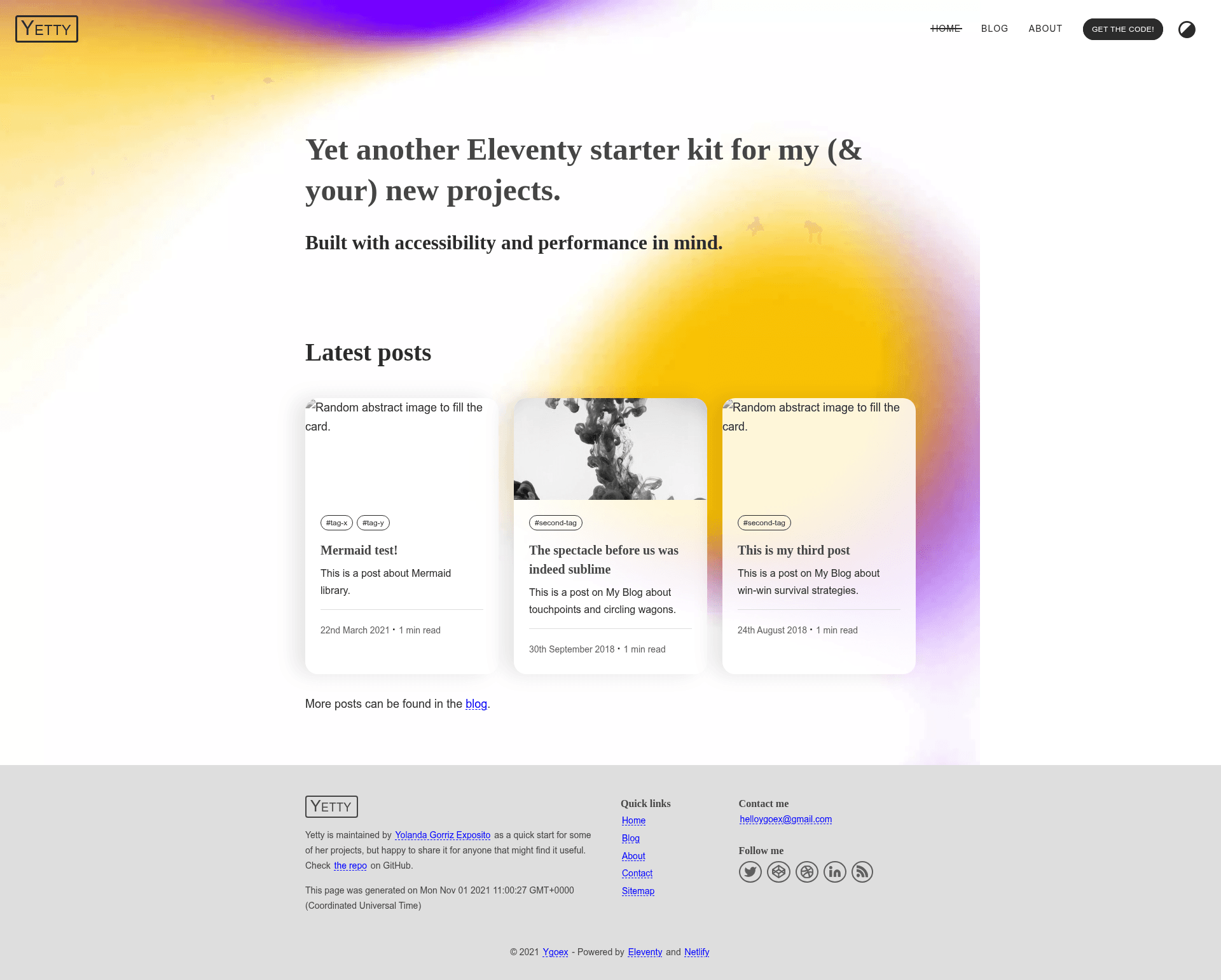
yetty is an Eleventy (11ty) starter kit that scaffolds an accessible, performance-optimized static website with an optional blog, built on eleventy-base-blog and ready to deploy to Netlify with one click.
What is yetty?
yetty is a modern Eleventy starter kit created by GitHub user ygoex. It takes a project folder containing Nunjucks templates, Markdown content, Sass stylesheets, and JavaScript, and produces a fully static dist/ site with minified HTML, optimized images, compiled and purged CSS, and minified JS. It runs on Node.js v10 or higher and npm 7.20.0+, and is designed for JAMstack hosting, especially Netlify.
Key Features
- Sass compilation — Scss files in
src/stylesare compiled to CSS before Eleventy builds, then copied into the output folder. - Critical CSS — The
eleventy-critical-cssplugin extracts and inlines above-the-fold styles automatically in the document head. - PostCSS processing — Autoprefixer and PurgeCSS run on the final stylesheet after the build to add vendor prefixes and strip unused CSS.
- Persistent dark mode — A localStorage-based theme toggle implements dark mode, persisting the user's choice across sessions.
- Cache busting — A custom Eleventy filter appends hashes to asset URLs to invalidate browser caches on deploy.
- HTML minification — The html-minifier package compresses generated pages on production builds.
- PWA support — The eleventy-plugin-pwa plugin adds a service worker and manifest for offline-capable progressive web apps.
- Webpack build — JavaScript is compiled and minified via Webpack CLI.
- Responsive images — The eleventy-img plugin generates multiple sizes in WebP and JPEG, outputting markup with
figure,picture, and native lazy loading. - Modernizr detection — A custom minified Modernizr build detects WebP support in the browser for CSS background images.
Who is it for?
yetty is aimed at front-end developers and web designers who want a preconfigured Eleventy project without wiring up build tooling themselves. It suits:
- Bloggers who want a fast, accessible blog with PWA features and dark mode out of the box.
- Indie web developers who need a static site with critical CSS, image optimization, and cache busting already solved.
- Netlify users who can clone and deploy the template directly through the Netlify UI with the one-click Deploy button.
Use Cases
- Personal blogs — Add Markdown posts with the
posttag to publish articles; the feed template generates RSS. - Portfolio and landing pages — Use the home layout and nav tag to build a marketing-style page with a responsive image hero.
- Progressive web apps — The built-in PWA plugin and dark mode let visitors install the site on mobile devices.
How Does yetty Work?
To get started, clone the repository (or generate a new repo from the GitHub template), run npm install, edit _data/metadata.json with your site details, and start the dev server with npm start. A production build is generated with npm run build, which also runs Sass, PostCSS, and minification pipelines.
Alternatives
- eleventy-base-blog — the minimal Eleventy blog starter that yetty is forked from.
- Eleventy Duo
- Hylia
FAQ
Is yetty free?
Yes, yetty is an open-source starter kit hosted on GitHub with no license purchase required. You can clone, use, and modify it freely for personal or commercial projects.
What does yetty do?
yetty is an Eleventy starter kit that produces a static website with a blog. It handles Sass compilation, critical CSS inlining, image resizing to WebP and JPEG, JavaScript bundling with Webpack, and PWA setup, so you can focus on content.
What Node.js version is required?
Node.js v10 or higher is required, along with npm 7.20.0 or later. These are the minimum versions stated in the project's requirements section.
Can I deploy yetty to Netlify?
Yes, the repository includes a Deploy to Netlify button that clones the repo and starts a site with the build command automatically set. The project is also configured to work with the Netlify API badge in the source.
Does yetty include dark mode?
Yes, it includes a persistent dark mode toggle that saves the user's choice in localStorage, as described in the linked CSS-Tricks guide. It works across sessions on the same browser.