Template details
Next.js + Notion Waitlist Template
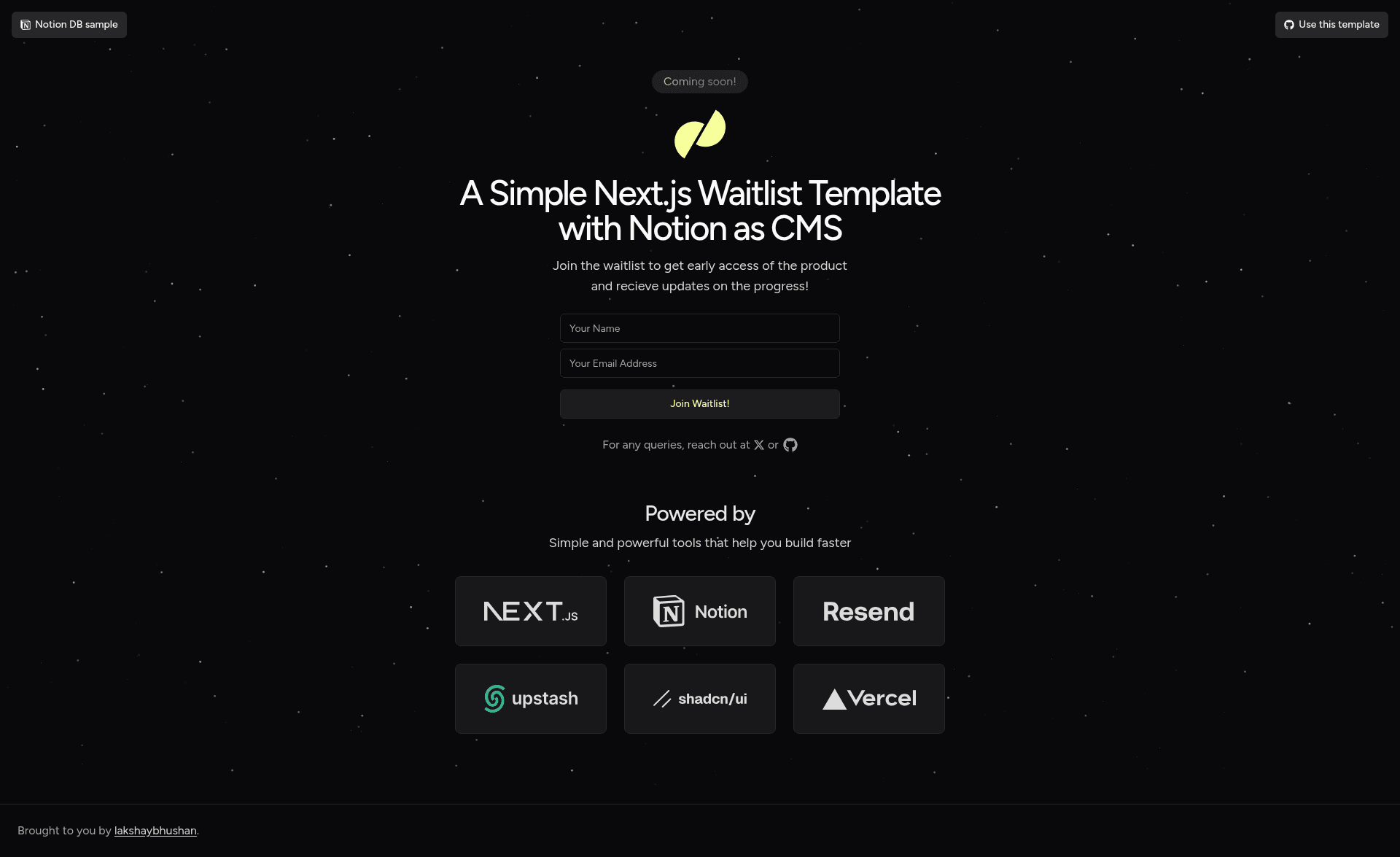
Launch a product waitlist with Next.js 14, Notion CMS, Upstash Redis rate limiting, and Resend email delivery.
About this template
The Next.js + Notion Waitlist Template is an open-source boilerplate for launching a product waitlist using Next.js 14, Notion as a headless CMS, Upstash Redis for rate limiting, and Resend for email delivery from a custom domain. It bundles a pre-built landing page, a Notion-backed signup form, and a one-click Vercel deploy so founders and developers can start collecting emails within minutes.
What is the Next.js + Notion Waitlist Template?
The template is a complete waitlist site starter that runs on the Next.js 14 App Router and uses Notion as its database instead of a traditional backend. Visitors submit their name and email, the data is written to a Notion database, and Resend sends a confirmation message to the new subscriber. Created by GitHub user lakshaybhushan, it includes a live demo at nextjs-notion-waitlist.vercel.app and uses bun as its package manager for bun install, bun dev, and bun email.
Key Features
- Next.js 14 — Built on React's most popular framework with the App Router for server components and API routes.
- Notion as a CMS — Manage all waitlist signups in a Notion database with a Name (Title) column and an Email column, using Notion's API to read and write rows.
- Upstash Redis rate limiting — Prevents spam by limiting signup submissions within a time period, configured via a REST URL and token.
- Resend transactional email — Automatically emails new signups from your custom domain after DNS verification and API key generation.
- One-click Vercel deployment — The "Deploy with Vercel" button clones the repository and prompts for five environment variables:
NOTION_SECRET,NOTION_DB,RESEND_API_KEY,UPSTASH_REDIS_REST_URL, andUPSTASH_REDIS_REST_TOKEN. - shadcn/ui, Magic UI, and Tailwind CSS — The interface combines shadcn/ui and Magic UI components, all styled with Tailwind CSS.
Who is it for?
- Solo founders and indie hackers who want to validate an idea by capturing early emails without paying for a dedicated landing page tool.
- Developers needing a quick boilerplate who want a working waitlist with a modern stack and don't want to set up a backend database.
- Notion power users who already manage their workflows in Notion and want their waitlist list to live in the same workspace.
What can you do with it?
- Validate a product idea — launch the landing page and measure interest by the email signups it generates.
- Build a launch email list — every signup appears as a row in your Notion database, which you can export or enrich later.
- Send branded confirmation emails — use Resend with your own domain so the mail matches your product name.
How does it work?
The README walks through connecting the three external services and deploying.
- Create a Notion database with a Title column called Name and an Email column, then create an internal integration to obtain a secret and copy the database ID from the URL.
- Create an Upstash Redis database to get a REST URL and a token for rate limiting.
- Add and verify your domain in Resend, then generate an API key.
- Click the "Deploy with Vercel" button, enter the five environment variables, and the waitlist goes live.
FAQ
Is the template free to use?
Yes. The license states you can use it for personal or commercial projects and modify it as you like. For commercial use, the author asks that you optionally buy them a coffee or sponsor them on GitHub, but it is not required.
What environment variables do I need?
You need five values: NOTION_SECRET, NOTION_DB, RESEND_API_KEY, UPSTASH_REDIS_REST_URL, and UPSTASH_REDIS_REST_TOKEN. An .env.example file is included for reference.
What does Notion actually do in this template?
Notion acts as the content management system and database. The template writes each signup's name and email to a Notion database and uses the Database ID and an integration secret to authenticate through Notion's API.
Which package manager does this template use?
It uses bun. The instructions are bun install, bun dev, and bun email for dependencies, local development, and running the email server respectively.