Template details
Next.js Shopware Starter
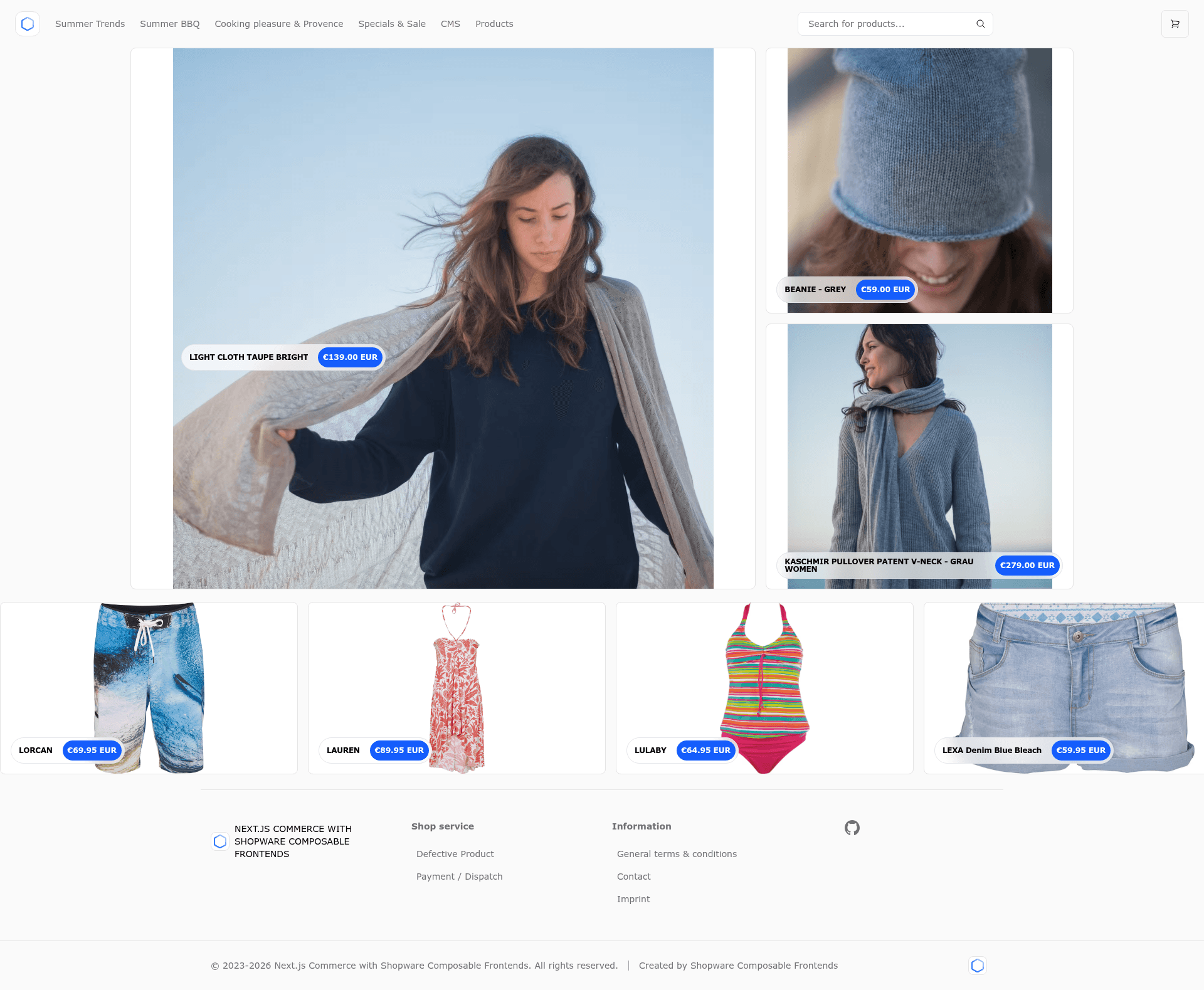
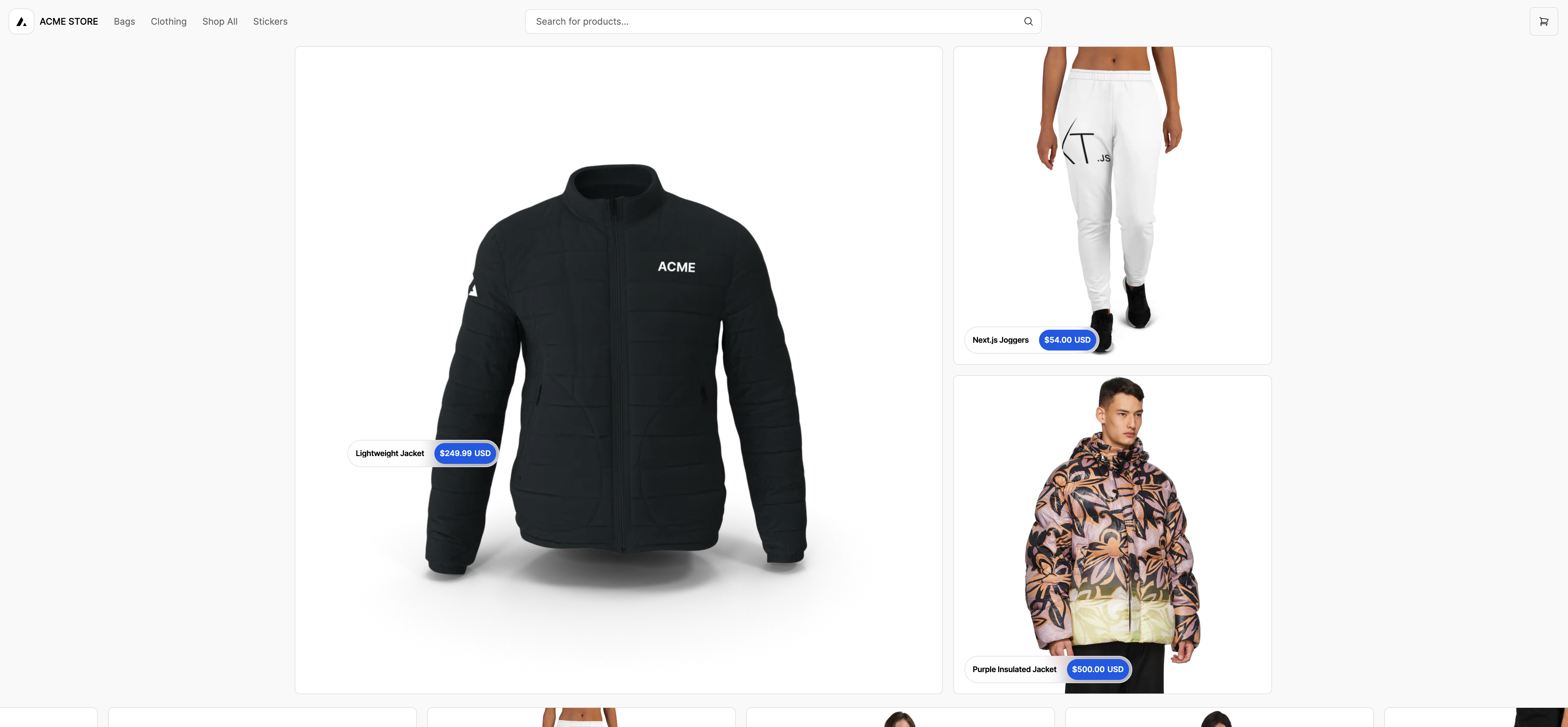
A server-rendered Next.js App Router storefront for Shopware 6, using Tailwind CSS and the Shopware Store API.
About this template
Next.js Shopware Starter is a server-rendered ecommerce storefront template that connects a Next.js App Router frontend to a Shopware 6 backend through the Shopware Store API. It is a reference implementation published by shopwareLabs for building high-performance headless commerce experiences.
What is Next.js Shopware Starter?
Next.js Shopware Starter is a Next.js application built on the App Router that acts as a storefront for a Shopware 6 instance. It reads product, collection, menu, page, and cart data from the Shopware Store API and renders them as a Tailwind-styled UI with automatic light/dark mode. The template requires a running Shopware 6 instance and configuration via environment variables; the output is a complete ecommerce frontend ready to deploy, typically to Vercel.
Key Features
- Next.js App Router — Uses React Server Components and Suspense for server-side rendering, streaming, and optimized data fetching.
- SEO and social sharing — Next.js Metadata drives meta tags, and dynamic Open Graph images are generated for product and content pages.
- Server Actions — Cart updates and other mutations are implemented as Server Actions, reducing client-side JavaScript.
- Edge Runtime support — The app can run on Vercel's Edge Runtime for fast responses from edge locations.
- Tailwind CSS — Utility-first styling with no configuration overhead, including system-based light/dark mode.
- Typed Shopware API client — The official @shopware/api-client package provides typed endpoints, params, and return values.
- Flexible checkout — No checkout is included out of the box; you can redirect to Shopware's native checkout or build a headless checkout using the store API's prepare and place order endpoints.
- SEO URL support — Set SHOPWARE_USE_SEO_URLS to true to activate SEO-friendly product and category URLs.
Who should use Next.js Shopware Starter?
- Shopware 6 developers — Use the starter as a foundation for custom storefronts instead of starting from scratch.
- Agencies building headless commerce sites — Deliver a modern Next.js frontend for clients who already operate Shopware 6 backends.
- Ecommerce teams evaluating headless architectures — Test how Shopware's Store API integrates with React Server Components and Edge deployment.
- Vercel users — Deploy a Shopware storefront with Vercel's environment variable workflow and Edge Runtime.
What can you do with Next.js Shopware Starter?
- Indie merchants on Shopware: Launch a fast, SEO-friendly storefront that pulls product data from an existing Shopware 6 shop without migrating platforms.
- Developers prototyping features: Modify Server Actions and the Typed API client to add custom cart logic, wishlists, or product configurations.
- Agencies creating demos: Use the live demo and the public repository to showcase a headless Shopware setup to prospective clients.
How does Next.js Shopware Starter work?
- Clone the repository and install dependencies with pnpm.
- Link the project to Vercel CLI and pull environment variables.
- Set SHOPWARE_STORE_DOMAIN and SHOPWARE_ACCESS_TOKEN to point at your Shopware 6 SalesChannel.
- Run pnpm dev to start the storefront locally, or deploy to Vercel.
The starter reads from the Shopware Store API, so any products, categories, and content you manage in Shopware appear in the Next.js frontend.
FAQ
What do I need to run Next.js Shopware Starter?
You need a running Shopware 6 instance with at least one Storefront SalesChannel. You also need the public access token from that SalesChannel, used as the SHOPWARE_ACCESS_TOKEN environment variable.
Does Next.js Shopware Starter include a checkout?
No. The template ships without integrated checkout. You can redirect customers to Shopware's native checkout or implement a headless checkout using the store API's order preparation and placement endpoints.
How do I set up the environment variables?
Copy .env.example to .env (or use Vercel Environment Variables). Set SHOPWARE_STORE_DOMAIN to your Shopware domain without the protocol, and set SHOPWARE_ACCESS_TOKEN to your SalesChannel's public access token. Set SHOPWARE_USE_SEO_URLS to "true" to enable SEO URLs.
Can I use Next.js Shopware Starter with any Shopware version?
The README specifies Shopware 6 and links to a Shopware 6 installation guide. The project uses the Store API, so it targets Shopware 6's API surface.