Template details
Next.js Starter Template
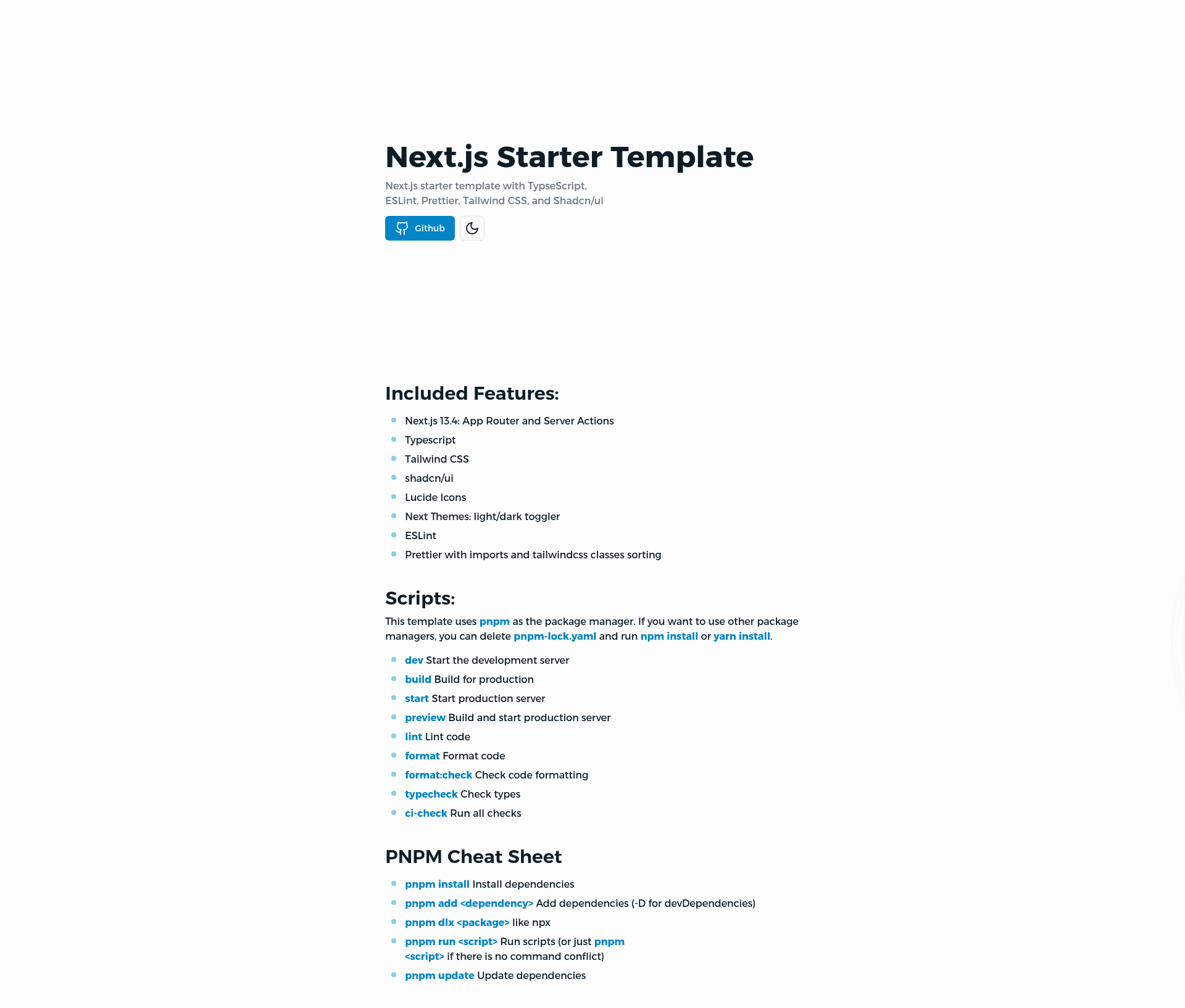
Next.js starter template with TypeScript, Tailwind CSS, shadcn/ui, ESLint, Prettier, and PWA.
About this template
Next.js Starter Template is a GitHub boilerplate for scaffolding a new Next.js 13 application with TypeScript, Tailwind CSS, shadcn/ui, and a pre-configured CI pipeline, maintained by AhmedBaset.
What is the Next.js Starter Template?
It is a reference starter that you instantiate through create-next-app with the template URL, producing a project folder complete with TypeScript, Tailwind CSS, shadcn/ui, ESLint, Prettier, GitHub Actions, and PWA configuration. The template pins to Next.js 13.5.3 and supports pnpm, npm, and yarn package managers. Its purpose is to eliminate repetitive setup so you can start coding features immediately.
Key Features
- Next.js 13 with App Router — The template is up to Next.js 13.5.3 and scaffolds a modern App Router project.
- TypeScript — Type safety is used throughout, including environment variables validated in
./env.mjs. - Tailwind CSS — Utility-first styling is pre-configured with the framework.
- shadcn/ui & radix-ui — Both are pre-installed; you can add more components with
pnpm shadcn-ui add <component>. - lucide-icons — The icon set is included for UI elements.
- Dark/light mode — A theme switcher is built into the starter.
- Statically typed links — Next.js's experimental
typedRoutesfeature generates route definitions in.next/typesso invalidnext/linkhrefs are caught by TypeScript. - GitHub Actions CI — A workflow runs formatting, linting, and typechecking checks on every push.
- VSCode integration — Recommended extensions and settings are included; VSCode prompts to install them on first open.
- Prettier with import sorting — Code style and import order are enforced automatically.
- PWA-ready —
next.config.jscontains configuration for progressive web app support.
Who is it for?
- Next.js developers who want a production-oriented starting point without reconfiguring TypeScript, Tailwind, and linting each time.
- Teams adopting shadcn/ui that need the Radix-based component system wired up and accessible via the shadcn CLI.
- Developers working in VSCode who value a shared editor configuration and extension recommendations.
- Open-source contributors who want a CI pipeline and Dependabot already configured so dependency updates arrive as pull requests.
What can you do with the Next.js Starter Template?
- Frontend developers: scaffold a new app with one command, then run
pnpm devto start developing. - Agencies and consultants: spin up consistent client projects using the same linting, formatting, and CI checks across all repos.
- PWA developers: build installable web apps using the included PWA configuration in
next.config.js. - Component library maintainers: use shadcn/ui CLI to add and customize Radix-based components faster than manual setup.
How does it work?
To create a project, copy the command pnpm create next-app -e https://github.com/AhmedBaset/next-template my-app and run it in your terminal; npm and yarn equivalents are also provided. After scaffolding, the README advises running pnpm update --latest to refresh dependencies. Development and production workflows are managed through npm scripts such as dev, build, start, preview, and ci-check.
FAQ
How do I create a project from this template?
Run one of the provided commands, for example pnpm create next-app -e https://github.com/AhmedBaset/next-template my-app. This downloads the template and scaffolds a new Next.js project in the my-app folder. Afterwards, pnpm install and pnpm dev will get the app running.
What package manager does this template use?
The template defaults to pnpm and includes a pnpm-lock.yaml. If you prefer npm or yarn, delete that lockfile and run npm install or yarn install instead.
Does it support PWA?
Yes, the template is described as "ready to use PWA" with configuration in next.config.js. You can extend that setup to add a service worker and manifest for installable apps.
How do I add shadcn/ui components?
Use the shadcn CLI: pnpm shadcn-ui add <component>. The optional --overwrite flag replaces existing files. This works because shadcn/ui and radix-ui are already installed.
Is authentication or a database included?
No. The README lists configuring next-auth and Prisma as TODOs, so you will need to integrate authentication and a database yourself. The template focuses on the frontend and build tooling layer.