Template details
Nuxt 2 Documentation Website
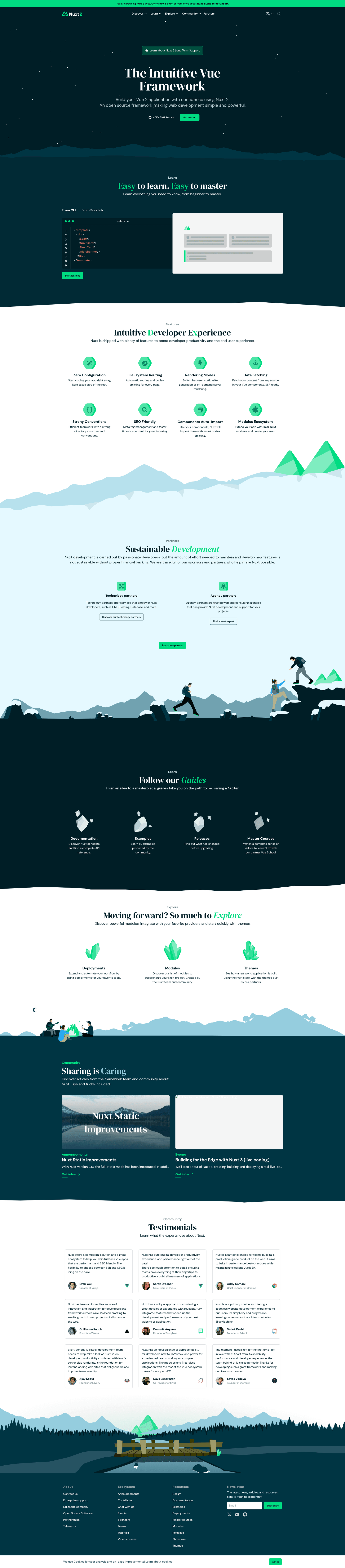
Open-source documentation site for Nuxt 2, built with Nuxt and Docus.
About this template
Nuxt 2 Documentation Website is an open-source documentation site template that powers the official Nuxt 2 docs, built with Nuxt 2 and the Docus documentation theme. The repository contains everything needed to run a content-driven documentation website: content lives in Markdown/MDC files under the content/ directory, and the site generates pages from those files on the fly. It is maintained by the Nuxt project under the CC BY-ND 4.0 license for design materials.
What is Nuxt 2 Documentation Website?
The Nuxt 2 Documentation Website is the source code for the official documentation site of Nuxt 2, hosted at v2.nuxt.com. It is built using Nuxt 2 and Docus, a documentation theme created by the Nuxt team. The site takes Markdown/MDC files from the content/ directory as input and produces a static documentation website as output. The repository also includes setup and development instructions for contributors.
Key Features
- Content-driven architecture — All pages are generated from Markdown/MDC files into the content/ directory, so adding documentation is done by editing text files.
- Docus documentation theme — Uses Docus to handle navigation, search, and page layout, providing a consistent docs experience.
- Local development server — Run
yarn devto start a development server at http://localhost:4000 with hot reload for instant preview of edits. - VS Code integration — The recommended Docus extension for VS Code enhances MDC authoring with syntax highlighting and snippets.
- Official Nuxt project — Maintained by the Nuxt team and used for the real Nuxt 2 documentation, making it a reliable reference implementation.
- Open-source license — Design materials are licensed under Creative Commons Attribution-NoDerivatives 4.0 International (CC BY-ND 4.0).
Who is it for?
- Documentation maintainers — Those responsible for writing and updating Nuxt 2 documentation can use this site to contribute directly.
- Nuxt developers — Developers who want to see a real-world, production-grade Nuxt 2 project with Docus can study its structure.
- Technical writers — Writers who need a practical example of a content-driven docs site and want to learn MDC syntax.
What can you do with it?
- Contribute to Nuxt docs: Edit files in the content/ directory and submit a pull request to improve the official Nuxt 2 documentation.
- Learn Docus theming: Explore how Docus is integrated with Nuxt 2, including configuration, layout, and content loading.
- Build a custom docs site: Fork the repository and replace the content with your own to create a documentation website for another project, reusing the Docus setup.
How does it work?
Start by cloning the repository and running npm install to install dependencies. To develop locally, run yarn dev and open http://localhost:4000 in your browser; the site rebuilds as you edit files in content/. The repository also recommends installing the Docus extension for VS Code to improve the MDC editing experience. Contributions are made by editing content and opening pull requests.
FAQ
Is the Nuxt 2 Documentation Website free?
Yes, the repository is open source. The design materials are licensed under Creative Commons Attribution-NoDerivatives 4.0 International, which allows sharing and non-commercial use with attribution, though derivative works are not permitted.
What is Docus?
Docus is a documentation theme for Nuxt that provides pre-built components for navigation, content display, and search. It is used here to generate the Nuxt 2 documentation site from Markdown/MDC files.
Do I need to know Nuxt to contribute?
Basic familiarity with Markdown is enough to edit documentation content. For deeper changes to layout or theming, knowledge of Nuxt and Vue components is helpful.
What is the development server port?
The development server runs on port 4000 (http://localhost:4000) when you execute yarn dev.
How do I add a new page to the documentation?
Create a new Markdown or MDC file inside the content/ directory following the existing file structure. The Docus theme automatically picks it up and adds it to the site navigation.