Template details
Nuxt Argon Dashboard 2 PRO
Premium Bootstrap 5 & Nuxt 3 admin dashboard with 200+ components, example pages, and full documentation.
About this template
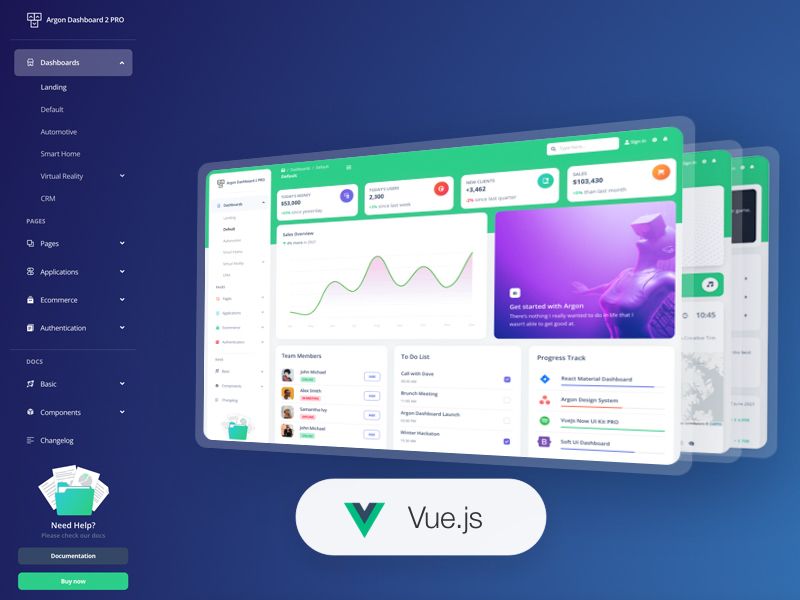
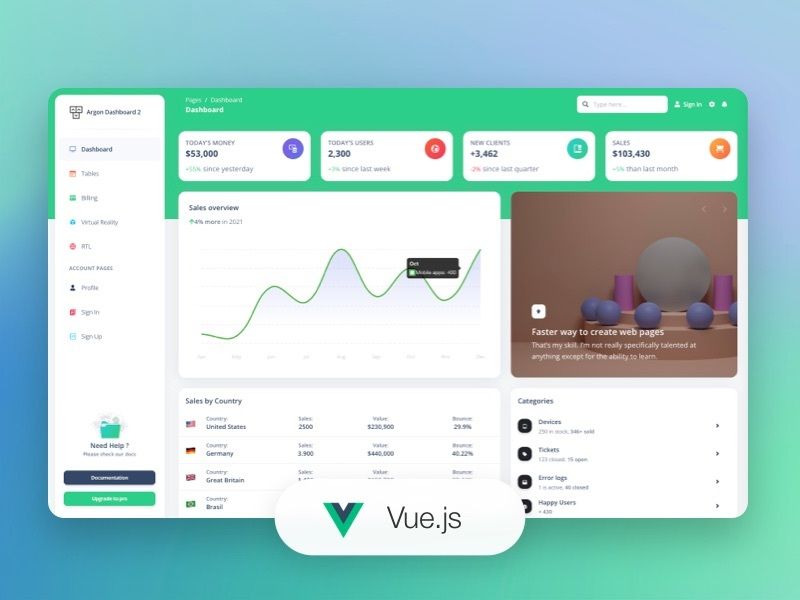
Nuxt Argon Dashboard 2 PRO is a premium admin dashboard template from Creative Tim, built on Bootstrap 5 and Nuxt 3, that provides over 200 coded UI components and pre-built example pages for rapid web application development.
What is Nuxt Argon Dashboard 2 PRO?
Nuxt Argon Dashboard 2 PRO is a paid admin dashboard template distributed by Creative Tim, currently at version 2.1.1. It runs on the Nuxt 3 framework with Vue components and uses Bootstrap 5 for styling, and its output is a fully coded frontend application with pages, layouts, and reusable components ready to be customized and deployed. The template includes a file structure with assets, components, examples, layouts, pages, plugins, and configuration files such as nuxt.config.ts and tsconfig.json.
The template is designed to save development time by providing prebuilt design blocks and example pages, from dashboards for smart homes and automotive to CRM admin panels. All components are implemented and documented, with SASS files for color customization.
Key Features
- Over 200 UI components — Includes buttons, inputs, navbars, nav tabs, cards, alerts, and more, each with color variations that can be modified via SASS files and classes.
- Pre-built example pages — Includes dashboards for default, automotive, virtual reality, smart home, and CRM scenarios, plus ecommerce pages, profile and account settings, authentication (sign in and sign up), and an RTL page.
- Nuxt 3 and Bootstrap 5 stack — Uses Nuxt 3 as the application framework, Bootstrap 5 for responsive styling, and Vue single-file components for the UI layer.
- Integrated open-source libraries — Comes with Popper.js for tooltips, Flatpickr for date picking, Choices JS for select inputs, Chart.js for charts, FullCalendar for events, Dropzone for drag-and-drop uploads, Simple-DataTables for data tables, PhotoSwipe for galleries, Quill for rich text editing, Sweet Alert 2 for popups, and a multi-step form wizard.
- Documentation hosted by Creative Tim — Each component is described in the official learning lab documentation at creative-tim.com, covering implementation and usage for Nuxt.
- Multiple layouts — Ships with layouts for authentication, landing, profiles, RTL, and virtual reality pages, enabling different page structures within one project.
- Browser support for modern browsers — Officially supports the last two versions of Chrome, Firefox, Edge, Safari, and Opera.
Who is it for?
Nuxt Argon Dashboard 2 PRO is for web developers and freelancers building admin panels, dashboards, and internal tools with the Nuxt 3 framework. It suits agencies that need to deliver branded backend interfaces quickly, and product teams creating SaaS or CRM applications that require authentication, tables, forms, and charts out of the box.
Developers who prefer the Argon design language — the look popularized by Creative Tim — will find ready-made components that match that aesthetic without building from scratch.
What can you do with Nuxt Argon Dashboard 2 PRO?
- SaaS founders: quickly scaffold an analytics dashboard with charts, tables, and user profile pages, using Chart.js and the included ecommerce and application page examples.
- Agency developers: assemble a branded admin panel by customizing SASS variables and swapping ArgonAlert, ArgonButton, and other components to fit client styling.
- Freelance developers: deliver a project with authentication pages, a multi-step form wizard, calendar, and file uploads by connecting the prebuilt pages to an existing Nuxt 3 back end.
- Frontend teams: use the file structure as a reference architecture for organizing components, layouts, and pages in a Nuxt 3 project.
How does the template work?
The template is installed from a purchased download, then set up by navigating to the root directory and running npm install to install local dependencies. After dependencies are installed, the Nuxt application can be started following standard Nuxt 3 commands, and the demo pages are accessible through routes like /dashboards/default, /ecommerce/overview, and /authentication/signin/basic.
Pricing
Nuxt Argon Dashboard 2 PRO is a paid product — the page lists a "Buy from Creative Tim" option and does not show a free tier. Pricing details are available on the Creative Tim product page; the repository offers no free download.
FAQ
Is Nuxt Argon Dashboard 2 PRO free?
No, it is a premium paid template. The README points users to a "Buy from Creative Tim" link, and no free download option is provided in the repository.
What framework does Nuxt Argon Dashboard 2 PRO use?
It is built with Nuxt 3 and Vue components, styled with Bootstrap 5. The project includes nuxt.config.ts and tsconfig.json, confirming it is a standard Nuxt 3 application.
Which browsers are supported?
The template officially supports the last two versions of Chrome, Firefox, Edge, Safari, and Opera.
What open-source libraries are included?
It bundles Popper.js, Flatpickr, Choices JS, Chart.js, FullCalendar, Dropzone, Simple-DataTables, PhotoSwipe, Quill, Sweet Alert 2, and a Bootstrap multi-step form wizard.
Where is the documentation?
Documentation is hosted on Creative Tim's learning lab at creative-tim.com, under the Nuxt Argon Dashboard section, with guides for each component and the overview.