Template details
Nuxt DevTools
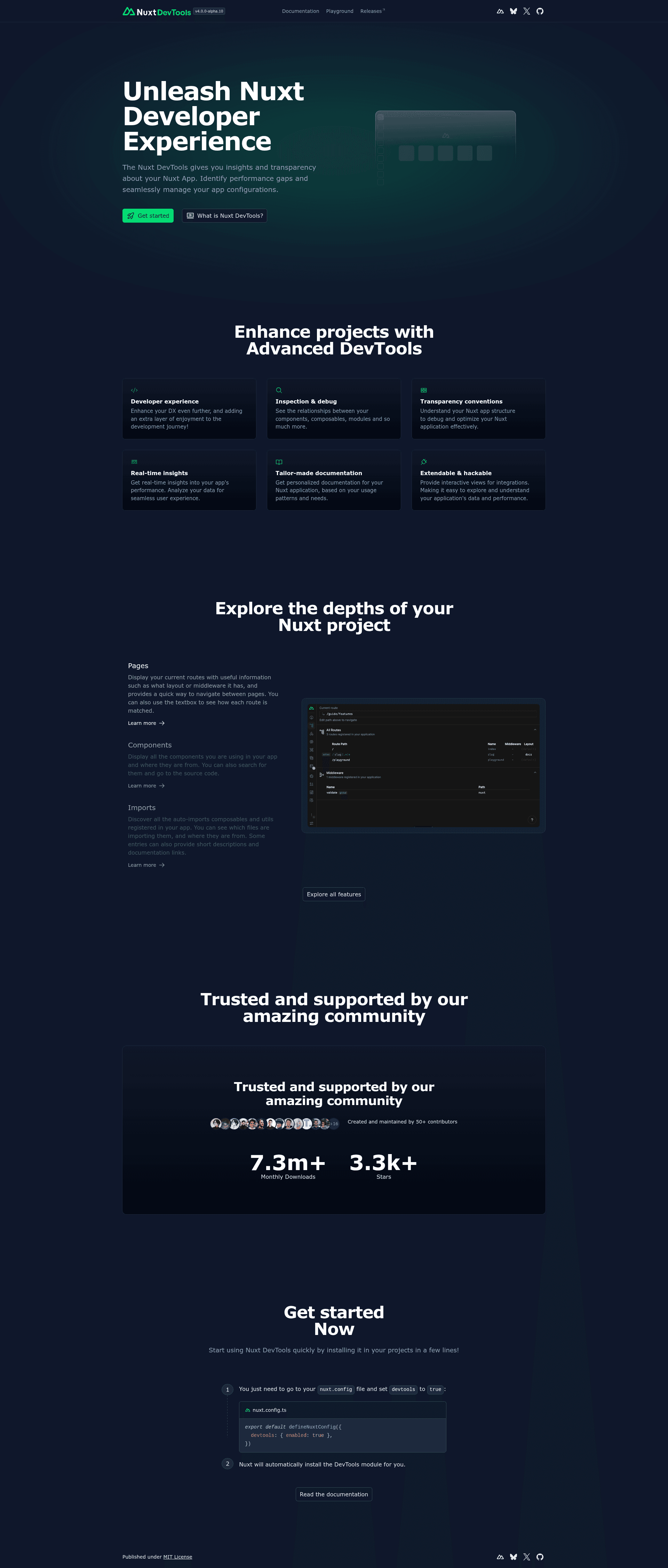
Visual in-browser tools for inspecting, debugging, and understanding Nuxt.js applications during development.
About this template
Nuxt DevTools is a first-party visual development tool for Nuxt.js applications that provides an in-browser panel for inspecting, debugging, and understanding your Nuxt app. It is bundled with Nuxt and maintained by the Nuxt team under the MIT license, distributed as the @nuxt/devtools npm package.
What is Nuxt DevTools?
Nuxt DevTools is a set of visual tools that run inside your Nuxt application during development, giving you a panel to know your app better. It takes your running Nuxt app as input and displays an interactive overlay with tabs and features for inspecting the application's runtime details. The tool is developed by the Nuxt core team, and since Nuxt v3.8.0 it is enabled by default; the v2 line requires Nuxt v3.15.0 or higher.
Key Features
- Enabled by default — Starting with Nuxt v3.8.0, DevTools requires no configuration; it ships with the framework.
- Keyboard shortcut access — Press Shift+Alt+D on Windows/Linux or Shift+Option+D on macOS to open the panel in your app.
- Configurable in nuxt.config — Toggle the tool by setting
devtools.enabledto true or false in yournuxt.configfile, along with options likecodeServer. - Nightly release channel — Opt in to nightly builds via npm, yarn, or pnpm overrides pointing to
@nuxt/devtools-nightly@latest; removes the lockfile and reinstalls. - Module extension API — Module authors can add custom DevTools features through the Module Authors Guide, integrating their own tooling into the panel.
- Anonymous telemetry — Usage analytics are collected through Nuxt Telemetry, including version, tab navigations, browser/OS names, and some button clicks; the data is hashed, non-identifiable, and can be disabled in settings.
Who is it for?
Nuxt application developers who want to inspect and debug their running app without leaving the browser. Nuxt module authors who want to surface their module's own tools inside DevTools. Nuxt teams who need an opt-in nightly build to test unreleased DevTools features. Also useful for contributors who want to help build the tool itself via the Contribution Guide.
What can you do with Nuxt DevTools?
- Nuxt app developers: open the panel with the keyboard shortcut to get a visual understanding of the app's structure and runtime state, then navigate between feature tabs to find the information you need.
- Module authors: use the Module Authors Guide to build integrations that appear directly in the DevTools panel, giving your module's users extra diagnostics or configuration controls.
- Nuxt contributors: follow the Contribution Guide to fix bugs or add features to DevTools, and test the latest changes through the nightly channel.
How does Nuxt DevTools work?
The tool runs as a Nuxt module during development, hooking into your app via the built-in Nuxt integration. Open it with the shortcut or launch it programmatically via the devtools config; the panel renders over your app and tracks which tabs you visit for telemetry. Because it ships inside Nuxt, no separate install step is needed for the default version.
Pricing
Nuxt DevTools is free and MIT-licensed. The core tool is bundled with Nuxt, while the standalone @nuxt/devtools package is distributed via npm without charge.
Alternatives
Vue Devtools is a similar in-browser debugging panel for Vue.js applications; Nuxt DevTools is specific to Nuxt and its integration with Nuxt's module system.
FAQ
Is Nuxt DevTools free?
Yes. Nuxt DevTools is released under the MIT license and is included with Nuxt by default, with no cost or premium tier on this page.
How do I enable Nuxt DevTools?
It is enabled by default in Nuxt v3.8.0 and above. To explicitly turn it on or off, set devtools.enabled to true or false in your nuxt config file.
What Nuxt versions are supported?
The DevTools v2 line requires Nuxt v3.15.0 or higher. The tool has been bundled into Nuxt since v3.8.0, and the main branch currently targets v4 development.
Does Nuxt DevTools collect my data?
It collects anonymous usage telemetry through Nuxt Telemetry, including version, tab navigations, browser/OS, and click events. The data is hashed, aggregated, non-personally identifiable, and you can opt out in the DevTools settings.
Can I try nightly builds?
Yes. Use package manager overrides in npm, yarn, or pnpm to point @nuxt/devtools to @nuxt/devtools-nightly@latest, then remove your lockfile and reinstall.