Template details
OG.cool
A Next.js demo that displays news headlines in dynamically generated OG images using @vercel/og.
About this template
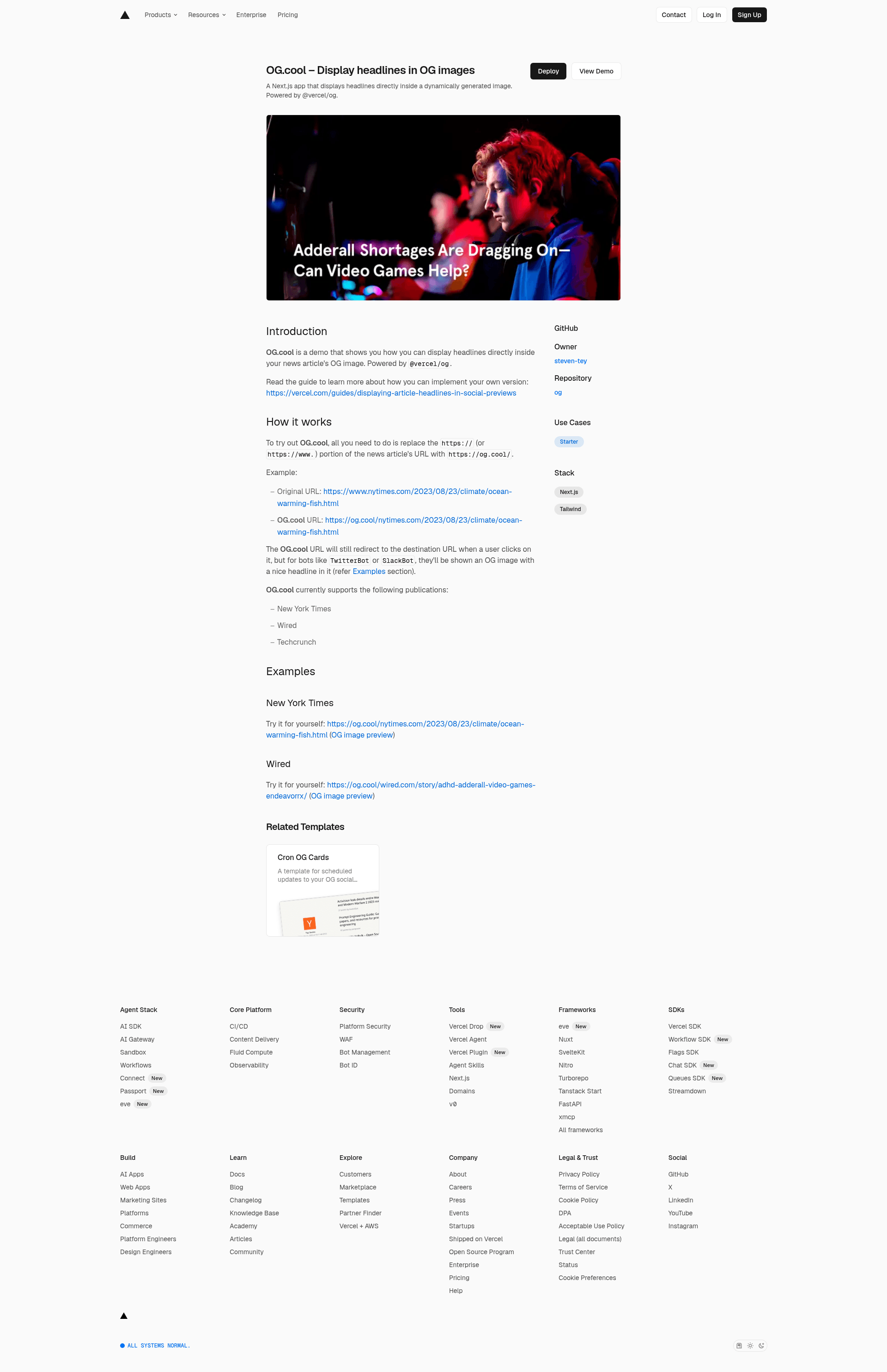
OG.cool is a demo built on Next.js and Vercel Edge Functions that dynamically generates social preview images containing the headline of a news article, powered by the @vercel/og library and published as an open-source project on GitHub.
What is OG.cool?
OG.cool takes a news article URL — such as a New York Times or Wired story — and produces a custom Open Graph image that displays the article's headline in a styled format. When a user clicks the OG.cool URL, they are redirected to the original article; however, when social media bots like TwitterBot or SlackBot request the URL, they receive the specially generated OG image. The project is a demonstration created by Steven Tey, with 202 stars on GitHub, and serves as a reference implementation for displaying headlines in social previews.
Key Features
- URL rewriting — Replace the
https://part of any supported article URL withhttps://og.cool/to get a dynamic preview link; the path structure remains intact. - Redirect for humans, OG image for bots — Human visitors are redirected to the original article, while social media crawlers receive the generated headline image.
- Publication support — Works out of the box for New York Times, Wired, and TechCrunch articles.
- Edge rendering — Images are generated on Vercel Edge Functions using
@vercel/og, enabling fast, server-side image output without additional infrastructure. - Open source — The code is available on GitHub under the
steven-tey/ogrepository, allowing developers to fork and adapt it. - Vercel guide — A step-by-step guide (linked from the project page) explains how to implement the same feature in your own Next.js app.
Who is it for?
- Next.js developers — Looking for a concrete pattern to integrate dynamic OG image generation into their own apps using
@vercel/og. - Publishers and news sites — Want to improve click-through rates on social media by showing article headlines directly in link previews instead of a generic site logo.
- Content marketers — Need to quickly generate branded social previews for article links without a separate design tool.
What can you do with OG.cool?
- Try it immediately — Replace the URL prefix of a supported article and share the OG.cool link on Slack, Twitter, or any bot that fetches Open Graph metadata.
- Learn the implementation — Read the Vercel guide to understand how headline extraction, font loading, and edge image generation work.
- Extend to new publications — Fork the repository and add support for additional sites by modifying the headline extraction logic.
How does OG.cool work?
- Take a supported article URL and replace
https://(orhttps://www.) withhttps://og.cool/. - When the link is shared, bot crawlers request the OG.cool URL.
- The edge function fetches the original article, extracts the headline, and returns a dynamically generated image with the headline styled via
@vercel/og. - Users who click the link are redirected to the original article through a normal HTTP redirect.
FAQ
Is OG.cool free to use?
The project is an open-source demo published on GitHub, and the hosted OG.cool service is available to try without charge. There is no mention of paid tiers or pricing restrictions in the repository.
Does OG.cool work for any website?
Currently, it only supports New York Times, Wired, and Techcrunch. For other sites, you would need to extend the code to handle their page structure.
What is @vercel/og?
@vercel/og is a Vercel library for generating Open Graph images in edge functions. OG.cool uses this library to produce the headline images on the fly.
Can I use OG.cool for my own blog?
Not directly, because it only supports the three listed publications. However, you can fork the repository and adapt the headline extraction to work with your blog's HTML structure, following the Vercel guide.