Template details
flutter_widget_from_html
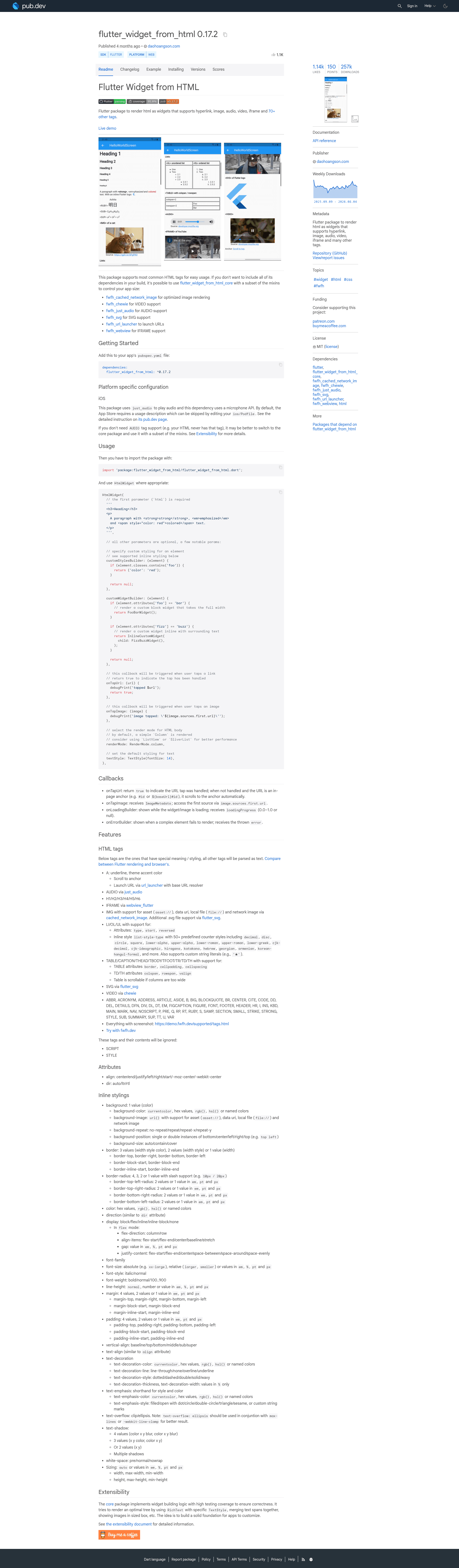
Flutter package to render HTML as widgets, supporting hyperlinks, images, audio, video, iframes and many other tags.
About this template
flutter_widget_from_html is an open-source Flutter package, maintained in the HtmlWidget monorepo, that renders HTML markup as native Flutter widgets with support for hyperlinks, images, audio, video, iframes, and many other tags.
What is flutter_widget_from_html?
flutter_widget_from_html is a Flutter package that converts HTML strings into a tree of Flutter widgets, so rich web content can be displayed directly in Flutter apps without a WebView. It accepts a string containing HTML and outputs a Widget; the package includes both an enhanced version (flutter_widget_from_html) and a lighter core version (flutter_widget_from_html_core). The project is maintained by daohoangson on GitHub as a monorepo containing several companion packages.
Key Features
- HTML tag rendering — Converts hyperlinks, images, audio players, video players, iframes, and many other HTML tags into native Flutter widgets.
- Modular extension packages — The monorepo splits optional functionality into separate pub packages: fwfh_cached_network_image, fwfh_chewie, fwfh_just_audio, fwfh_svg, fwfh_url_launcher, and fwfh_webview, so you only add the capabilities you need.
- Cached network images — The fwfh_cached_network_image extension integrates CachedNetworkImage for efficient loading and caching of remote images.
- Video playback via Chewie — The fwfh_chewie package lets you embed video players powered by the Chewie plugin.
- Audio playback via just_audio — The fwfh_just_audio package adds audio players built on just_audio.
- SVG image support — The fwfh_svg extension renders SVG files inside HTML content.
- Hyperlink opening — The fwfh_url_launcher extension opens URLs using the url_launcher plugin.
- WebView embedding — The fwfh_webview extension displays iframe content in an in-app WebView.
- Demo and DartPad — A live demo is available at demo.fwfh.dev, and a dedicated DartPad environment at try.fwfh.dev lets you experiment with the packages in your browser.
Who is it for?
- Flutter app developers — Use it to render HTML content such as news articles, email bodies, or chat messages natively in their Flutter UI.
- Developers building document or note apps — Display formatted text with images, links, and embedded media without leaving the Flutter rendering engine.
- Teams building CMS-backed apps — Render server-provided HTML (from a CMS or API) as polished widgets that match the app's look and feel.
What can you do with flutter_widget_from_html?
- Chat applications — Display message content with tappable links and inline images without opening a browser.
- Email clients — Render HTML email bodies, including embedded images and attachments, as native widgets.
- News and blog readers — Show article HTML with video embeds (via Chewie) and audio players (via just_audio).
- Documentation viewers — Render help pages or offline documentation stored as HTML with styling and media.
How does it work?
The monorepo separates core parsing from feature-specific handlers. You pass an HTML string to the HtmlWidget widget; the core package builds widgets for basic tags, and each fwfh_* package registers optional handlers for additional tags like video, audio, SVG, and web views. This modular design keeps the base dependency small and lets you control feature coverage.
Pricing
The packages are free and open-source, published on pub.dev. The repository includes a voluntary Buy Me A Coffee link for supporting the maintainer.
Alternatives
- flutter_html — Another Flutter package that renders HTML to widgets, offering a different API and support set.
FAQ
Is flutter_widget_from_html free?
Yes, all packages in the HtmlWidget monorepo are open-source and free to use. You can add them to your Flutter project via pub.dev.
What HTML tags are supported?
The package supports a wide range of tags including hyperlinks, images, audio, video, iframe, and many others. Specific extras like SVG, webview, cached images, and media playback are enabled through the separate fwfh_* extension packages.
What is the difference between flutter_widget_from_html and flutter_widget_from_html_core?
flutter_widget_from_html_core is the base package with fewer built-in dependencies, while flutter_widget_from_html is the enhanced version that includes additional features out of the box. You can pick the one that matches your dependency budget.
Does it work on web and mobile?
Flutter runs on Android, iOS, web, desktop, and embedded platforms. Since the package renders to standard Flutter widgets, it works wherever Flutter works, though features like the WebView extension depend on platform support for web views.
How do I add it to my Flutter project?
Add the package to your pubspec.yaml file, e.g., flutter_widget_from_html: ^latest, and optionally add any of the fwfh_* packages for extended tags. Then create an HtmlWidget with your HTML string.