Template details
Overkyll Jekyll Theme
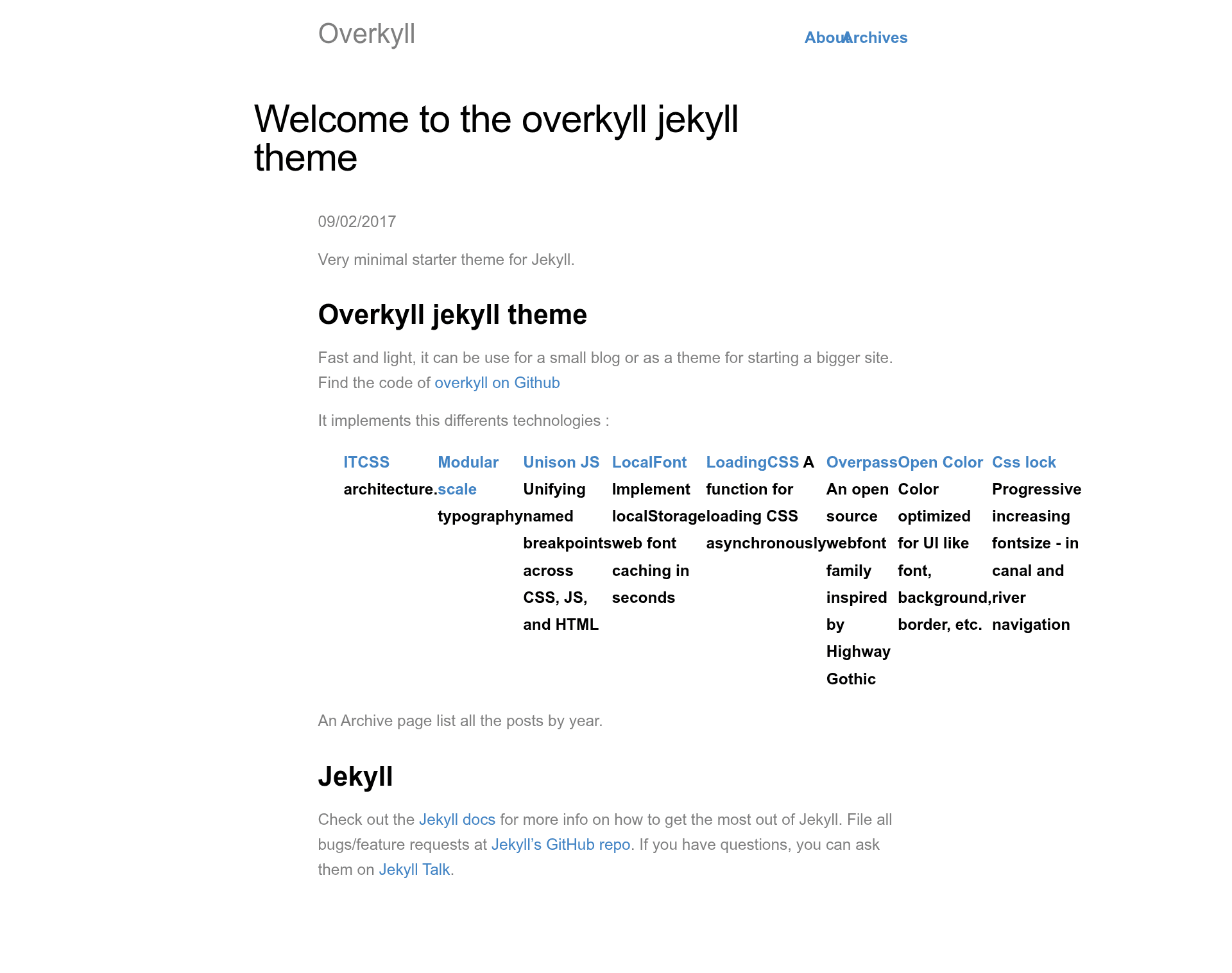
A simple starter theme with an ITCSS Sass files organisation, a flexbox grid and modular typography.
About this template
Overkyll is a free, open-source Jekyll starter theme that combines ITCSS-structured Sass, a flexbox grid, and modular typography to build lightweight static sites for small blogs or larger projects.
What is Overkyll Jekyll Theme?
Overkyll Jekyll Theme is a simple starter theme designed for Jekyll, the Ruby-based static site generator. It takes a standard Jekyll project and applies a structured Sass architecture, a flexbox grid, and a modular scale for typography, producing a fast and light static website. The theme is developed and maintained by Bertrand Keller, and its source code is available on GitHub.
Key Features
- ITCSS architecture — Sass files are organized using the Inverted Triangle CSS methodology, making stylesheets predictable and easier to maintain.
- Modular scale typography — Font sizes are generated from a modular scale, giving consistent vertical rhythm across headings and body text.
- Flexbox grid — A lightweight CSS grid layout built with flexbox, so no external grid framework is required.
- Unison JS — Named breakpoints are defined once and shared across CSS, JavaScript, and HTML through the Unison library.
- LocalFont caching — The LocalFont script stores webfonts in localStorage, speeding up repeat page loads.
- LoadingCSS — CSS is loaded asynchronously via the LoadCSS function, reducing render-blocking resources.
- Overpass webfont — The theme includes Overpass, an open-source font family inspired by Highway Gothic, for UI and text.
- Open Color palette — A UI-focused, open-source color set used for backgrounds, borders, fonts, and other interface elements.
Who is it for?
- Bloggers — Start a small Jekyll blog with a clean, lightweight theme that loads quickly and includes a readable typographic scale.
- Front-end developers — Use Overkyll as a foundation for a larger Jekyll site, benefiting from the ITCSS Sass organization and shared breakpoints in Unison.
- Designers — Customize the Overpass font, Open Color palette, and modular scale to quickly prototype a site with a coherent design system.
What can you do with Overkyll Jekyll Theme?
- Launch a personal blog — Install Overkyll as a Jekyll theme gem, add your posts and pages, and generate a static blog with minimal configuration.
- Prototype a larger site — Leverage the structured Sass and flexbox grid as a starting point for a multi-section website, then extend the theme with your own components.
- Improve site performance — Take advantage of asynchronous CSS loading and local webfont caching to deliver a faster experience on small sites.
How does Overkyll Jekyll Theme work?
For Jekyll 3.3 and newer, Overkyll is installed by adding overkyll-jekyll-theme to your Gemfile, running bundle install, and changing the theme setting in _config.yml. For Jekyll 2.x, there is an older method that involves cloning the GitHub repository into your project. In both cases, the theme's styles and assets are processed by Jekyll and output as static files.
FAQ
Is Overkyll Jekyll Theme free?
Yes, the theme is open source and available for free on GitHub. You can download it, clone it, or install it as a Ruby gem without any license cost.
What Jekyll version do I need?
The gem installation method requires Jekyll 3.3 or higher because themes and asset support were added in that version. If you are using Jekyll 2.x, you can still use Overkyll by cloning the repository and building the site locally.
Does Overkyll include a blog layout?
Overkyll is described as a starter theme suitable for a small blog or a larger site. It provides the core styles and structure; you add Jekyll layouts and content as needed.
What technologies are bundled with Overkyll?
Overkyll uses ITCSS, a modular scale, Unison JS breakpoints, LocalFont, LoadCSS, Overpass webfont, Open Color, and CSS locks. It also has a flexbox grid.