Template details
Play Next.js
Free open-source Next.js SaaS boilerplate with Stripe, NextAuth, PostgreSQL, MDX, and Tailwind CSS for launching feature-rich SaaS websites.
About this template
Play Next.js is a free, open-source SaaS boilerplate and starter kit built on Next.js, Tailwind CSS, and PostgreSQL that ships with Stripe payments, NextAuth authentication, and MDX blogging out of the box.
What is Play Next.js?
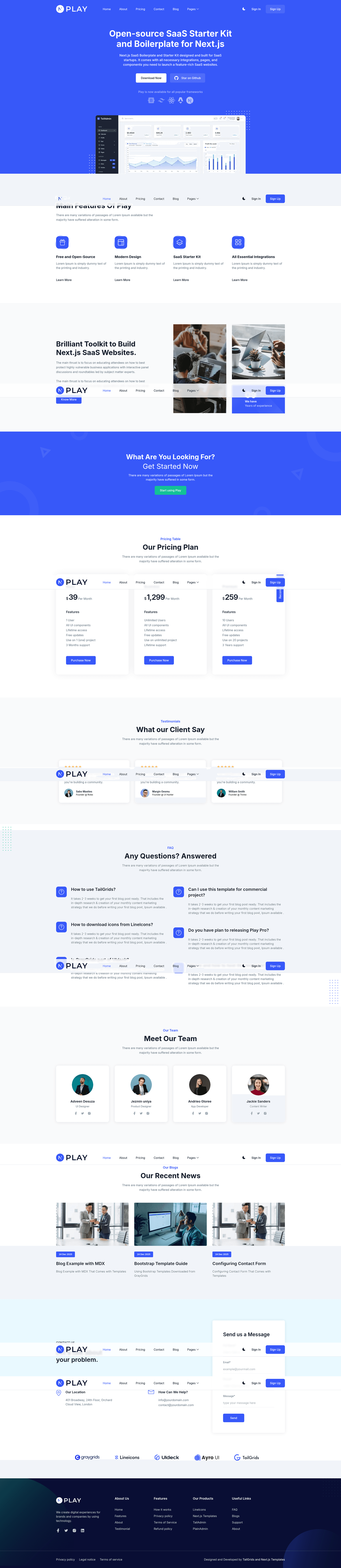
Play Next.js is a free, open-source SaaS starter kit and boilerplate created by NextJSTemplates for building production-ready SaaS websites. It runs on the Next.js App Router (currently upgraded to Next.js 16) and combines a pre-styled set of pages — login, signup, blog, about, and more — with fully wired integrations for PostgreSQL via Prisma, NextAuth authentication, Stripe subscription payments, and MDX-powered blogging. The template consumes environment configuration and exports a deployable Next.js application that you can run locally or push to Vercel or Netlify.
Key Features
- PostgreSQL + Prisma — Includes a pre-configured Prisma schema and connection to PostgreSQL for relational data storage with integrity and reliability.
- NextAuth authentication — Provides secure email/password login, magic link sign-in, and forgot-password flows for user management, as seen in the sign-in and sign-up pages.
- Stripe subscriptions — Integrated with Stripe for subscription payments and checkout, updated across versions to handle recurring billing.
- MDX blogging — Complete blogging solution that combines Markdown and JSX so you can write posts with components embedded.
- Tailwind CSS styling — All pages and components are handcrafted with Tailwind CSS, using components from TailGrids, giving a utility-first aesthetic.
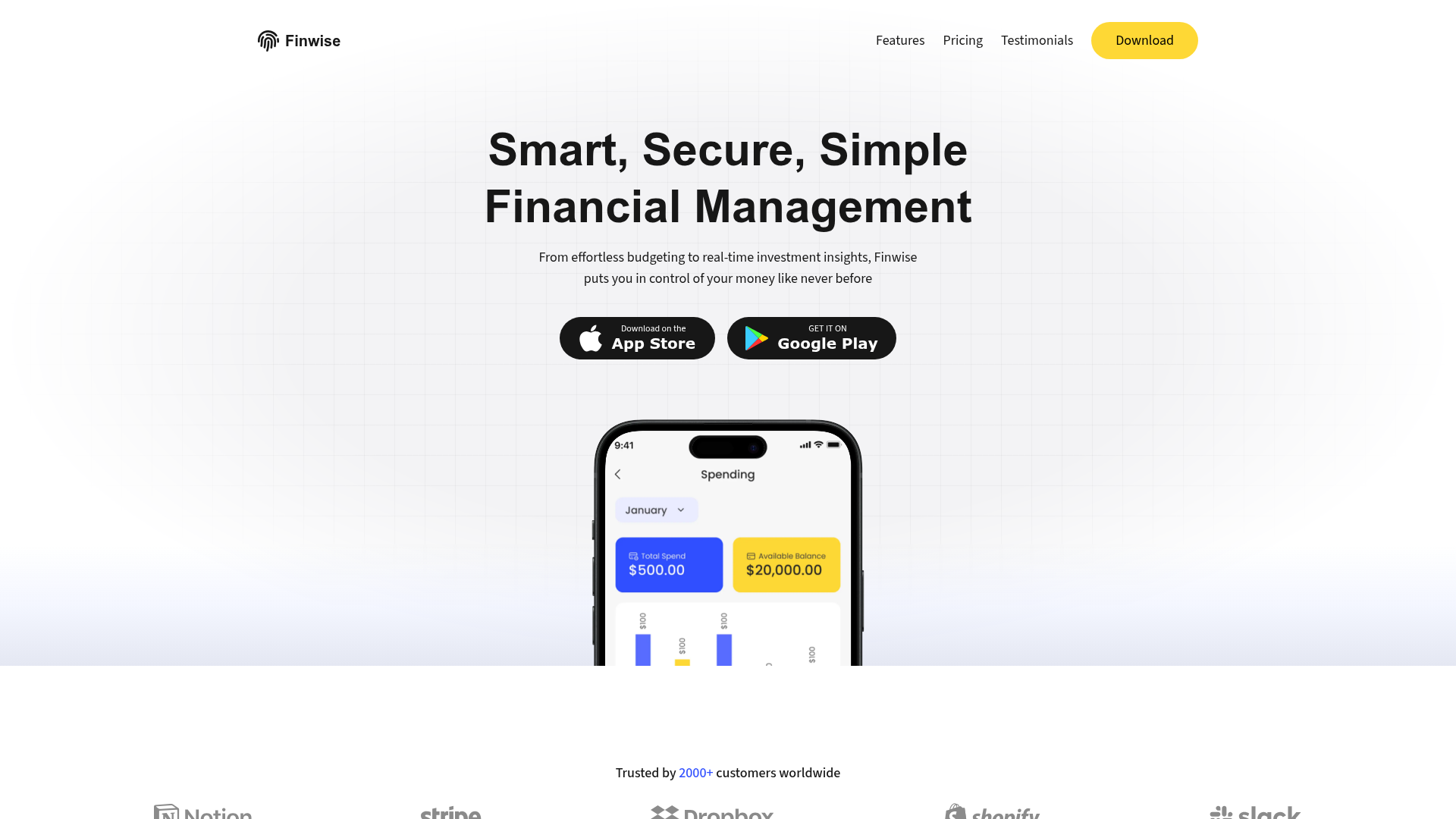
- Essential SaaS pages — Includes login, signup, blog, about, and other core pages that cover a typical SaaS marketing site.
- One-click deploy — Deploy buttons for Vercel and Netlify that clone the GitHub repository and start hosting immediately.
- Free and open-source — Licensed for personal and commercial projects without a purchase fee.
Who is it for?
- SaaS founders — Launch a marketing site with auth, payments, and a blog without building the boilerplate infrastructure yourself.
- Startup development teams — Use the pre-integrated PostgreSQL, NextAuth, Stripe, and MDX stack to prototype a subscription product quickly.
- Freelance developers and agencies — Deliver client SaaS projects faster by customizing the Tailwind-styled pages and branding instead of starting from scratch.
- Indie hackers — Validate a SaaS idea by deploying the template to Vercel or Netlify in minutes and iterating with real users.
What can you do with Play Next.js?
- SaaS websites: Launch a complete SaaS landing site with login and signup flows, a blog, and an about page, all styled with Tailwind.
- Subscription billing: Connect Stripe to accept recurring payments for plans and manage customer subscriptions.
- Content publishing: Write and publish blog posts using MDX, combining markdown and JSX components for rich articles.
- User management: Let visitors create accounts, sign in with magic links, and recover forgotten passwords via NextAuth.
How does Play Next.js work?
- Download and extract the template from NextJSTemplates.
- Navigate into the template directory with the cd command.
- Install dependencies with
npm install --legacy-peer-deps(required because React 19 causes peer dependency conflicts). - Run
npm run devto start the project at localhost:3000. - For production, deploy the GitHub repository to Vercel or Netlify using the provided one-click buttons.
Pros and cons
- Pro: Completely free and open-source, including for commercial use.
- Pro: Bundles the full stack (database, auth, payments, blog) — no need to patch together separate services.
- Pro: One-click deployment on Vercel and Netlify.
- Con: Requires
--legacy-peer-depswhen installing packages because React 19 peer dependencies are not yet resolved. - Con: No built-in dashboard or admin panel — you'll need to add management features yourself.
Pricing
Play Next.js is free — no license fee for personal or commercial projects. Hosting costs depend on your chosen PaaS (Vercel or Netlify both offer free tiers for Next.js projects).
FAQ
Is Play Next.js free?
Yes, Play Next.js is completely free and open-source. The project is licensed for both personal and commercial use, and you can freely modify and deploy it.
What integrations does Play Next.js include?
It includes PostgreSQL with Prisma for the database, NextAuth for authentication (with magic links and forgot-password), Stripe for subscription payments, and MDX for blogging. The UI is styled with Tailwind CSS.
How do I set up Play Next.js locally?
Download the template, navigate to its directory, run npm install --legacy-peer-deps, then npm run dev. The site will be available at localhost:3000. Full documentation is available at nextjstemplates.com/docs.
Which Next.js version does Play Next.js use?
The latest update (December 2025) upgraded Play Next.js to Next.js 16, and it also updated Prisma and Tailwind CSS to their latest versions. Earlier releases used Next.js 14 and 15.
Can I deploy Play Next.js to Vercel or Netlify?
Yes. The repository includes one-click deploy buttons for Vercel and Netlify. Both platforms provide free hosting tiers for Next.js projects, and you can connect your GitHub repository.