Template details
Plume
A lightweight Hugo documentation theme with zero dependencies, featuring dark mode, search, i18n, and syntax highlighting.
About this template
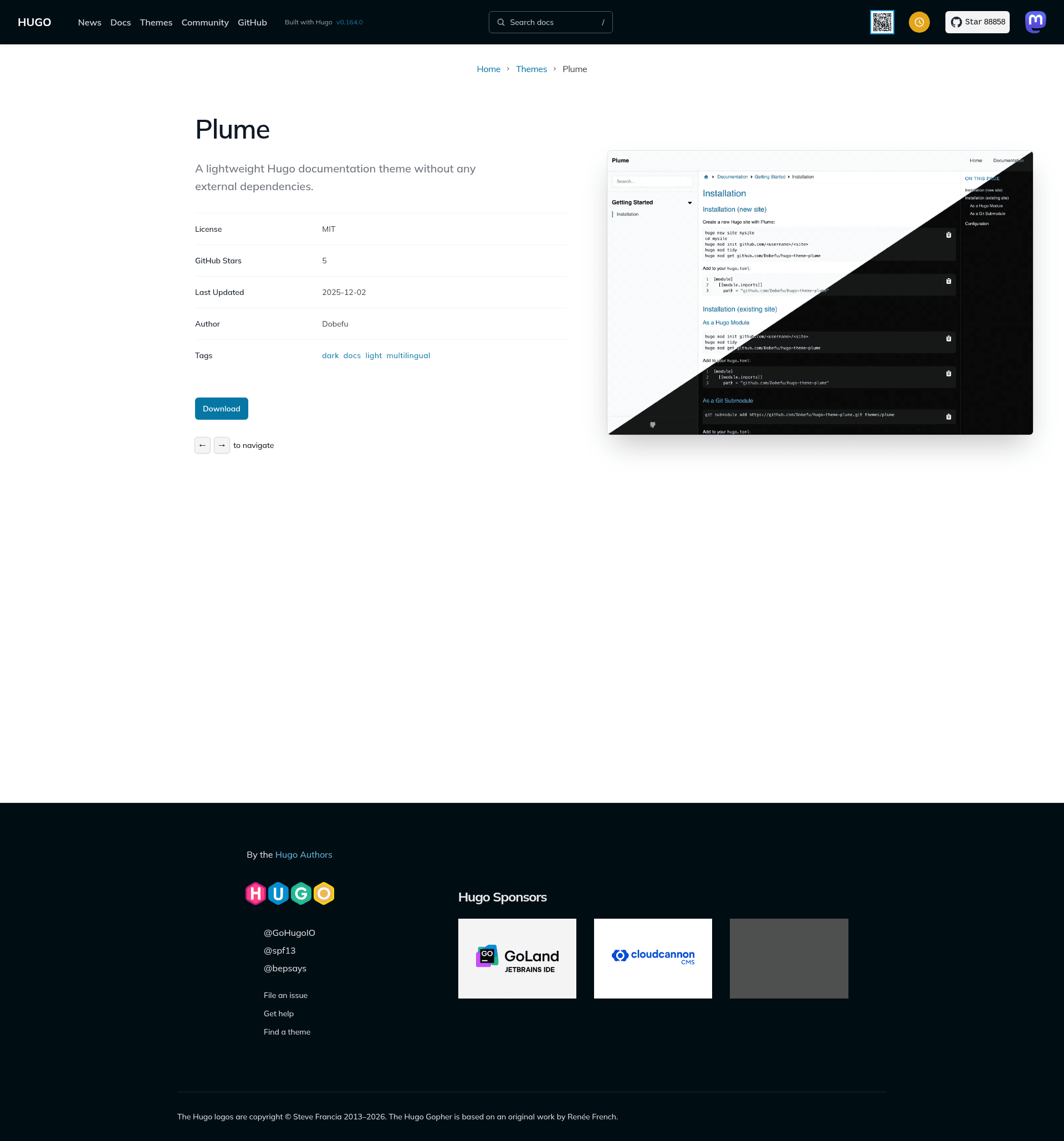
Plume is a lightweight Hugo documentation theme without any external dependencies, built by Dobefu and released under the MIT License for creating responsive documentation sites with automatic dark mode, built-in search, and multi-language support.
What is Plume?
Plume is a Hugo theme designed exclusively for documentation sites. It accepts standard Hugo content written in Markdown and outputs a fully static website with responsive layout, automatic dark mode, syntax highlighting, a table of contents, and SEO optimization. The theme is authored by Dobefu and available on GitHub under the MIT License.
Key Features
- Zero dependencies — Plume ships without any JavaScript or CSS frameworks, so no external packages are required beyond Hugo itself.
- Responsive design — The layout adapts to mobile, tablet, and desktop viewports, including a dedicated mobile navigation menu.
- Automatic dark mode — The theme follows the visitor's system color scheme automatically, with no manual toggle needed.
- Syntax highlighting — Code blocks are highlighted by Hugo's built-in Goldmark parser; the sample configuration enables line numbers.
- Table of contents — A TOC is generated from document headings, with configurable start and end levels (defaults in the example set level 2 to 4).
- SEO optimisation — The theme includes metadata handling to help documentation pages rank better in search engines.
- Multi-language support (i18n) — Sites can be built in multiple languages using Hugo's translation system.
- Web app manifest — A manifest is generated so the documentation site can be installed as a Progressive Web App.
- Search — Plume provides search functionality inside the static site, so visitors can find content without a third-party service.
Who is it for?
Plume is aimed at developers and technical writers who maintain documentation for open-source projects, internal tools, or software products. It is a solid choice for Hugo users who want a docs theme that does not pull in a heavy front-end toolchain.
What can you do with Plume?
- Open-source maintainers: publish project documentation alongside the codebase using Hugo's static site generation and host it on any static hosting service.
- Technical writers: write Markdown files and take advantage of automatic TOC, syntax highlighting, and search to produce navigable documentation.
- Multi-language teams: create and maintain documentation in several languages through Hugo's i18n support, with the theme translating interface elements.
How does Plume work?
Plume can be installed either as a Hugo module or as a Git submodule under the themes directory. After adding the module import or theme setting in hugo.toml, content is authored as Markdown and the site is built with the standard Hugo commands. The provided configuration also enables Goldmark extensions for subscript, superscript, strikethrough, and LaTeX-style passthrough delimiters.
FAQ
Is Plume free to use?
Yes. Plume is released under the MIT License, so it is free to use, modify, and redistribute for personal or commercial documentation projects.
Does Plume have any external dependencies?
No. Plume is explicitly designed to have zero external dependencies. It does not require Node.js packages, a CSS framework, or a JavaScript build step — only Hugo is needed to build the site.
Does Plume support dark mode?
Yes, dark mode is automatic. The theme uses the visitor's OS color-scheme preference to switch between light and dark styles, so no toggle or configuration is required.
Can I add Plume to an existing Hugo site?
Yes. The GitHub README provides instructions for adding Plume via a Hugo module import or by cloning it as a Git submodule into the themes folder, then setting theme = "plume" in your site configuration.
Does Plume support multiple languages?
Yes, Plume includes multi-language support (i18n). You can create content in multiple languages using Hugo's translation system, and the theme provides translated interface strings.