Template details
Dot Hugo
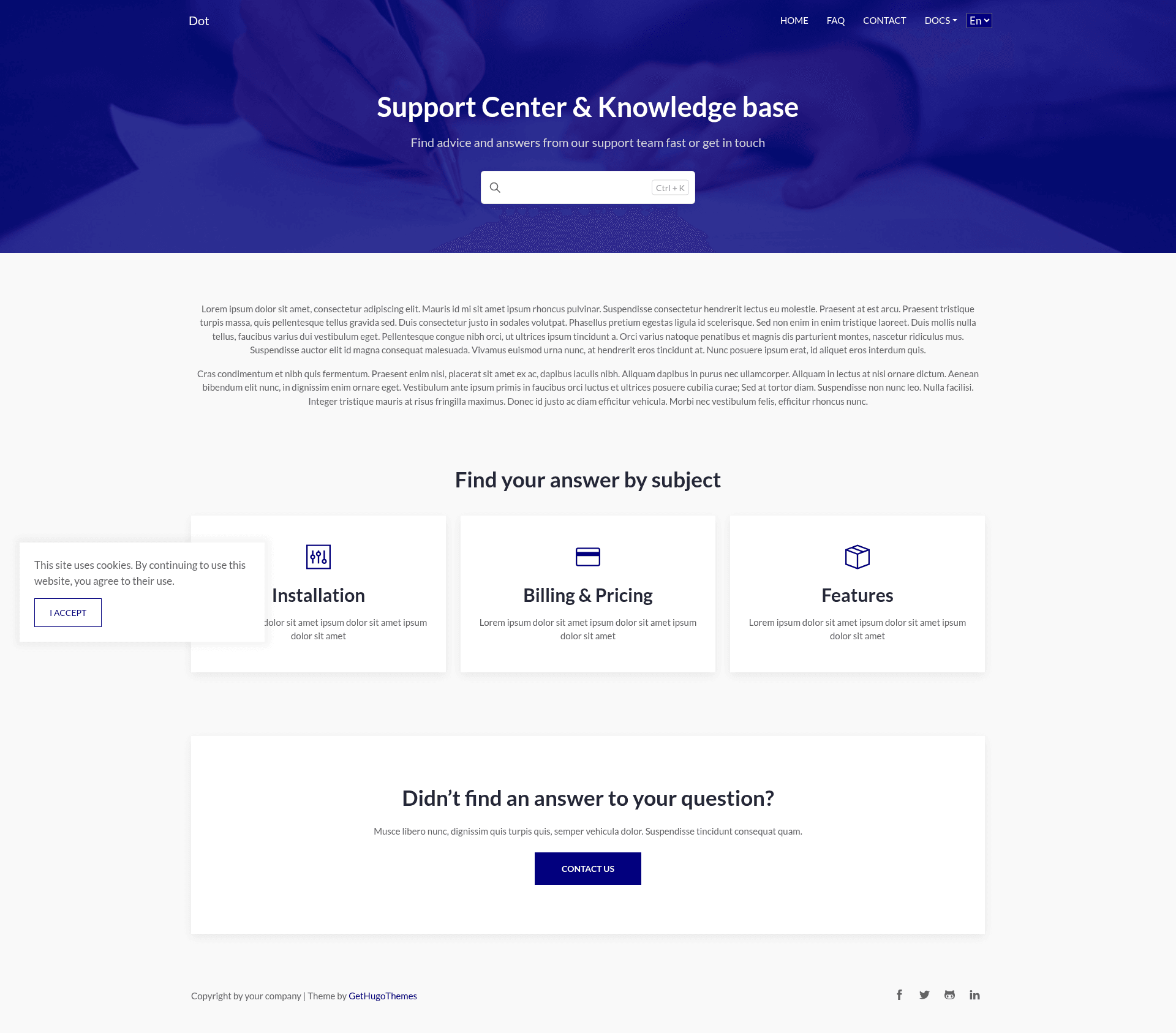
Dot is a simple Hugo documentation theme with a professional outlook.
About this template
Dot Hugo is a simple documentation theme for the Hugo static site generator, designed with a professional outlook for documentation sites, FAQ pages, and feature pages. It takes Markdown content and Hugo configuration variables as input, and produces a static documentation website that can be hosted anywhere. The theme is designed by Themefisher and developed by Gethugothemes, and it is available under the MIT license.
Key Features
- 8+ pre-designed pages — Includes Home, About, Contact, FAQ, Features, Installation, Pricing, and 404 pages, giving you a complete site structure out of the box.
- Multiple language support — Ships with French and English language files, and supports Hugo's multilingual content model for adding more languages.
- Google Analytics support — Add your tracking ID through the site configuration to enable analytics across your documentation pages.
- Hugo Pipes asset bundling — CSS and JavaScript are bundled and minified using Hugo Pipes, reducing the number of requests the browser must make.
- Configurable colors and fonts — Color and font variables live in the config file, so you can change the visual identity without editing theme templates.
- Contact form support — A ready-to-use contact page is included, which you can connect to your preferred form backend or static form service.
- Google PageSpeed optimized — The live demo scores 96% on Google PageSpeed Insights for desktop, indicating a lightweight output.
- Social meta tags — Open Graph and Twitter Card meta tags are built into the theme for correct link previews when pages are shared.
Who is it for?
Documentation teams, SaaS startups, Hugo developers, and open source maintainers can all use Dot Hugo to publish structured documentation sites. Product teams get a professional docs layout with FAQ, features, and pricing sections. Developers get a lightweight theme with configurable styling and asset bundling. Open source maintainers can quickly stand up a project documentation site with multi-language support.
What can you do with it?
- Publish product documentation: Build a complete documentation site with separate pages for features, installation, FAQ, and pricing, all generated as static HTML by Hugo.
- Localize your docs: Maintain English and French versions of your content using Hugo's multilingual configuration, then let users toggle between languages.
- Edit content visually with Sitepins: The template is pre-configured for Sitepins, a Git-based headless CMS, allowing non-developers to update text, images, and configuration through a visual interface.
- Deploy to any static host: Since Hugo outputs static files, you can host the generated site on Netlify, Vercel, GitHub Pages, or any other static hosting service and keep the speed score.
How does it work?
Clone the repository, run yarn project-setup to install dependencies, and then run yarn dev to start the local development server. Write documentation in Markdown, adjust color and font variables in the config file, and Hugo builds the static site. For content editors, the Sitepins integration lets you clone the repository into Sitepins and edit content without touching code.
Pricing
Dot Hugo is released under the MIT license, so it is free to use for both personal and commercial projects. The images included in the demo are for demonstration purposes only and retain their own licenses, so they should be replaced for production use.
FAQ
Is Dot Hugo free?
Yes, Dot Hugo is released under the MIT license, allowing free use, modification, and redistribution, including in commercial projects. The only restriction is that the demo images are not licensed for redistribution.
Does Dot Hugo support multiple languages?
Yes, the theme includes multiple language support with French and English language files. You can extend this to additional languages by following Hugo's multilingual content structure.
What is the minimum Hugo version required?
The theme requires Hugo version 0.163.3 or higher. Check the version badge in the repository's README to confirm the current minimum requirement.
Can I edit content without coding?
Yes, the template is pre-configured with Sitepins, a Git-based headless CMS. Clicking the "Edit with Sitepins" button clones the repository into Sitepins, where you can edit text, images, and configuration through a visual interface.
What technologies does Dot Hugo use?
It is built on Hugo and uses Bootstrap for styling, jQuery, Themify Icons, and Google Fonts. Assets are processed with Hugo Pipes, which bundles and minifies the CSS and JavaScript.