Template details
Port-Hugo
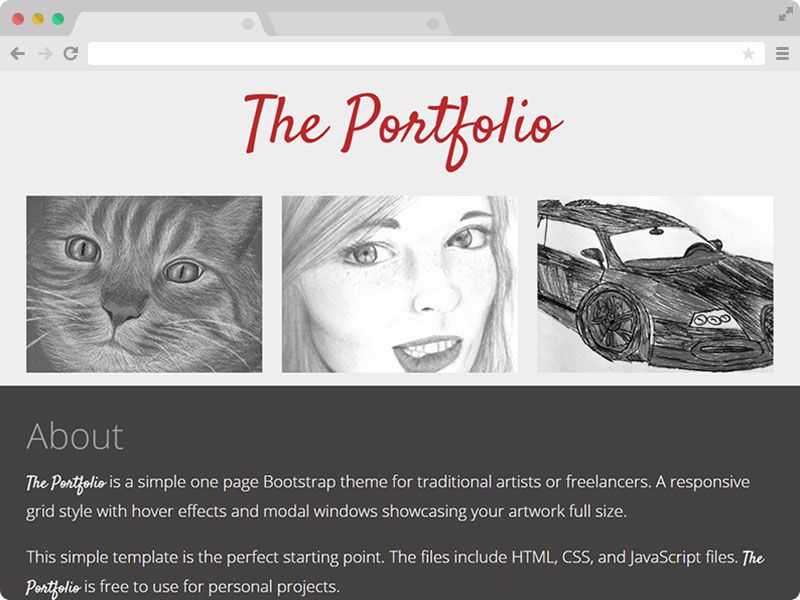
A simple, customizable Hugo theme for creating a responsive portfolio for designers or web developers.
About this template
Port-Hugo is a free, open-source Hugo theme for creating a simple, responsive portfolio website for designers and web developers.
What is Port-Hugo?
Port-Hugo is a Hugo theme (tested with Hugo v0.141.0) that transforms a standard Hugo site into a single-page portfolio. Its input is a YAML data file found in exampleSite/data/content.yaml that defines portfolio fields, and its output is a responsive HTML page with a portfolio grid. The theme was created by GitHub user tylersayshi and is available as a public repository with 35 stars.
Key Features
- Responsive portfolio — The layout adapts to different screen sizes, making it suitable for viewing on mobile and desktop devices.
- Easy data-driven sections — Portfolio content is defined in a single YAML file (
content.yaml) rather than in individual pages, simplifying setup. - Hugo image processing — Images are processed and optimized via Hugo's built-in image processing pipeline.
- Hugrid-based portfolio grid — The portfolio section is built on a modified version of the Hugrid theme's grid layout.
- Somrat-based design — The overall visual design is derived from the Somrat theme, with features trimmed down to keep the theme simple.
- Logo support — Supports
logo.svgandlogo-dark.svgplaced instatic/images, controlled by JavaScript inassets/js/script.js. - Example site included — The
exampleSitefolder provides a full working example withconfig.tomlandcontent.yamlfor reference.
Who is it for?
- Designers — A quick way to present a portfolio of projects without building a site from scratch.
- Web developers — A minimal, code-friendly Hugo theme that can be customized by editing TOML, YAML, and JavaScript files.
- Freelancers — A lightweight personal site to showcase work and attract clients with minimal ongoing maintenance.
What can you do with it?
- Designers: Create a responsive portfolio grid to display case studies and visual work, with automatic image optimization.
- Developers: Set up a personal site by cloning the theme into a Hugo project and filling in the YAML data file.
- Freelancers: Publish a clean, simple portfolio site with light and dark logo support to match brand identity.
How does it work?
To install, create a new Hugo site, navigate to the themes directory, and clone the repository. Then set theme = "port-hugo" in config.toml, copy the structure from exampleSite, and populate the YAML data file with your portfolio details before running hugo serve. The theme reads these files and generates a static site.
FAQ
Is Port-Hugo free?
Yes, the theme is open-source on GitHub and free to use and modify.
How do I add my portfolio projects?
Edit the exampleSite/data/content.yaml file in your site, following the same field structure shown in the example, then rebuild the site.
Does the theme support multiple logos?
Yes, it looks for logo.svg and logo-dark.svg in static/images; you can adjust the logic in assets/js/script.js if you need to change the paths.
What Hugo version does it need?
The theme is tested with Hugo v0.141.0 at the time of writing.