Template details
portfolio-generator
JS framework to dynamically generate a portfolio site from a JSON resume.
About this template
portfolio-generator is a JavaScript framework that builds a responsive portfolio website from a single JSON resume file.
What is portfolio-generator?
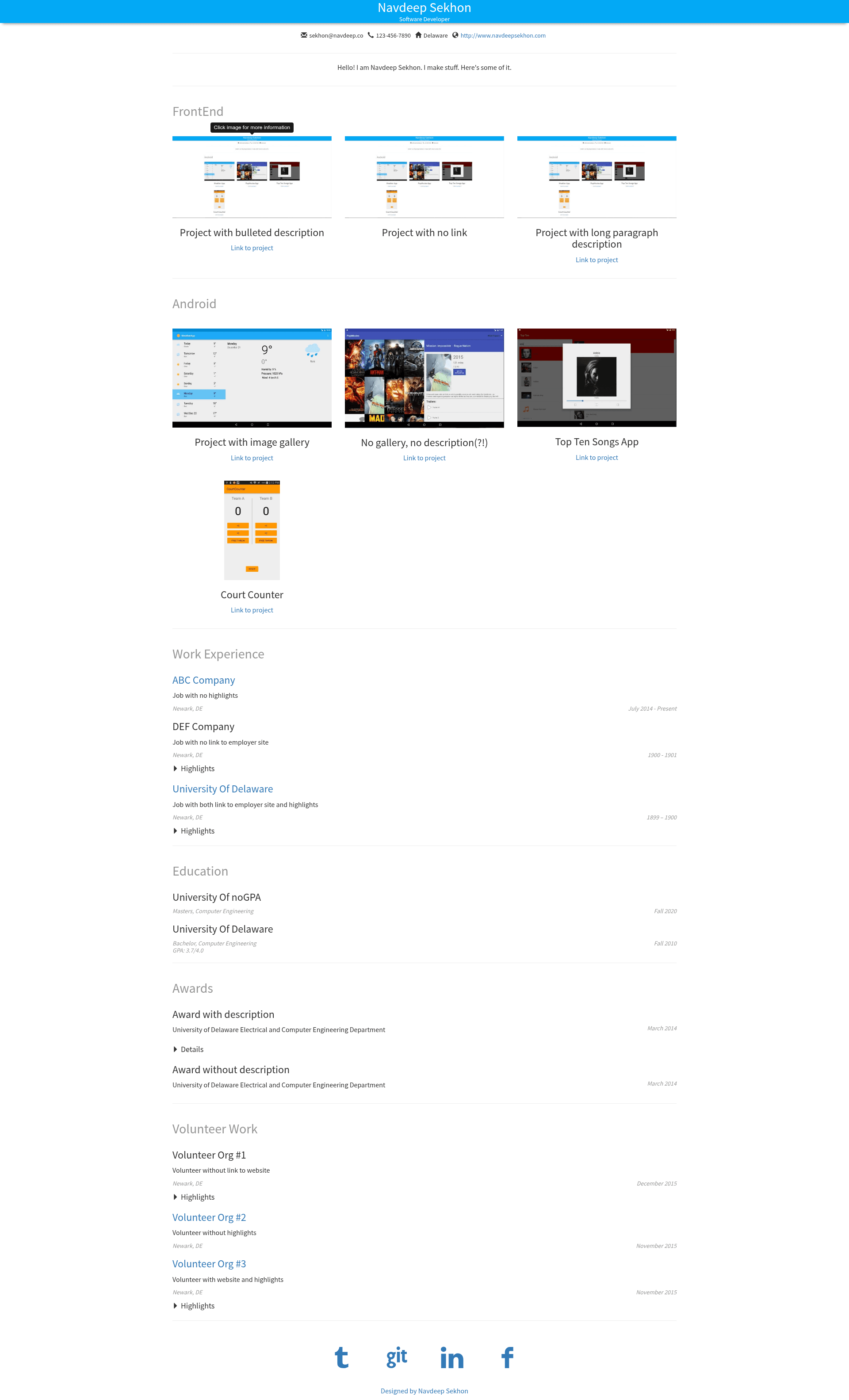
portfolio-generator is a JavaScript framework that takes a structured resume.json file as input and generates a complete, responsive portfolio website. The output includes sections for personal bio, projects, work, education, awards, volunteer work, and social profiles. The project is maintained by Navdeep Sekhon, with a live demo hosted on GitHub Pages and the source code available on GitHub.
Key Features
- JSON-driven generation — the entire site content is defined in a single
resume.jsonfile, so no HTML editing is required. - Responsive layout — the generated site adapts to screen sizes from phones to desktops.
- Configurable section order — the
displayOrderarray controls which sections appear and in what order. - Multiple project groups — organize projects into named sections such as Frontend, Backend, or Mobile.
- Flexible project descriptions — each project can have a bullet list, a centered paragraph, or an image gallery slideshow.
- Optional sections — any section (personal, projects, work, education, awards, volunteer, social) can be hidden by omitting it from
displayOrder. - Social profile icons — social media links are rendered using Zocial CSS social button icons.
- GitHub Pages ready — you can host the resulting site for free on GitHub Pages by editing
resume.jsonand settingRESUME_LOCATIONinconstants.js.
Who is it for?
- Developers and designers who want a clean portfolio without building a site from scratch — they only edit JSON data.
- Job seekers who need to present work experience, projects, and education in a structured format.
- Open-source contributors who want a lightweight, customizable portfolio generator that runs on GitHub Pages for free.
What can you do with portfolio-generator?
- Quickly launch a professional portfolio — replace the sample data in
resume.jsonwith your own details and publish the site. - Showcase projects with rich media — include bullet points, paragraphs, or image galleries for each project, and group them into sections like Frontend or Backend.
- Customize the content structure — choose which sections to display and in what order, hide sections you don't need, and remove the "Designed By Navdeep Sekhon" footer by setting
hideDesignedByto true.
How does portfolio-generator work?
The workflow is simple: clone the repository, edit the resume.json file with your personal and project details, then update the RESUME_LOCATION constant in constants.js to point to your JSON file. After that, you can deploy the site to GitHub Pages or any static host.
FAQ
How do I change the order of sections?
Edit the displayOrder array inside resume.json. Only the sections listed in that array are displayed, and they appear in the order given.
Can I hide sections I don't need?
Yes. Any section not included in the displayOrder array will be hidden. All sections are optional, so you can include only what is relevant to you.
How do I add an image slideshow to a project?
Provide a gallery array in the project object with a list of image URLs. If a gallery array is present, the project will render a slideshow of those images.
Is portfolio-generator free to use?
Yes, the framework is open-source and available on GitHub. You can host your generated portfolio for free using GitHub Pages, as the author recommends.
How do I remove the "Designed By Navdeep Sekhon" footer?
Set hideDesignedBy to true in resume.json. The footer will no longer appear on your generated site.