Template details
Gatsby Theme Organization
Create a landing page for your Github Organization
About this template
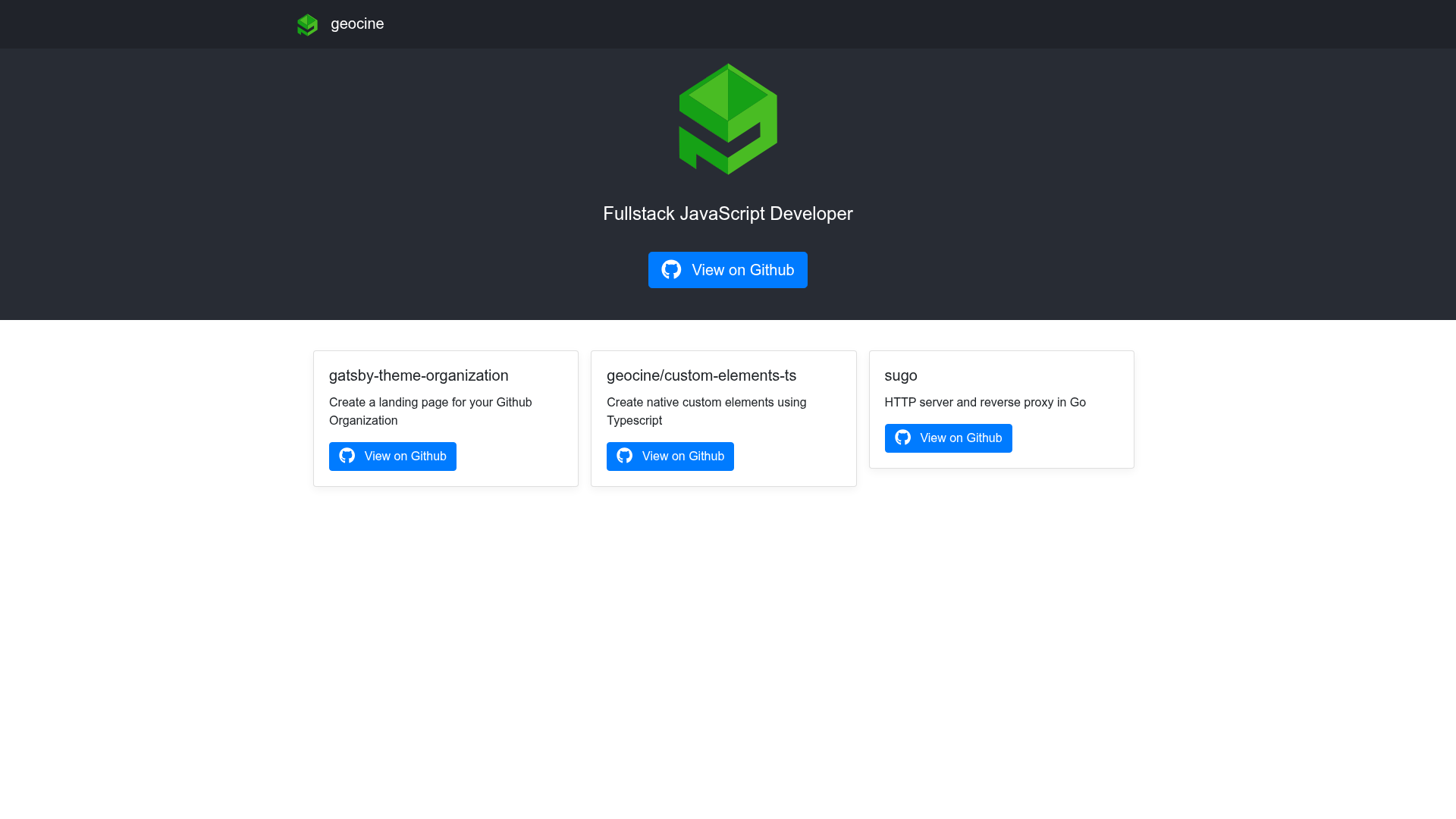
Gatsby Theme Organization is a Gatsby theme that turns a simple YAML project list into a landing page for a GitHub organization, complete with a navbar, jumbotron, and project cards.
What is Gatsby Theme Organization?
Gatsby Theme Organization is a Gatsby theme by geocine, published as @geocine/gatsby-theme-organization, that creates a landing page for a GitHub organization. It takes a data/projects.yml file as its primary content input and produces a static site listing organization projects with links and descriptions. The theme also accepts configuration options for the organization name, site title, URL, and custom logo/icon filenames.
Key Features
- YAML-driven projects — All projects are defined in a
projects.ymlfile with fields for name, URL, and description; the theme generates cards for each entry. - Theme-ui + Emotion styling — Integrates theme-ui, react-bootstrap, and emotionjs for styling and theming, allowing site-wide style customization.
- Customizable brand assets — Logo, navbar icon, and favicon can be replaced via component shadowing, with support for SVG, PNG, and ICO files.
- Theme options — Exposes contentPath, url, organization, title, iconName, and logoName configuration options in gatsby-config.
- Official starter — A
gatsby-starter-organizationstarter is available to bootstrap a new site without manual setup. - Static site generation — Built on Gatsby, so the output is a fast, pre-rendered static site that can be deployed to any static host.
Who is it for?
- GitHub organizations — Quickly publish a clean project showcase without building a custom site.
- Gatsby developers — Use it as a starting point to understand Gatsby theme development and component shadowing.
- Open-source teams — Present repositories with descriptions and links in a single landing page.
What can you do with it?
- Create a project directory — Add organization repositories to
projects.ymland the theme renders them on the landing page. - Rebrand the site — Shadow logo.svg, icon.svg, and favicon.ico files to match your organization's identity.
- Configure site metadata — Set the organization name, tagline, URL, and content directory through theme options.
How does it work?
- Install the theme with
npm install --save @geocine/gatsby-theme-organization. - Add
@geocine/gatsby-theme-organizationto the plugins array ingatsby-config.js. - Create a
data/projects.ymlfile in your project root and list your projects with name, URL, and description. - Run
gatsby developto start the site locally.
FAQ
How do I change the logo?
Customize the logo by creating a src/@geocine/gatsby-theme-organization/assets folder in your site and placing your own logo.svg, icon.svg, and favicon.ico files there. This replaces the defaults using Gatsby component shadowing.
How do I add projects?
Edit the data/projects.yml file and add entries with a name, URL, and description. Each entry becomes a project card on the landing page. The content directory can be changed with the contentPath theme option.
What options does the theme accept?
The theme supports options for contentPath (default data), url (default /), organization (default Organization), title (default "The best organization out there!"), iconName (default icon.svg), and logoName (default logo.svg).
Can I use a different icon file format?
Yes. The iconName and logoName options let you specify any filename, including PNG or SVG, as long as the corresponding file is shadowed in the assets folder.