Template details
Portfolio Template And Challenge
Lightweight Next.js Portfolio site template. Check out the project for portfolio user stories
About this template
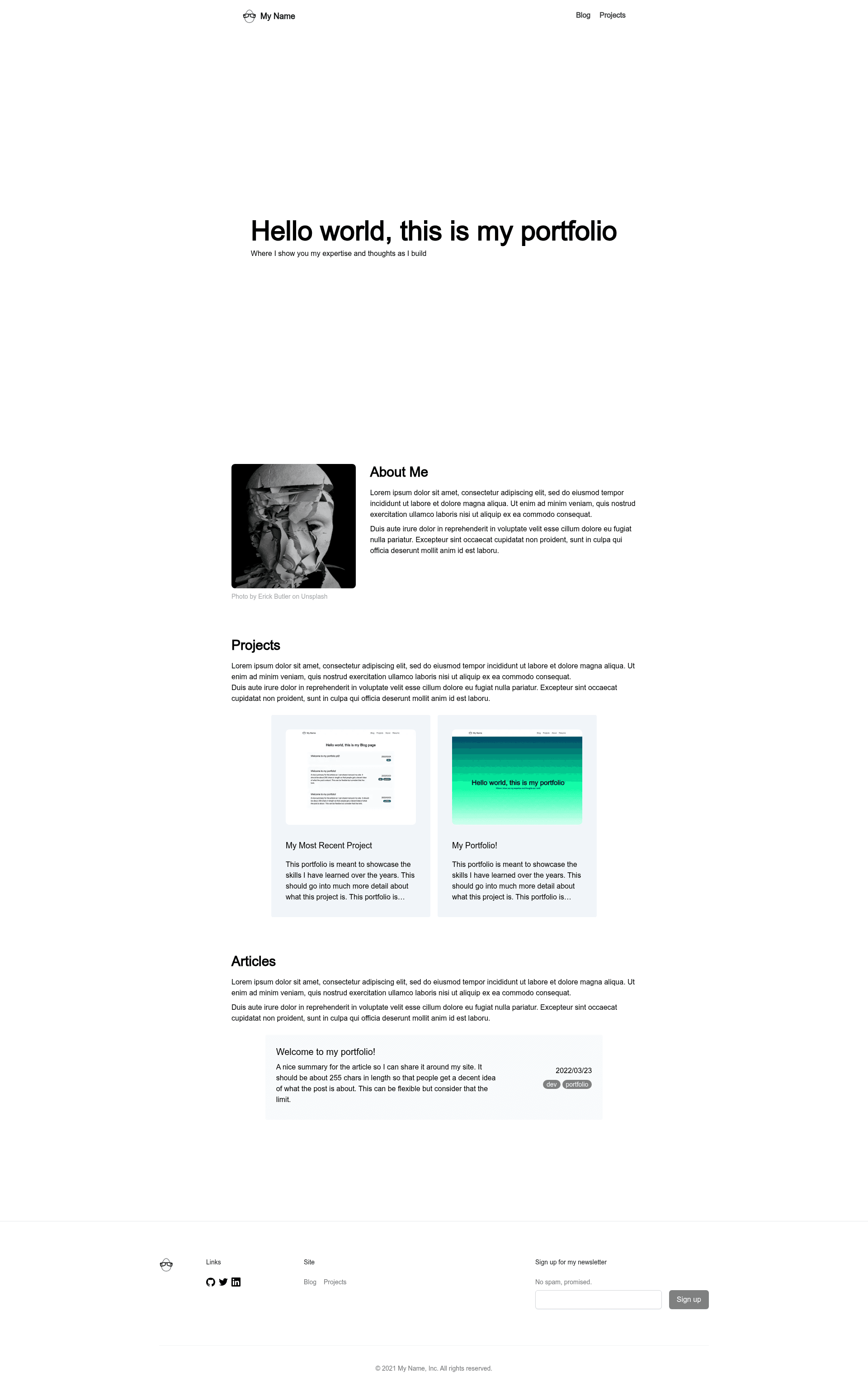
Portfolio Template And Challenge is a lightweight Next.js portfolio template from egghead.io that pairs a minimal About-Blog-Projects-Resume site with a GitHub project board of portfolio-building challenges.
What is Portfolio Template And Challenge?
Portfolio Template And Challenge is a starting point for a developer portfolio site, built with Next.js and styled with Tailwind CSS. It accepts markdown files for blog posts and project case studies, renders them on the appropriate pages automatically, and runs locally with a simple npm or yarn dev command.
The project is maintained by egghead.io, the developer education platform, and is inspired by Joel Hooks' article on business-oriented developer portfolios. It intentionally keeps the design simple so developers can focus on content rather than front-end design.
What makes Portfolio Template And Challenge stand out?
Unlike many portfolio templates that focus on visuals, this one bundles practical guidance: a GitHub project board of user stories that turn the template into a learning exercise, plus an optional email course from egghead.io called Developer Portfolio Foundations.
- Next.js with hot-reload — Pages auto-update when you edit
pages/index.tsx, and the template comes configured with API routes inpages/api, including a working/api/helloendpoint. - Tailwind CSS — The repo is tagged with
tailwindcssand uses utility classes for styling, keeping the default design lightweight. - File-based blog — Dropping markdown files into
_postsmakes them appear on/blog; the filename controls the URL, and front matter controls metadata. - Featured posts — Setting a
featureflag in front matter surfaces chosen articles on the home page, so you can highlight your best writing. - Project case studies — Marking a post with
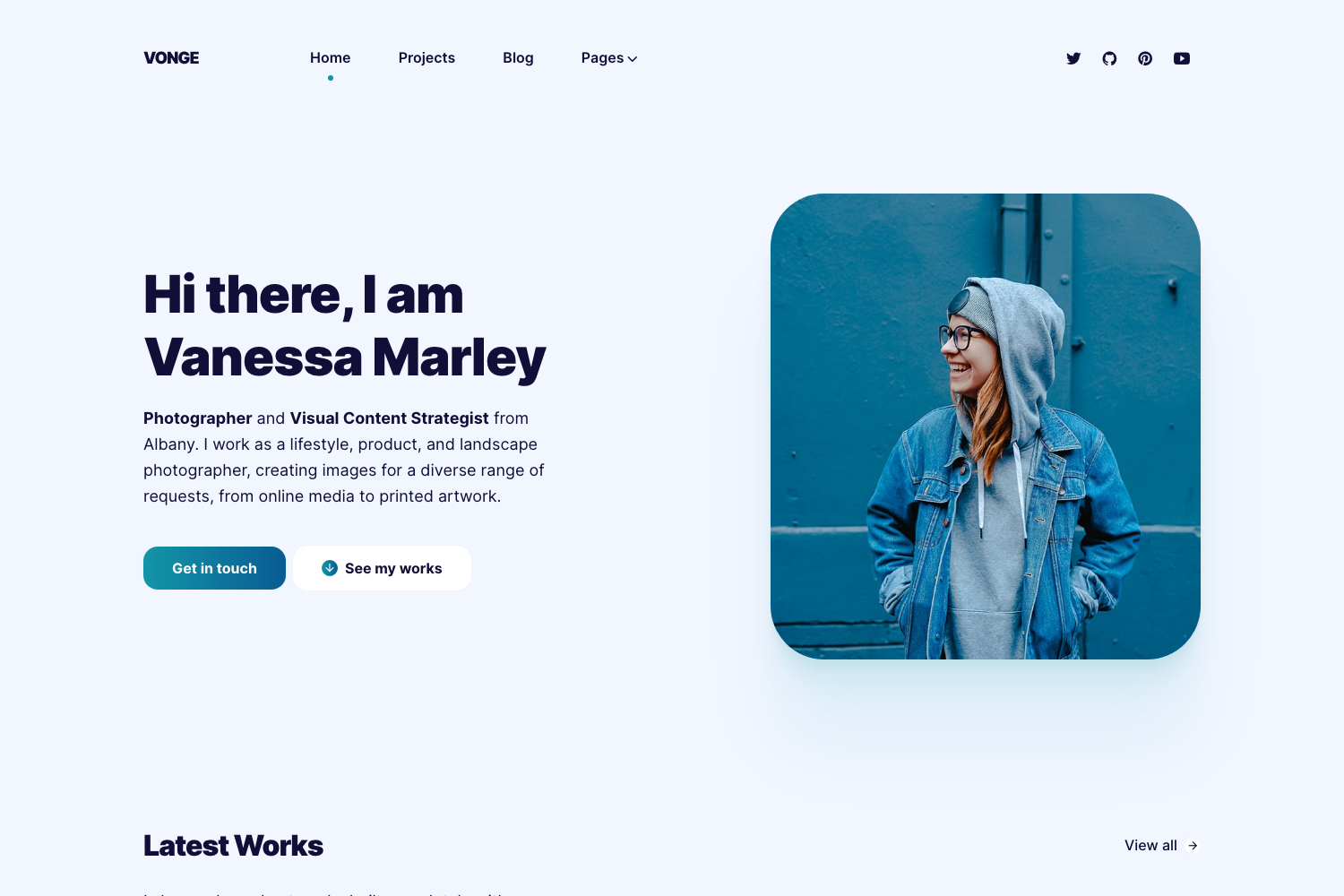
project: trueturns it into a case study that appears on/projectsand the home page, answering the question of whether you can execute a technical project. - About page — A built-in section for a bio and photo, addressing what employers want to know about you.
- Portfolio challenge board — The associated GitHub Project page lists user stories (the README calls them challenges) for further portfolio improvements, with no need to use the template to benefit from them.
- Vercel-ready — Deployment instructions point to the Vercel platform, and the standard Next.js
create-next-appstructure is used.
Who is it for?
Developers who need a professional portfolio but don't want to build one from scratch, and self-taught programmers who want structured practice in portfolio improvement.
- New and junior developers — Can clone the template, fill in About and Projects, and deploy a polished site in an afternoon.
- Job seekers in tech — Use the built-in blog to publish write-ups and case studies that demonstrate communication and technical skills to recruiters.
- Developers learning Next.js — The minimal codebase serves as an approachable example of pages, file-based content, and API routes.
- Anyone following egghead's guidance — The challenge board and email course are designed for people who want to build a portfolio step-by-step, whether or not they use the template.
What can you do with it?
- Publish project case studies — Add a markdown file to
_postswithproject: trueto showcase a project on /projects and the home page. - Start a technical blog — Write posts in markdown and feature your strongest articles on the home page with the
featureflag. - Experiment with Next.js APIs — Modify the included API route and pages to learn how route mapping works in Next.js.
How does it work?
Run npm run dev or yarn dev from the project root to start a local development server at http://localhost:3000. Content is added as markdown files in the _posts folder, and front matter flags decide whether a file appears as a blog post or a project case study.
FAQ
Is Portfolio Template And Challenge free?
Yes, it is an open-source template hosted on GitHub under the eggheadio repository, so you can use and modify it without cost.
Does the template include a resume page?
Not yet. The README lists a TODO to build out the resume page, so the current version only has About, Blog, and Projects pages fully functional.
How do I feature a blog post on the home page?
In the markdown file's front matter, set the feature flag to true. The post will then appear in the featured section of the home page.
How do I create a project case study?
Add a Markdown file to the _posts folder and include project: true in the front matter. The file will be treated as a project case study and displayed on the /projects page and the home page's project section.