Template details
Print-friendly Portfolio CV
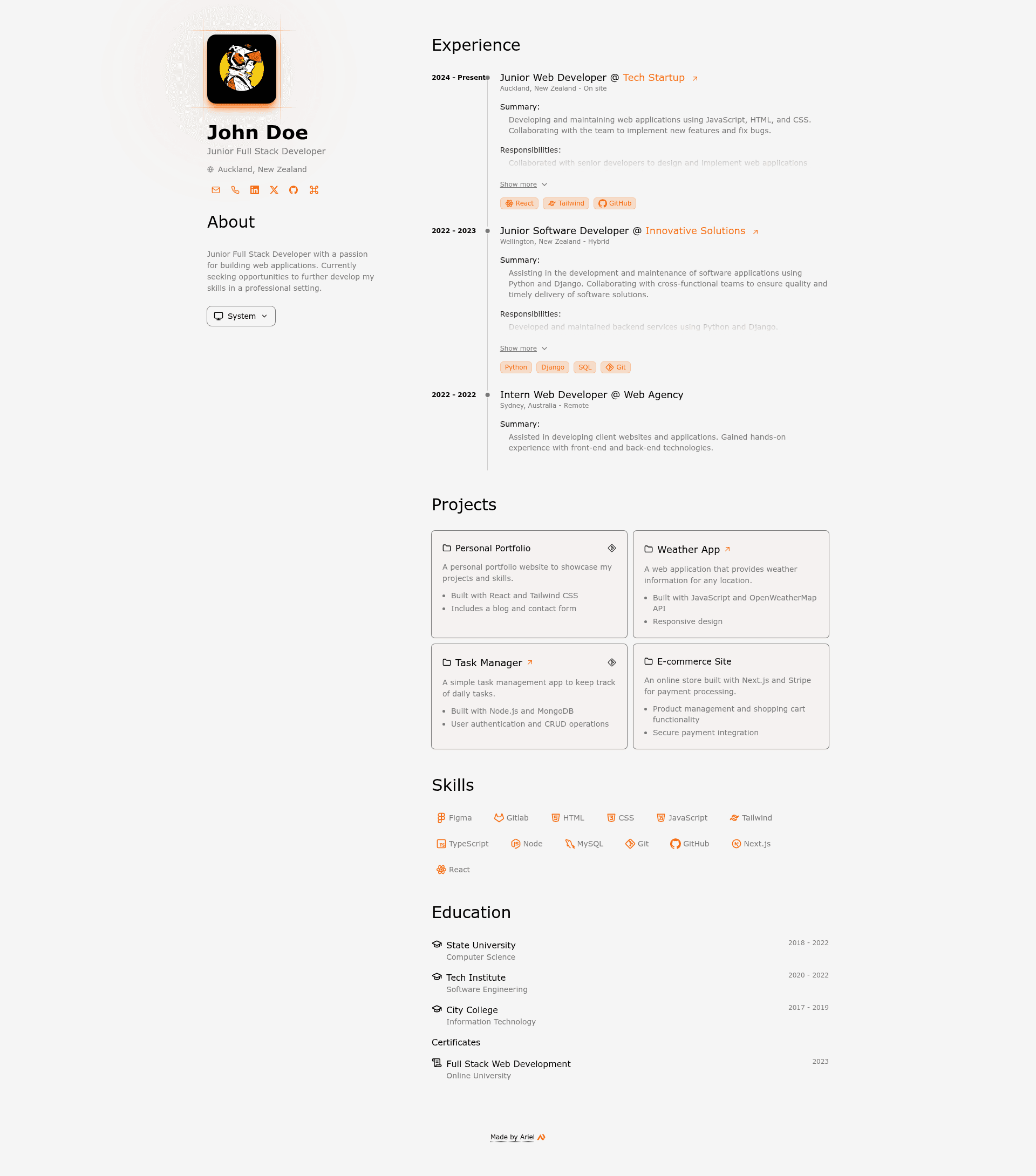
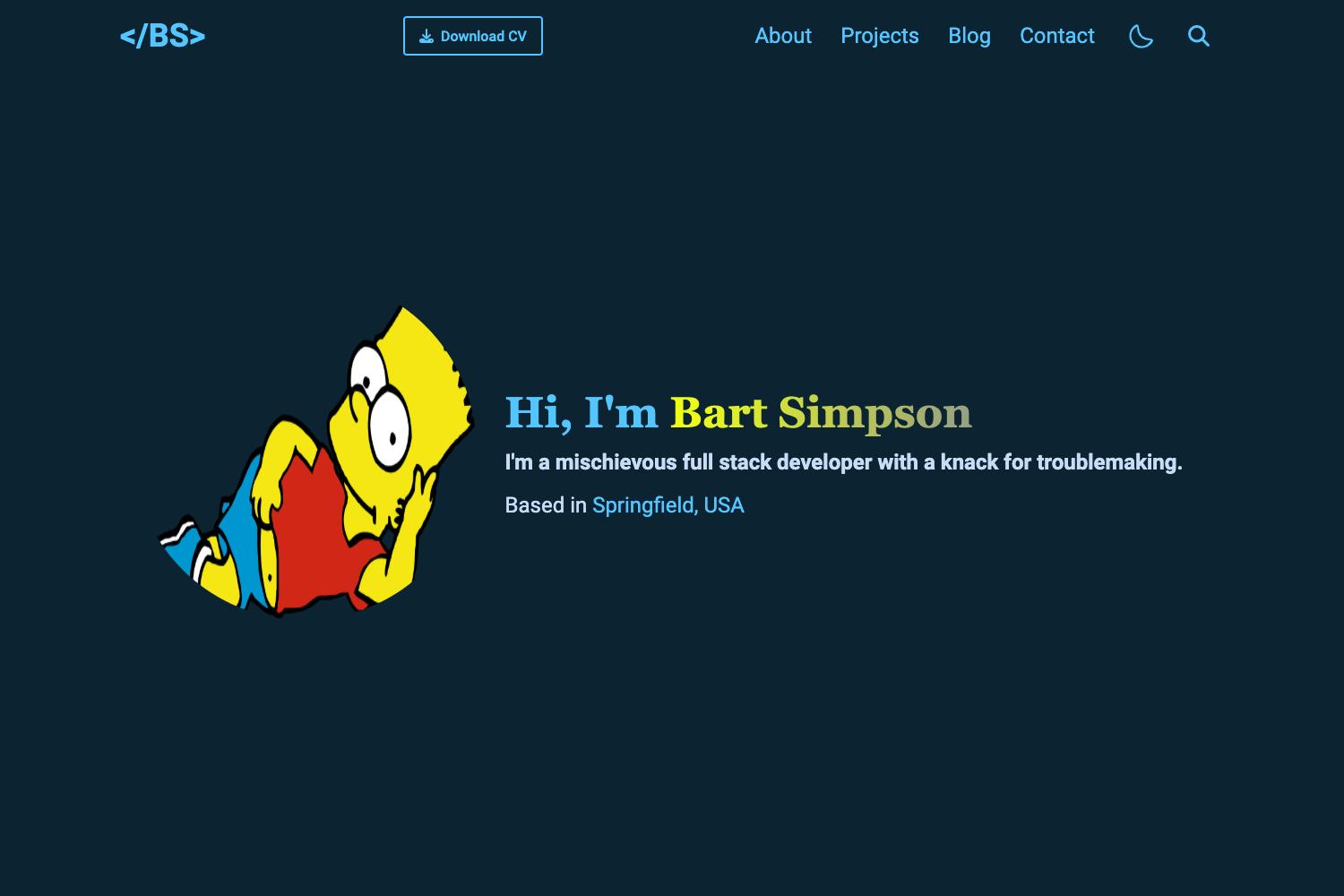
A minimalist Astro portfolio/CV template configurable via one JSON, with print-friendly output, dark/light mode, and five themes.
About this template
Print-friendly Portfolio CV is an open-source Astro template for building a minimalist, print-optimized CV/portfolio page from a single JSON file.
What is Print-friendly Portfolio CV?
Print-friendly Portfolio CV is a static-site template that renders a printable portfolio or CV page from one cv.json file, using the Astro framework and Tailwind CSS 4 for styling. It runs as a lightweight site with a command palette, dark/light mode, and five color themes; the project lives on GitHub under the Smilesharks repository and includes a wiki.
The template takes all resume content (work experience, education, skills, projects, etc.) in JSON format following the jsonresume.org schema. It outputs a fully responsive, static web page that can be printed to PDF with an optimized layout. The README documents setup using pnpm as the package manager and includes an Astro CLI template command for instant project initialization.
Key Features
- Print-friendly layout — Optimized for PDF export and printing, so the page collapses to a clean single-column document when printed.
- Dark/Light mode — The site follows the system's color-scheme preference and lets users override it with a theme selector dropdown.
- 5 color themes — Default orange, blue, red, green, and cyber (yellow/cyan) themes, each available in light and dark variants.
- Keyboard shortcuts — A command palette opens with Cmd/Ctrl + K, powered by the HotKeyPad library.
- Responsive design — Built mobile-first with Tailwind CSS 4, so the CV renders well on phones, tablets, and desktops.
- JSON-based content — All CV data lives in
cv.json; edit this one file to change every section of the page. - Custom themes — Developers can add new theme variables in
src/styles/global.cssunder the appropriate light/dark selectors.
The stack is Astro (site framework), Tailwind CSS 4 (styling), Alpine.js (behavior), TypeScript (type safety), and HotKeyPad (command palette). The README lists build, dev, and preview commands for the Astro environment.
Who is it for?
Job-seeking developers can build a printable, good-looking CV page without writing HTML or CSS by editing only the JSON file. Freelancers and consultants can spin up a personal portfolio site in minutes using the Astro template command, then host it anywhere, including GitHub Pages or Netlify. Students can use the project to learn Astro and Tailwind while producing a real, deployable personal page for internship applications. Design-minded developers who want a head start can fork the project and customize the five built-in themes or add their own via CSS variables.
What can you do with Print-friendly Portfolio CV?
- Job applications: Edit
cv.jsonwith your work history and skills, runpnpm build, and export the printed page to PDF for a tailored resume. - Personal portfolio: Replace the JSON content with your projects and links to create a minimal, responsive portfolio site in under an hour.
- Theme experimentation: Switch between the five color themes by changing one line in
cv.json, or create a custom theme by editing global.css and defining new selectors. - Learning Astro: Use the template as a small, real-world Astro project to inspect how JSON data is fetched, rendered, and styled with Tailwind and Alpine.js.
How does it work?
The README describes a four-step start: enable pnpm via corepack, run pnpm create astro@latest -- --template Smilesharks/dev-portfolio, edit cv.json to add personal content, and then run pnpm dev to launch the local development server at localhost:4321. A production build is created with pnpm build, outputting to ./dist/.
Alternatives
This template is based on two existing projects: Bartosz Jarocki's Print-friendly, minimalist CV page, which focuses on a print-optimized CV layout, and Miguel Ángel Durán's minimalist-portfolio-json, which follows a similar JSON-driven portfolio approach. Both are open-source GitHub projects worth comparing if you want a different visual style or framework.
FAQ
Is Print-friendly Portfolio CV free to use?
The repository is public on GitHub and the README provides installation instructions with no mention of licensing restrictions or paid tiers, so it is free to use and fork for personal projects.
How do I change the color theme?
Open cv.json and edit the theme property. Available values are default, blue, red, green, and cyber. Each theme includes light and dark variants; the theme selector in the UI overrides light, dark, or system preference.
How do I create a custom theme?
Edit src/styles/global.css and add new theme variables under the :root [data-theme="your-theme"] selector for light mode and the .dark [data-theme="your-theme"] selector for dark mode. The README documents this exact location.
What JSON schema is used?
The CV content follows the jsonresume.org schema, a widely used open JSON standard for resume data. This means fields mirror a standard resume structure (profile, work, education, skills, projects, etc.).
Can I deploy the site?
Yes. Run pnpm build to create a production build in ./dist/, then deploy that folder to any static host. The README's command table lists build and preview commands.