Template details
Project Pages
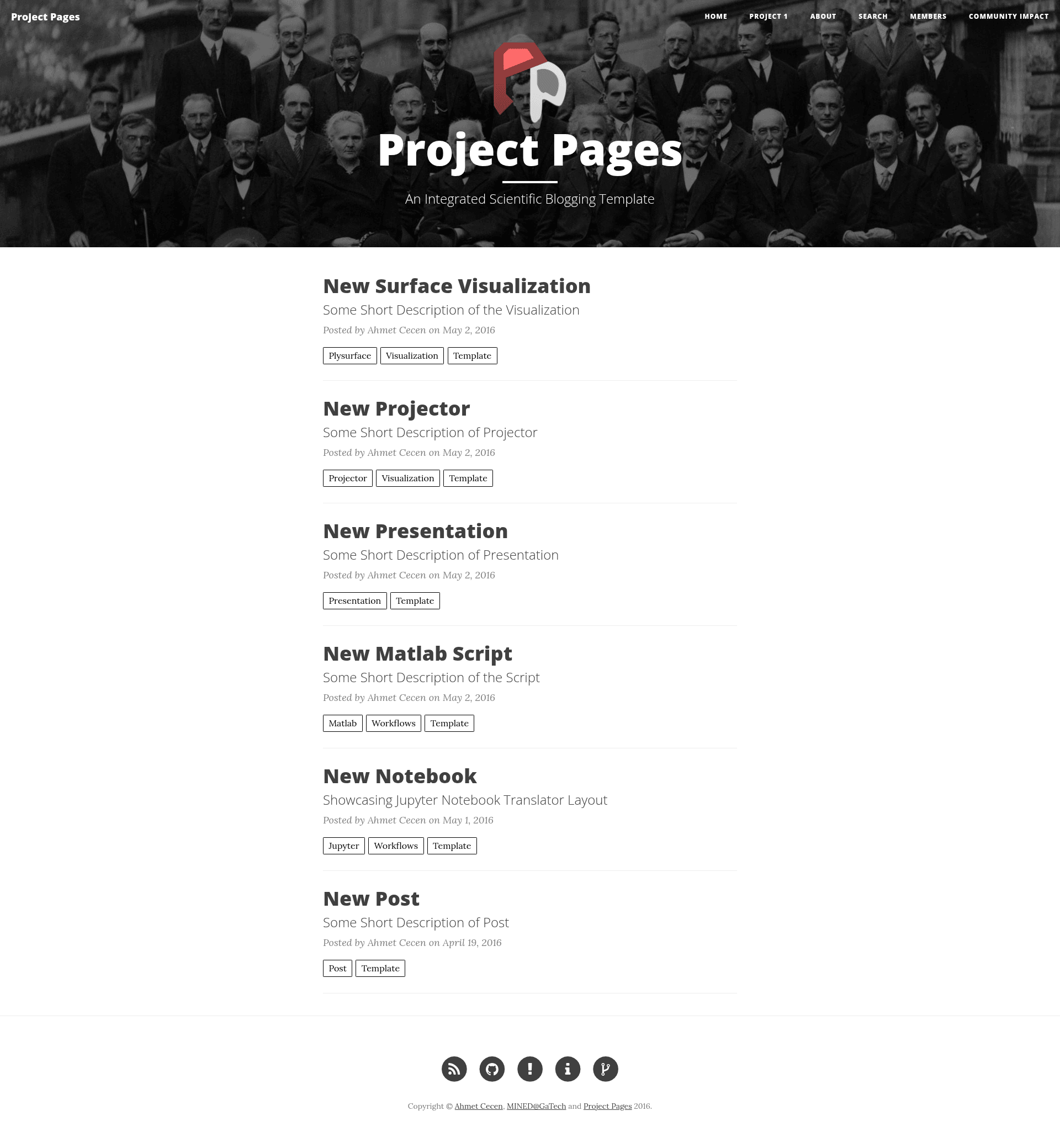
Jekyll template for collaborative science project websites, designed for quick-start forks on GitHub Pages.
About this template
Project Pages is a Jekyll template built for collaborative science project websites, distributed as a GitHub repository meant to be forked for a quick start.
What is Project Pages?
Project Pages is a Jekyll template specifically geared towards collaborative science. It runs on GitHub Pages and converts Markdown files into a static project website, including generated navigation entries such as Project Timeline and License. The repository includes a projector plugin under plugin/projector and a theme under css/theme, and its GitHub topics list d3, three.js, Python, MATLAB, and materials-informatics, signaling support for scientific data visualizations and computational workflows.
Key Features
- Quick-start forking — The repository description instructs users to fork the repo for a quick start, with no extra configuration needed to begin.
- Projector plugin — A plugin in
plugin/projectorgenerates project pages and nav bar items like Project Timeline and License. - GitHub Pages deployment — Built on Jekyll, the template deploys automatically when pushed to a GitHub repository configured for Pages.
- Scientific visualization topics — The repository metadata lists d3, threejs, Python, MATLAB, and materials-informatics, indicating the template is designed to present scientific data and interactive visualizations.
- Customizable theme — The
css/themedirectory holds stylesheets you can edit to change the site's appearance. - Wiki documentation — The project maintains a wiki for additional guidance on using the template.
Who is it for?
- Collaborative science teams — Researchers who need a shared project hub to document timelines, licenses, and findings without building a website from scratch.
- Open-source scientific projects — Developers and scientists who publish code and want a Jekyll-generated site tied to their GitHub repository.
- Labs using visualization libraries — Groups that work with d3, three.js, Python, or MATLAB and want to embed interactive charts or 3D views in their project pages.
What can you do with Project Pages?
- Launch a project website: Fork the repository, edit the Markdown pages, and publish via GitHub Pages to get a live site.
- Fix nav bar issues: If Project Timeline or License unexpectedly appear in the navigation after a GitHub/Jekyll rendering rule change, delete the
README.mdfiles inplugin/projectorandcss/themeas described in the repository's instructions. - Showcase scientific work: Use the template's structure and listed libraries to present visualizations, code, and documentation for a research project.
FAQ
Is Project Pages free to use?
Yes, Project Pages is an open-source Jekyll template hosted on GitHub. You can fork it and use it for your own project websites at no cost.
How do I fix a jumbled nav bar?
If you see random pages like Project Timeline or License in your navigation, it is likely because GitHub/Jekyll changed how Markdown files without frontmatter are rendered. Delete the README.md files located in plugin/projector/ and css/theme/ in your repository to remove those stray pages.
What technologies does Project Pages support?
The template is built with Jekyll and includes a CSS theme. Its GitHub topics list d3, three.js, Python, MATLAB, and materials-informatics, so it is suited for projects that want to embed these libraries and languages in their pages.
Where can I find more information?
The Project Pages repository links to a wiki with additional details about configuration and usage.