Template details
Radio-T Site
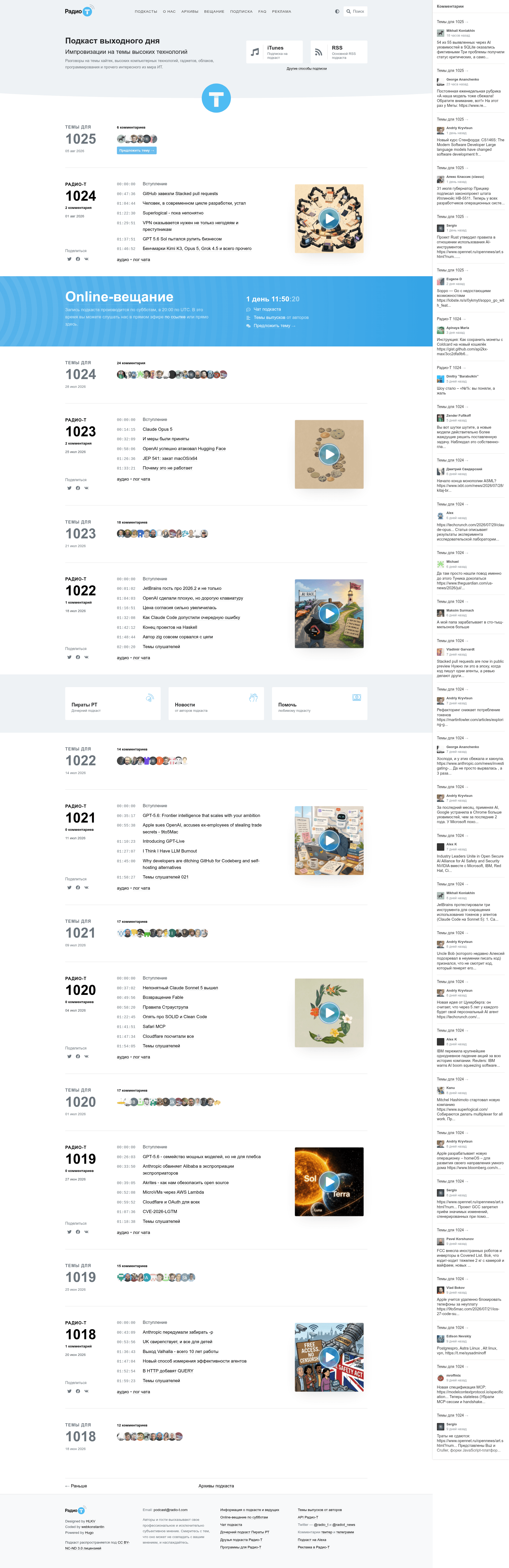
Hugo-based website and Dockerized publishing scripts for the Russian tech podcast Radio-T.
About this template
Radio-T Site is a Hugo-powered repository that builds the Radio-T podcast website and automates episode publishing with Dockerized scripts. It combines a static site generator with a frontend build pipeline and a set of make-based publisher commands for handling episode metadata, MP3 tagging, and deployment.
What is Radio-T Site?
Radio-T Site is the source repository for the Russian technology podcast Radio-T. It contains a Hugo static site generator, a frontend build pipeline using Node and Go, and a set of make-based publisher scripts that prepare and upload podcast episodes. The site takes episode topics from news.radio-t.com and episode numbers from the site API, and outputs a fully generated static site with MP3 files tagged and distributed to content nodes.
Key Features
- Hugo static generation — The site is built with Hugo v0.160.1; running
docker compose run --rm hugoregenerates the static site, with production assets output tohugo/static/build/and a manifest written tohugo/data/manifest.json. - Docker-based build — Both the Hugo site and the publisher image are built through docker compose, making the environment reproducible; the publisher service expects the MP3 folder mounted as a volume.
- Episode template creation —
make newfetches topics from the news feed and the next episode number from the API, then creates a ready-to-edit episode markdown template. - Next-topic preparation —
make prepgenerates a "Темы для ..." template for the upcoming episode, also pulling the episode number from the site API. - MP3 tagging and distribution —
make upload-mp3 EPISODE=685embeds ID3 tags and cover art into the episode file, then pushes it to multiple nodes via an external Ansible container. - One-command deployment —
make deploycommits changes, triggers a push and build on master, then builds the chat log and clears episode topics. - Dual dev modes —
npm run devruns Hugo LiveReload on localhost:3000 without turbolinks, whilenpm run dev:turbodisables LiveReload and enables turbolinks for a different editing experience. - Defined asset layout — Logos live in
src/images/, favicons instatic/described bylayouts/partials/favicons.html, and episode covers instatic/images/covers/with legacycover.jpgandcover_rt_big_archive.pngkept for compatibility.
Who is it for?
Radio-T Site is built for podcast producers and maintainers who want a scriptable pipeline from episode topics to a deployed site. It suits developers who need Docker-based reproducible builds for Hugo and Node frontends, and for anyone automating MP3 metadata and Ansible-based distribution. Contributors to the Radio-T podcast will find the make commands tailored to their editorial workflow.
What can you do with it?
- Podcast editors: create episode drafts with
make new, pulling topics from the show's news feed automatically. - Community moderators: prepare the next episode's topic thread with
make prep, using the official API to set the correct number. - Release engineers: tag and upload an MP3 using
make upload-mp3 EPISODE=685, which also sends the file to content nodes over Ansible. - Maintainers: deploy the whole site with
make deploy, which handles git commit, remote build, chat log generation, and topic cleanup.
How does it work?
The project splits into two parts: the Hugo site generation and the publishing scripts in the ./publisher directory. First, build both Docker images with docker compose. Then, use make new or make prep to scaffold content, make upload-mp3 to process and distribute audio, and make deploy for the final deployment. Environment variables RT_NEWS_ADMIN and PODCAST_ARCHIVE_CREDS provide credentials for the news API and SFTP archives.
FAQ
Does Radio-T Site work without Docker?
The documented workflow relies on docker compose to build the Hugo site and the publisher image, and the publisher commands expect a ready publisher container. While the frontend build can run directly with Node and Go, the recommended path is container-based.
What versions are required for the frontend?
The frontend dependencies list Node v22, GoLang, and Hugo v0.160.1. The commands run through npm scripts in the hugo directory.
How do I upload a specific episode MP3?
Run make upload-mp3 EPISODE=685 from the publisher directory, after mounting the directory containing the MP3 files as a volume in the docker compose configuration for the publisher service.
What environment variables are needed?
RT_NEWS_ADMIN holds the user:passwd pair for the news admin, and PODCAST_ARCHIVE_CREDS stores user:passwd for SFTP archives. These are required for publisher operations.