Template details
re-Terminal
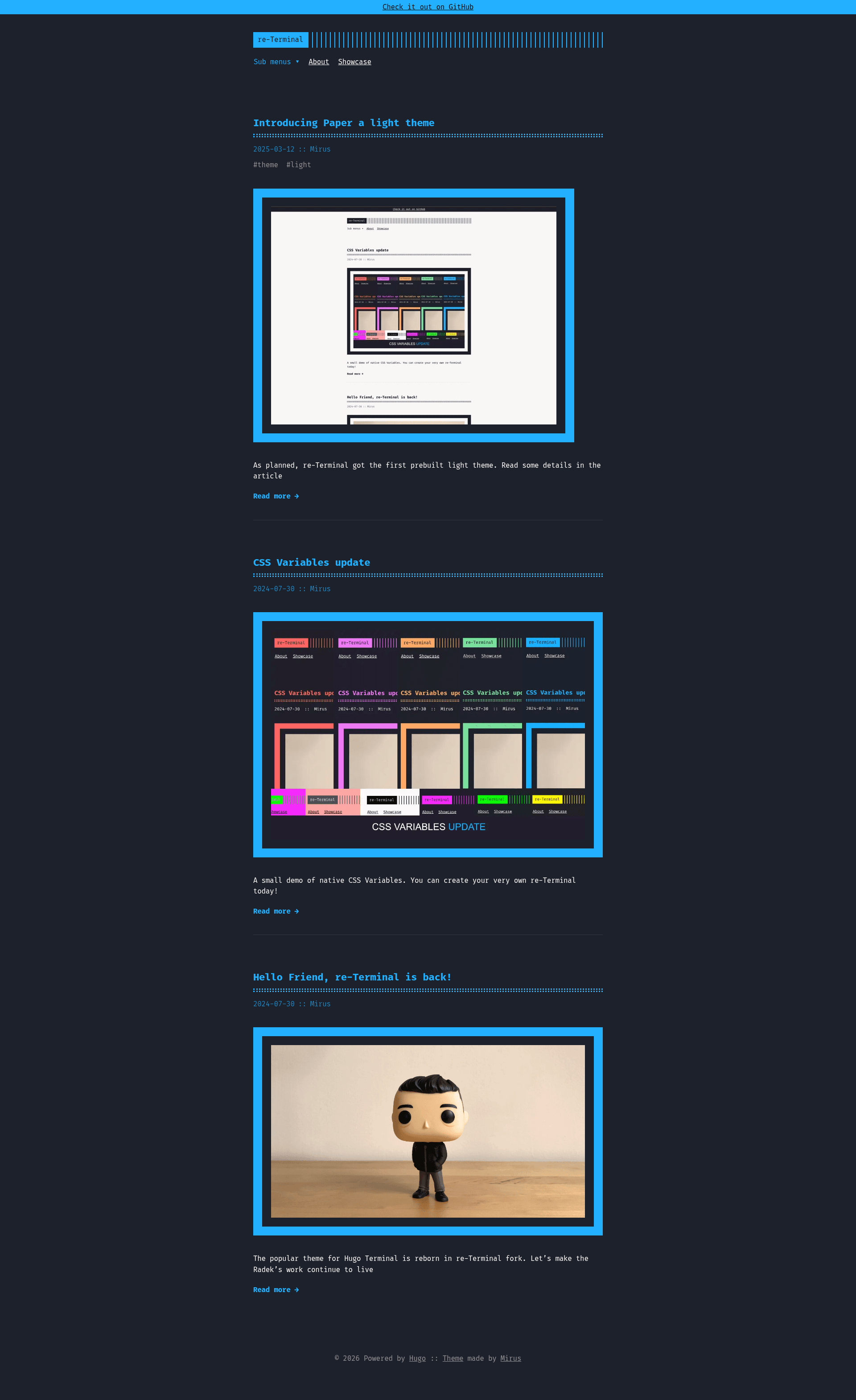
Retro duotone Hugo theme for blogs and portfolios, forked from Terminal with new features and modernized code.
About this template
re-Terminal is a retro-style duotone Hugo theme for personal blogs and portfolio sites, forked from the original Terminal theme with modernized code and new features.
What is re-Terminal?
re-Terminal is an open-source Hugo theme that turns Markdown content into a static, terminal-styled website. It is a fork of Hugo Theme Terminal maintained by GitHub user mirus-ua, created to revive the original theme after it was neglected and to remove all deprecated Hugo code. The theme runs on Hugo Extended v0.128.0 or later and relies on Hugo Pipes and Hugo Modules for asset processing. It accepts standard Hugo content files and outputs a fully responsive HTML site with optional table of contents, reading time, and last-updated indicators.
Key Features
- Six duotone themes — blue is the default; red, orange, green, pink, and paper are available through a single
themeColorparameter. - Fira Code typography — Fira Code is the default monospaced font, giving all text a consistent terminal-like feel.
- PrismJS syntax highlighting — a custom duotone highlighting setup that supports over 60 languages, including bash, Python, Rust, Go, TypeScript, and YAML.
- CSS variables for theming — colors, borders, and syntax colors are exposed as native CSS custom properties in
style.css, so overriding the look requires no SCSS knowledge. - Built-in shortcodes — the
image,figure, andcodeshortcodes let you embed images with captions and collapsible code blocks directly in Markdown. - Submenu support — the main menu can display one level of nested items, enabled in v2.1.0.
- Comment and comment counter partials — separate partials are provided so you can integrate a comments system and display a comment count on posts.
Who is it for?
re-Terminal is aimed at Hugo users who want a retro, monospaced blog without a heavy setup. Developers writing technical posts can take advantage of the collapsible code shortcode and the custom PrismJS highlighting for dozens of languages. Personal site owners can use the banner, cover image auto-detection, and multilingual language selector to customize their presence. It also suits users who previously used the original Terminal theme and want a maintained fork with the same aesthetic.
What can you do with re-Terminal?
- Technical bloggers: publish articles with code blocks that readers can expand and collapse, using the
codeshortcode with optional titles and collapse labels. - Portfolio owners: create a Showcase page from the included menu configuration and use cover images automatically picked from
cover.jpg,cover.png, orcover.webpin the page's resource folder. - Localized sites: maintain multiple languages using the built-in
languagesconfiguration block and show a language selector to visitors. - Site maintainers: display a dismissible call-to-action banner at the top of every page, with optional link and dismissal behavior toggled in the config.
How does re-Terminal work?
You install re-Terminal as a Hugo Module, a git submodule, or a direct clone into the themes directory. After adding a few config.toml parameters such as themeColor, showMenuItems, and autoCover, you run hugo server -t re-terminal and the theme generates the site from your content. For users fetching it as a module, the theme is pinned through the local go.sum file, and it can be overridden with a path replacement if you want to keep modifications locally.
FAQ
Is re-Terminal free to use?
Yes, re-Terminal is released under the MIT License. You can use it for personal and commercial projects, and the repository includes the original theme’s license alongside the fork’s copyright.
What Hugo version does re-Terminal require?
re-Terminal requires Hugo Extended version v0.128.0 or newer. Earlier versions below v0.128.0 may work down to v0.90.0 if you manually edit the minimum version in the module files, but this has not been tested by the maintainer.
How do I choose a different accent color?
Set the themeColor parameter in your config file to one of the six values: "orange", "blue", "red", "green", "pink", or "paper". You can also override the default CSS variables in style.css to create a custom palette.
Does re-Terminal include a comments system?
The theme ships with partials for comments and a comments counter, letting you wire up a service such as utterances. The comments counter shows the number of comments on each post, and the comment partial is a stub you can edit.
Can I keep the theme files in my repository?
Yes. You can add re-Terminal as a git submodule with git submodule add -f https://github.com/mirus-ua/hugo-theme-re-terminal.git themes/re-terminal, or clone it there directly. If you use it as a remote Hugo Module, you can still override styles by adding a static/style.css file in your site root.