Template details
Priam
A fast, clean, responsive Hugo theme with extended shortcodes and syntax highlighting.
About this template
Priam is a fast, clean, responsive Hugo theme for blogs, offering extended shortcodes, styled Markdown, and syntax highlighting out of the box.
What is Priam?
Priam is a Hugo theme created by fabston, inspired by the XMin theme. It takes Hugo site content written in Markdown and renders it into a responsive static website with styled post titles, syntax highlighting, and custom header and footer options. The theme is configured via config.toml and ships with a fully configured example site for quick preview.
What makes Priam stand out?
- Extended shortcodes — Adds reusable components beyond Hugo's built-ins for richer content embedding.
- Custom header and footer — Lets you override the site header and footer without editing theme templates.
- Straightforward customization — All theme options are controlled through
config.toml, so basic setup requires no code changes. - Styled Markdown throughout — Applies consistent styling to all Markdown elements including post titles, improving readability.
- Syntax highlighting — Provides code block highlighting for technical blog posts.
- Performance-optimized output — Pages total roughly 160 KB uncompressed; scores an A on GTmetrix and 100 on Google PageSpeed Insights.
Who should use Priam?
- Bloggers and writers — Publish a clean, fast personal blog using Hugo's Markdown workflow with minimal configuration.
- Developers and technical writers — Use the built-in syntax highlighting to publish code-heavy posts and tutorials.
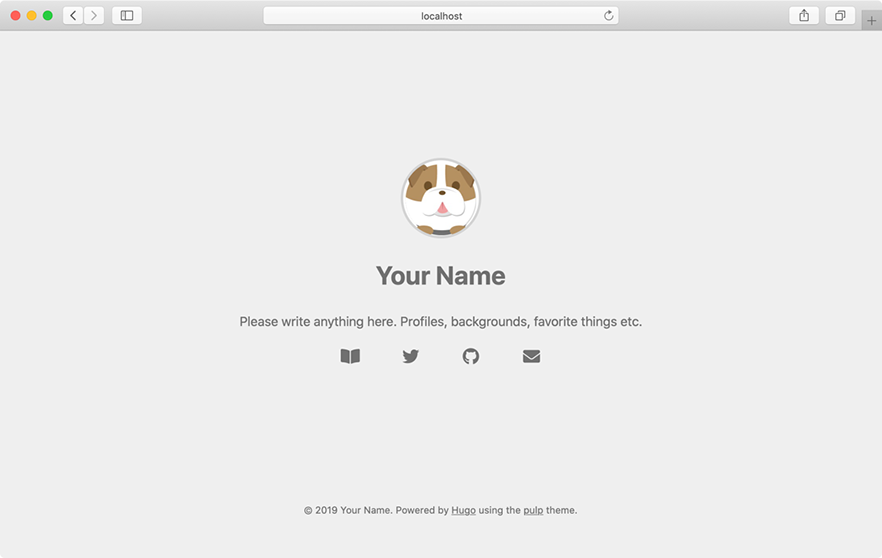
- Hugo users seeking a lightweight theme — Replace heavier themes with Priam to improve page speed; the included example site demonstrates the default look and feel.
What can you do with Priam?
- Personal bloggers: set up a responsive blog with custom header and footer and styled Markdown posts by editing
config.tomlonly. - Technical tutorial authors: present code with syntax highlighting and keep page weight under 160 KB for fast loading.
- Theme tinkerers: fork Priam to add your own shortcodes or styling, or use it as a lightweight base for custom Hugo sites.
How does Priam work?
Install by cloning the repository into your Hugo site's themes directory or adding it as a git submodule from https://github.com/fabston/Hugo-Theme-Priam. Navigate to the exampleSite directory, run hugo serve --themesDir ../.., and open http://localhost:1313 to preview. From there, customize the site via config.toml and start writing Markdown content.
Alternatives
- XMin — The Hugo theme that inspired Priam, which focuses more on simplicity and less on styling.
FAQ
Is Priam free?
Yes, Priam is an open-source Hugo theme distributed under a GitHub license, so it is free to use and modify.
How do I install Priam?
Clone the repository into themes/priam using git clone https://github.com/fabston/Hugo-Theme-Priam.git themes/priam, or add it as a git submodule with git submodule add https://github.com/fabston/Hugo-Theme-Priam.git themes/priam.
Does Priam include an example site?
Yes, Priam ships with a fully configured example site in the exampleSite folder. You can preview it locally with hugo serve --themesDir ../.. and then open http://localhost:1313 in your browser.