Template details
Piko
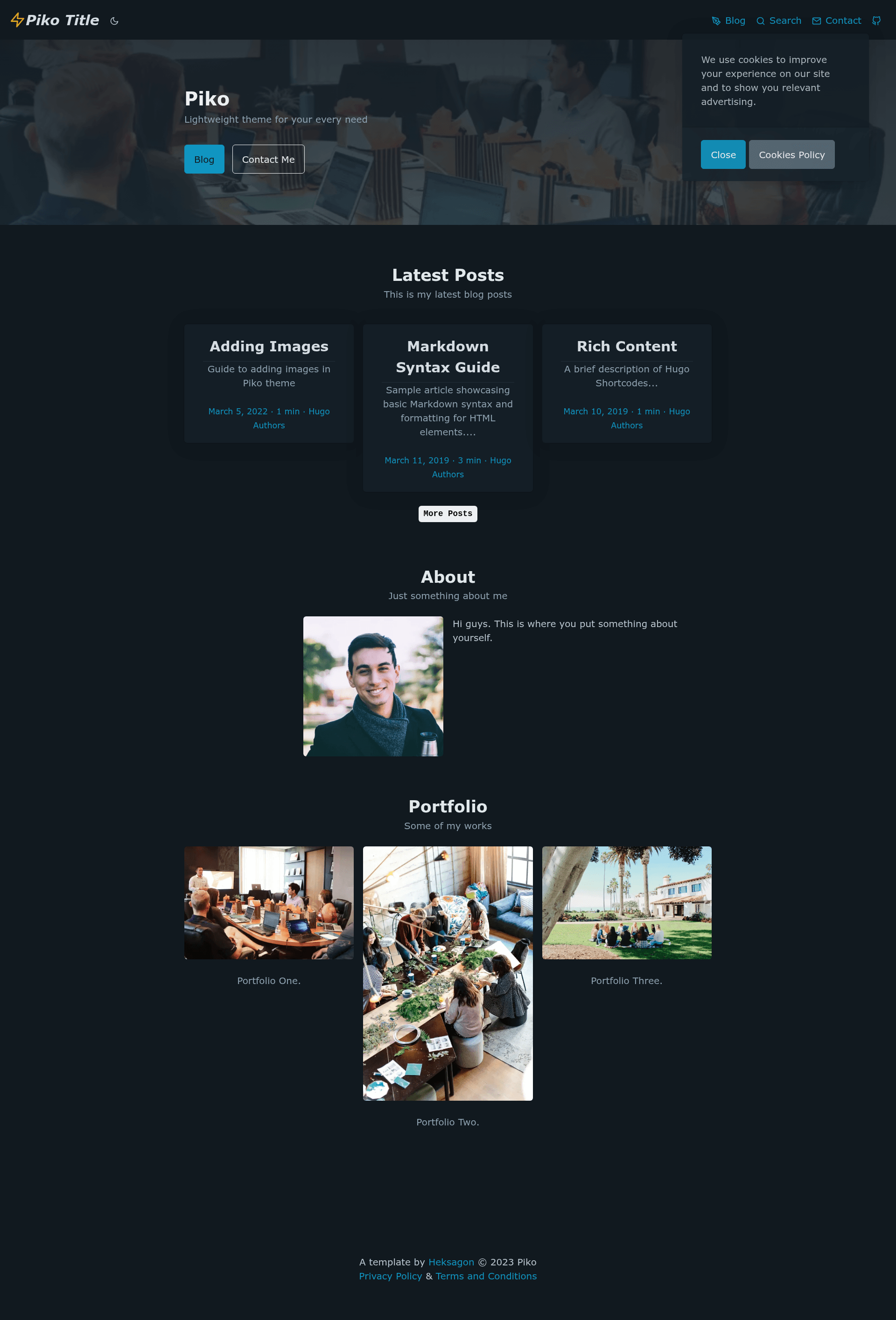
Minimalistic and fast Hugo theme for building a blog or portfolio, styled with Pico CSS and optimized for performance.
About this template
Piko is a minimalistic, fast Hugo theme for building a blog or portfolio, styled with Pico CSS and optimized for a perfect 100/100 Google Lighthouse score. Built by Heksagon Net, it runs on the Hugo static site generator and requires Hugo version 0.91.0 or higher.
What is Piko?
Piko is a free, open-source Hugo theme that turns Markdown content into a static blog or portfolio website. As an input it accepts Hugo content files and site configuration; as output it generates a fully static site with minified CSS and JavaScript. The theme is distributed on GitHub under the MIT License and comes with an exampleSite folder to help you start. Its demo is hosted on Netlify, and a Lighthouse report confirms a 100% performance score.
Key Features
- Hugo static site generator — Built for the world's fastest static site generator, requiring Hugo v0.91.0 or newer; no other runtime or database is needed.
- Pico CSS styling — The theme is styled by Pico CSS, a minimalist CSS framework, and supports SASS/SCSS customization for advanced theming.
- FeatherIcons icons — Ships with Feather Icons for clean, lightweight iconography throughout the blog or portfolio pages.
- Google Analytics — Includes built-in support for Google Analytics tracking by adding your tracking ID to the site configuration.
- KaTeX math typesetting — Supports math formulas in posts via KaTeX, rendered client-side without heavy JavaScript libraries.
- Fuse.js search — Provides client-side, dependency-free full-text search powered by Fuse.js, so no external search service is required.
- Netlify and Forestry ready — Includes predefined Netlify deployment settings and a pre-configured Forestry CMS starter, enabling one-click deploy and Git-based content editing.
- GDPR cookie notice — Includes a compliant cookie notice with reading time calculation for posts, plus open graph and Twitter card meta tags for social sharing.
Who is it for?
Piko suits bloggers who want a fast, minimal site without manual front-end work. Freelancers and creatives can use it to build a portfolio with multiple author support, and developers who prefer static sites can customize it easily thanks to SASS/SCSS and the Hugo template structure.
What can you do with Piko?
- Bloggers: publish articles with reading time estimates, tag support, and Fuse.js search across all posts.
- Portfolio owners: showcase projects and services in a clean, minimal layout, with support for multiple authors if you collaborate.
- Netlify users: click the Deploy to Netlify button to go from GitHub repository to live site in under a minute.
- Content editors: manage posts and pages through Forestry CMS, which is pre-configured to work with the theme's exampleSite directory.
How does Piko work?
You can start in two ways. For a quick deploy, sign in with GitHub and Netlify, then click the one-click Deploy to Netlify button that clones the repository and builds it automatically. For local development, clone the repo, cd into the exampleSite folder, and run hugo server --themesDir ../.. to serve the site at a local URL. The theme expects content in the standard Hugo content directory and uses config files within exampleSite.
Pros and cons
- Fast and lightweight — achieves 100/100 on Lighthouse and minifies both CSS and JS for quick page loads.
- Open-source free — released under the MIT License, so you can use, modify, and redistribute it freely.
- Built-in integrations — Google Analytics, KaTeX, Fuse.js, and multiple form backends are configured out of the box.
- Requires Hugo knowledge — you need to know Hugo basics to customize templates and content structure beyond the provided examples.
Pricing
Piko is free and open-source software under the MIT License. The theme itself has no cost; the only expenses you might incur are for third-party services such as Netlify (free tier available) or Forestry (free tier available at the time of writing).
FAQ
Is Piko free?
Yes. Piko is released under the MIT License, which allows free use, modification, and distribution for both personal and commercial projects.
What Hugo version do I need for Piko?
Piko requires Hugo version 0.91.0 or newer. The repository shows the minimum Hugo version as 0.91.0, so you should install at least that version to use the theme.
How do I deploy Piko to Netlify?
Use the Deploy to Netlify button in the repository, which clones the Piko repo into your Netlify account. After connecting your GitHub and Netlify accounts, click through the prompts and your site goes live with the predefined Netlify settings.
Can I use Piko with a CMS?
Yes, Piko is pre-configured for Forestry CMS. You log in to Forestry with GitHub, add your site, choose Hugo, point the config path to exampleSite, and Forestry recognizes the config file and lets you edit content.