Template details
Persian Hugo
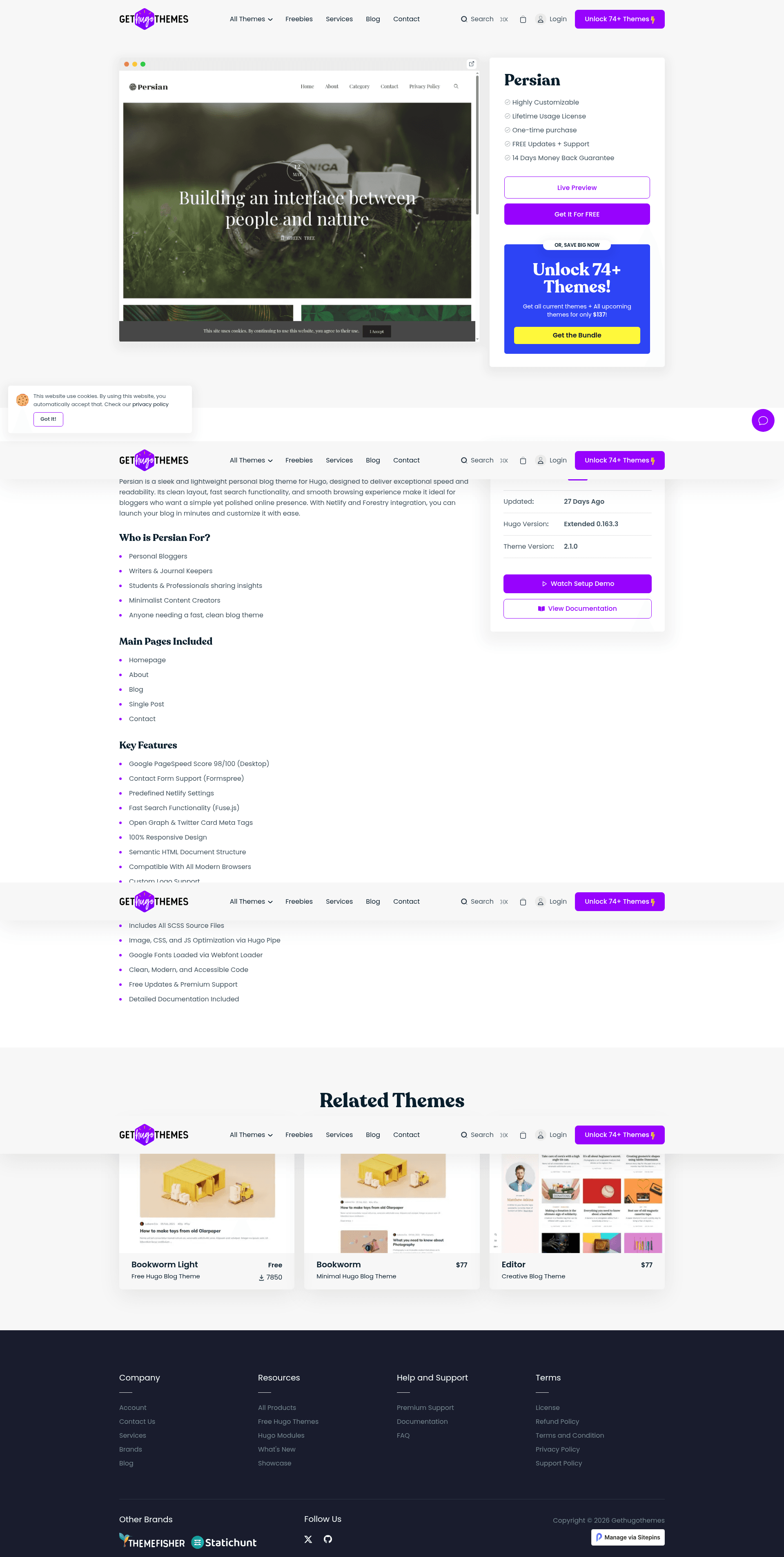
Persian is a box design personal blog theme based on Bootstrap and powered by Hugo. It is very responsive and perfectly fits on any sized screen device.
About this template
Persian Hugo is a personal blog theme powered by the Hugo static site generator, built with Bootstrap, and optimized to deliver a fast, responsive reading experience for writers and photographers.
What is Persian Hugo?
Persian Hugo is an open-source personal blog theme created by Gethugothemes and designed by Themefisher. It takes Markdown content and Hugo configuration as input and generates a complete static website as output, with no server-side dependencies. The theme runs on Hugo version 0.163.3 or higher and is distributed under the MIT license, making it free to use and modify. It is a "box design" theme that is fully responsive and fits any screen size.
What makes Persian Hugo stand out?
- Google Analytics support — Add your tracking ID to the theme configuration to measure site traffic without custom code.
- CSS and JS bundling with Hugo Pipe — Assets are minified and combined during the build, contributing to the demo's 88% Google PageSpeed score.
- Bootstrap framework — The layout uses Bootstrap for a responsive grid and pre-built components, paired with jQuery and Themify Icons.
- Netlify settings predefined — A ready-to-use Netlify configuration is included for one-click deployment.
- Contact form support — A contact form is built in and works with static-site form handling.
- Search with Fuse.js — Visitors can search posts instantly with fuzzy search, and matches are highlighted using Mark.js.
- GDPR consent enabled — A cookie-consent banner is included to help with European privacy compliance.
- SEO meta tags — Open Graph and Twitter Card meta tags are included for rich link previews on social media.
Who is it for?
- Independent bloggers — Publish a personal blog with a minimal, fast layout that avoids heavy JavaScript.
- Photographers — Use the responsive design to present image-heavy posts on any device.
- Developers — Customize the theme using Hugo, Bootstrap, and Hugo Pipe, then deploy to Netlify with the included configuration.
- Content editors — Edit text, images, and configuration visually through the pre-configured Sitepins CMS without writing code.
What can you do with Persian Hugo?
- Personal writers: run a lightweight blog with Markdown-based publishing and built-in search so readers can find older posts quickly.
- Photography portfolio: create a photography-focused site with a responsive layout that looks good on phones and desktops.
- Static-site deployers: push the project to Netlify using the predefined settings and get automatic builds from Git pushes.
How does Persian Hugo work?
Clone the repository with git clone git@github.com:gethugothemes/persian-hugo.git, run npm run project-setup to install dependencies, then start the local development server with npm run dev. For code-free content management, the template connects to Sitepins, a Git-based headless CMS, through the "Edit with Sitepins" button.
Pricing
The theme is free and open source under the MIT license, with no paid tier mentioned on the project page. The demo images are for demonstration purposes only and have their own licenses.
FAQ
Is Persian Hugo free?
Yes. The theme is released under the MIT license, so you can use it for personal or commercial projects without paying a license fee. You only need to provide attribution as required by MIT.
What Hugo version is required?
Persian Hugo requires Hugo version 0.163.3 or newer. The repository badge clearly states this minimum version, so use a recent Hugo release when building the theme.
Can I edit content without coding?
Yes. The theme is pre-configured to work with Sitepins. Clicking "Edit with Sitepins" clones the repository into the CMS, where you can edit text, images, and configuration visually.
Does Persian Hugo support Google Analytics?
Yes. Google Analytics support is a listed key feature. Add your tracking ID to the theme configuration, and the tracking code will be included on the site.
How do I run Persian Hugo locally?
Clone the repository with git clone git@github.com:gethugothemes/persian-hugo.git, run npm run project-setup, then start the dev server with npm run dev.