Template details
Remple
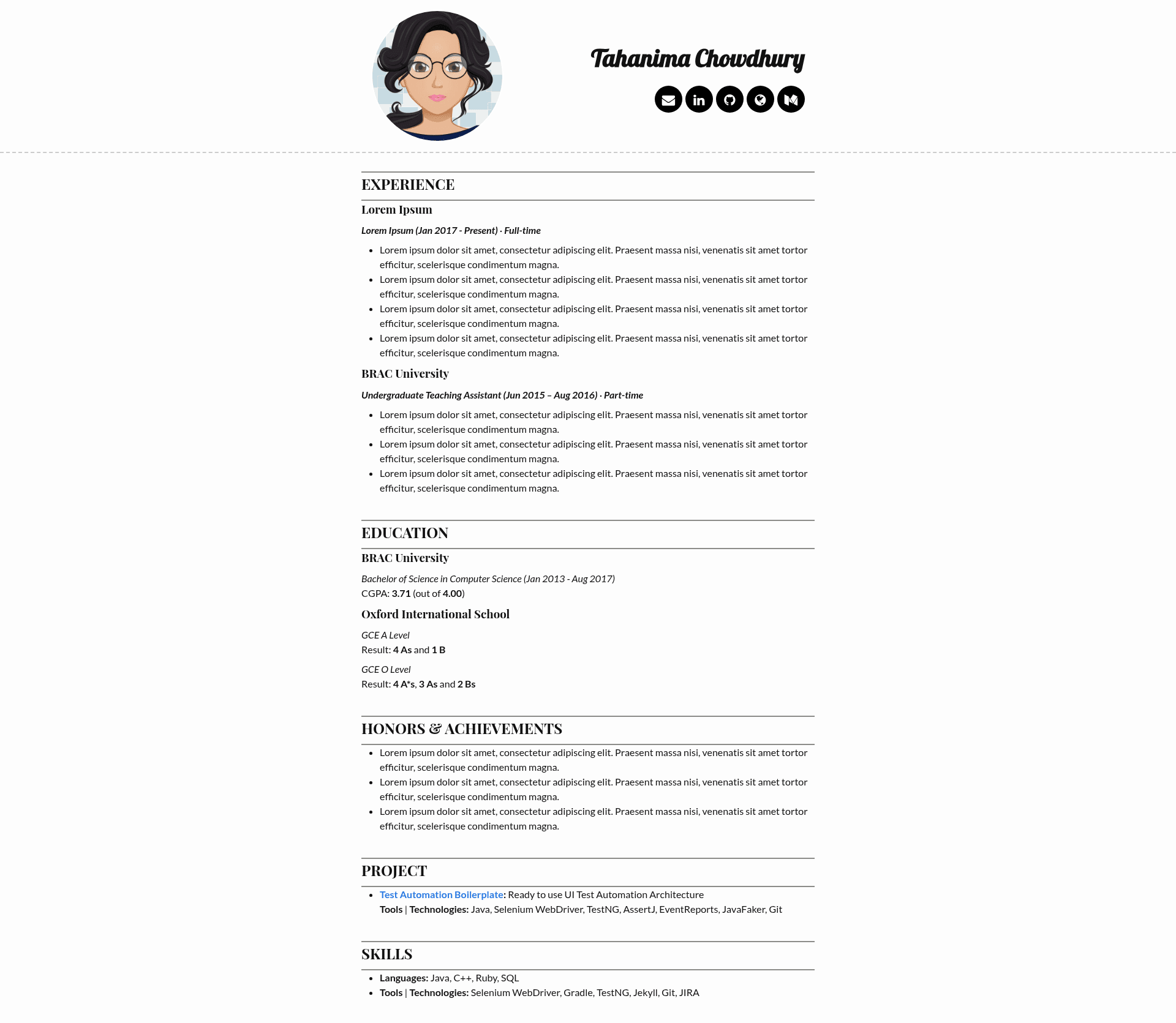
A simple Jekyll based resume template for GitHub Pages.
About this template
Remple is a minimal Jekyll resume template that turns a Markdown profile into a static website hosted on GitHub Pages, requiring only edits to two files to go live.
What is Remple?
Remple is a simple resume template built for Jekyll, the static site generator. It takes resume content written in Markdown (index.md) and site settings from _config.yml, and produces a static HTML resume website. The template is distributed as a GitHub repository and is designed to be deployed via GitHub Pages, with a live demo available at tahanima.github.io/remple. It is licensed under the MIT License, so it can be freely reused and modified.
Key Features
- Markdown content — Resume content lives in index.md, so you write your experience and skills in Markdown without touching HTML.
- Centralized configuration — Personal details including title, description, email, LinkedIn, GitHub, website, and Medium links are all set in _config.yml.
- Photo support — The profile photo is referenced via the photo_url config; the template defaults to a file named my-photo.jpg, and the value can be changed to match a different filename or extension.
- GitHub Pages ready — Deployment is done by activating GitHub Pages in repository settings and selecting the master branch with root folder, making the site available at
[username].github.io/[repo-name]. - Customizable base URL — The baseurl config must be updated to match a renamed repository, allowing the site to work when the project is forked and renamed.
- MIT licensed — The template is open source under the MIT License, so it can be reused and modified freely.
Who is it for?
Remple is aimed at developers and job seekers who want a straightforward, no-frills personal resume site without building one from scratch. It is particularly suitable for:
- Job seekers — Quickly set up a professional resume page to share with recruiters, using only GitHub and Markdown knowledge.
- Jekyll beginners — Learn how a Jekyll site is structured and deployed on GitHub Pages by editing one config file and one content file.
- Open-source contributors — Fork the repository, customize it, and use it as a starting point for a personal portfolio or as a learning example of a Jekyll theme.
What can you do with Remple?
- Publish a resume online — Fill in index.md and _config.yml, then activate GitHub Pages to get a live resume URL at your GitHub username.
- Update your contact links — Change the email, LinkedIn, GitHub, website, and Medium values to point to your own profiles, and the site header and footer update accordingly.
- Replace the profile photo — Delete the default my-photo.jpg and upload your own image with the same filename, or update photo_url to use a different file name or extension.
How does Remple work?
Remple runs as a Jekyll site. After forking the repository, you edit _config.yml to set your title, description, email, and social links. Next, edit index.md with your resume details and replace the default photo with your own. Finally, enable GitHub Pages in the repository settings, choosing the master branch and root folder, and the site is built by Jekyll and hosted automatically.
FAQ
Is Remple free to use?
Yes, Remple is open source under the MIT License, which allows free use, modification, and distribution. You only need a free GitHub account to host the site via GitHub Pages.
Do I need to know HTML or CSS to use Remple?
No. The content is written in Markdown (index.md) and configuration is done in YAML (_config.yml). The template's styling is handled by Jekyll, so no direct HTML/CSS editing is required for basic customization.
What happens if I rename the repository?
If you fork and rename the repository, you must update the baseurl value in _config.yml from "/remple/" to "/your-preferred-name/" so that the site's links work correctly under the new path. The site will then be accessible at username.github.io/your-preferred-name/.
Can I use a different photo filename?
Yes. The template expects a file named my-photo.jpg by default, but you can set the photo_url setting in _config.yml to any filename or extension, then upload that file to the repository root.
What is the license?
The project is licensed under the MIT License, as stated in the repository. This means you can use the template in personal or commercial projects, modify it, and redistribute it, as long as the license notice is preserved.