Template details
Reslate
Beautiful static documentation for your API
About this template
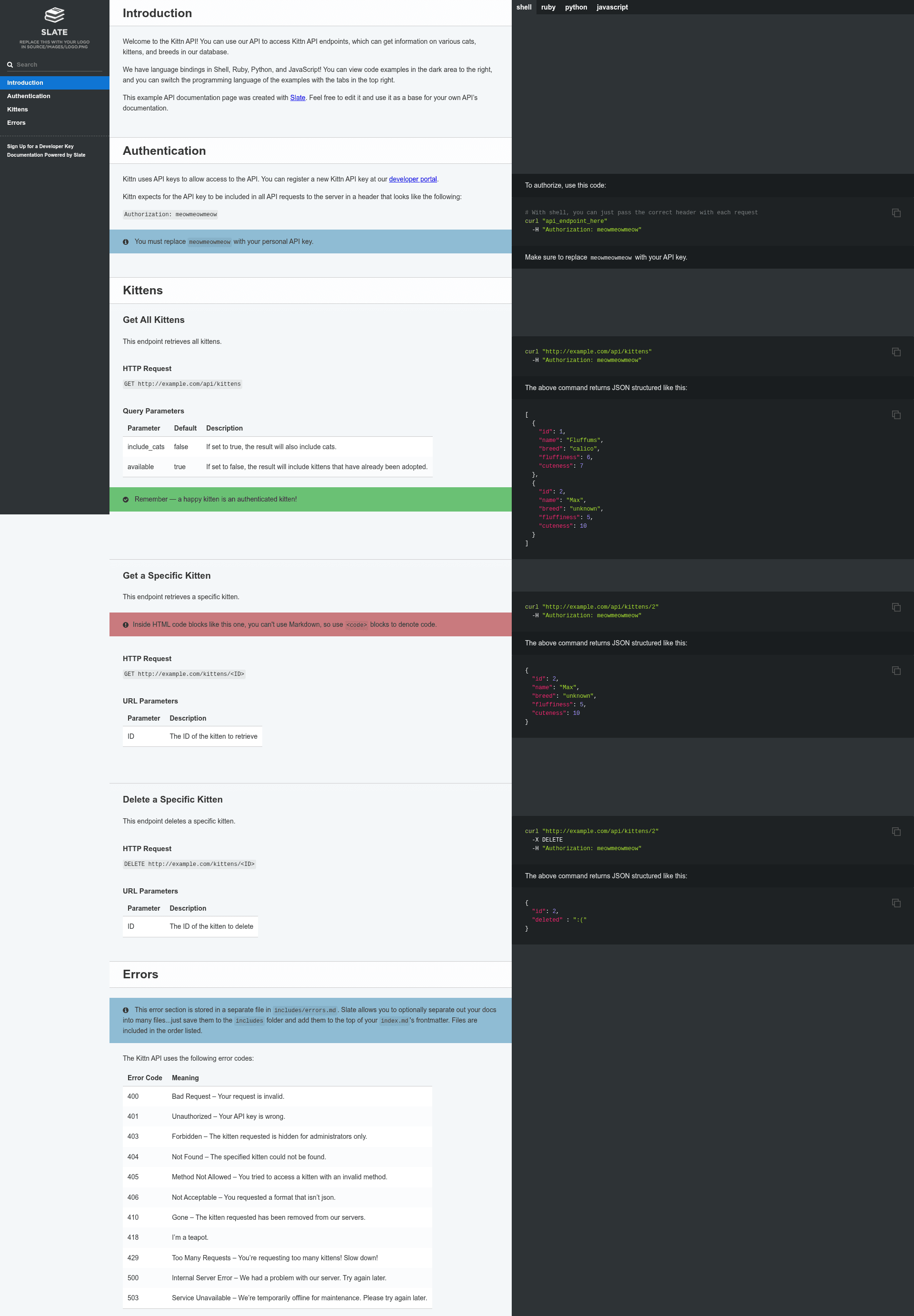
Reslate is a proof-of-concept static documentation template that rebuilds the Slate API documentation layout using Eleventy (11ty) as the static site generator, turning Markdown sources into a static HTML site.
What is Reslate?
Reslate is an open-source documentation generator that ports Slate to the Eleventy static site generator, eliminating the original Ruby dependency. It takes Markdown files as input and outputs a static HTML documentation site using a Node.js build pipeline. The project lives in the Mermade/reslate repository on GitHub and is explicitly labeled a proof of concept (v3). It runs on an LTS version of Node.js and installs via npm.
Key Features
- Eleventy (11ty) static site generation — Uses Eleventy v3 as the build engine instead of Ruby, making the entire toolchain Node.js-native.
- Out-of-the-box syntax highlighting — Code blocks are highlighted with Prism.js, supporting more than 200 languages with no configuration required.
- Simple npm scripts —
npm run buildproduces the site,npm run debugruns a debug build, andnpm run servestarts a local server at http://localhost:4567. - Dependency-friendly CLI — When Reslate is installed as a dependency,
npx reslate initscaffolds a new project andnpx reslate [build|debug|serve]runs the respective commands. - Active development plan — The repository documents a TODO list covering SCSS file watching, optional Lunr server-side search across multiple files (issue #1006), GitHub emoji shortcuts, and custom CSS includes in the header.
Who should use Reslate?
Reslate is suited for teams and individuals who want the classic Slate documentation style but prefer a Node.js-based workflow. API documentation maintainers can use it to generate static docs that deploy to any hosting service. Developers already using Eleventy can adopt it as a starting point for a documentation section. Contributors interested in the Slate-to-Eleventy port will find the codebase concise enough to follow.
What can you do with Reslate?
- API documentation authors: Write docs in Markdown and produce a static Slate-style site with automatic syntax highlighting for code samples.
- Node.js developers: Install Reslate as a dev dependency, run
npx reslate init, and start writing docs inside an existing project. - Static site deployers: Build the documentation with
npm run buildand host the generated HTML anywhere, including GitHub Pages.
How does Reslate work?
Reslate requires an LTS version of Node.js. You can clone the repository and run npm i, or create a new Node.js project and install Reslate as a dependency, then run npx reslate init. The build process converts Markdown into static HTML with Prism.js highlighting, and the serve command provides a live preview.
FAQ
Does Reslate require Ruby?
No. Reslate is built entirely on Node.js and Eleventy, so it does not need the Ruby toolchain that the original Slate requires.
What languages are supported for syntax highlighting?
More than 200 languages are supported out of the box, powered by Prism.js.
How do I preview the documentation locally?
Run npm run serve (or npx reslate serve if installed as a dependency) and open a browser to http://localhost:4567.
Is Reslate production-ready?
Reslate is a proof of concept, so it should be treated as a starting point rather than a mature, feature-complete product. The repository itself lists several planned improvements.
Can I use custom CSS includes?
The project lists "Specify additional CSS includes in header?" as an open todo, so it is not yet implemented as of the content shown.