Template details
Antora Default UI Hugo Theme
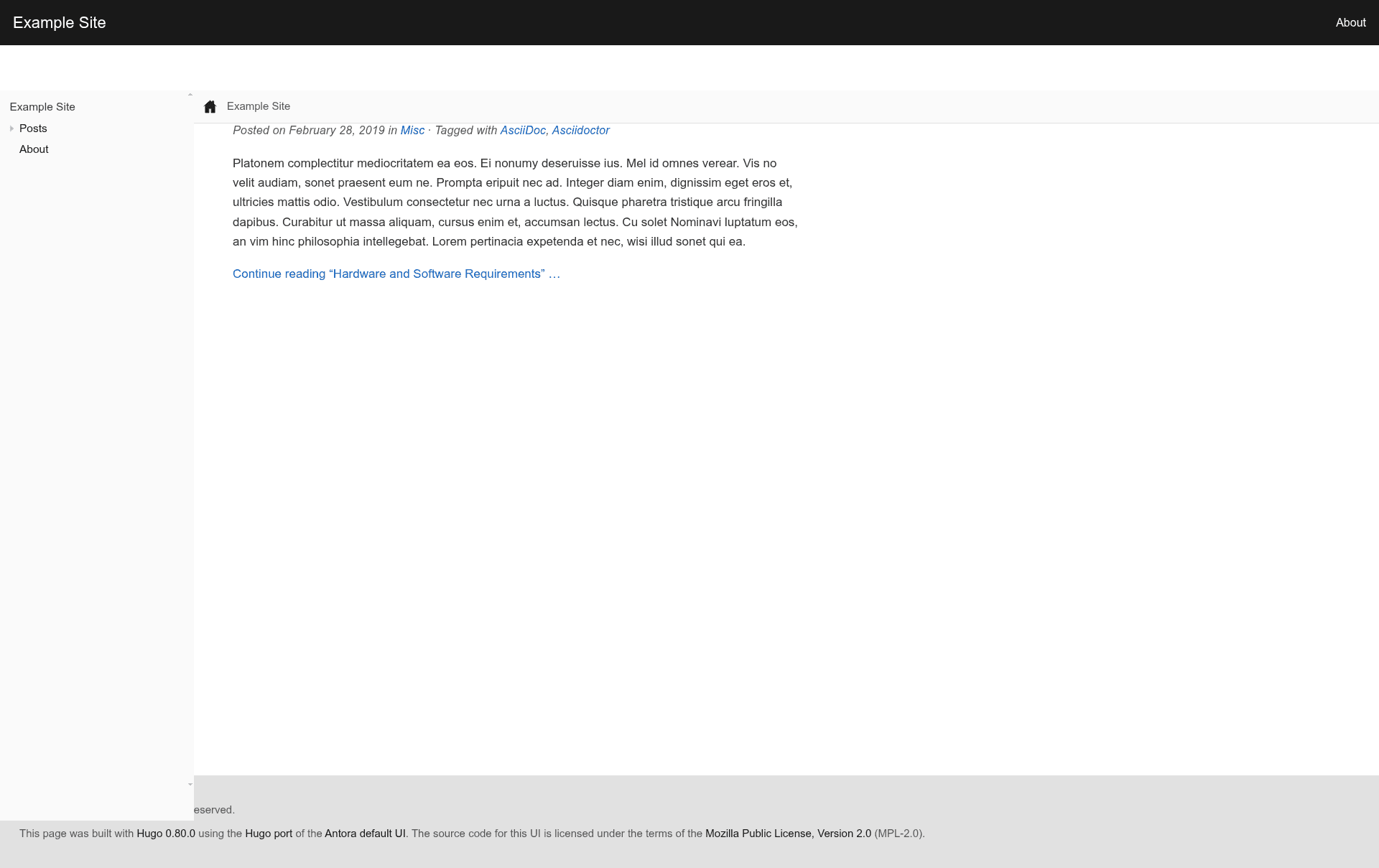
A Hugo theme based on the Antora default UI, with full support for Asciidoctor.
About this template
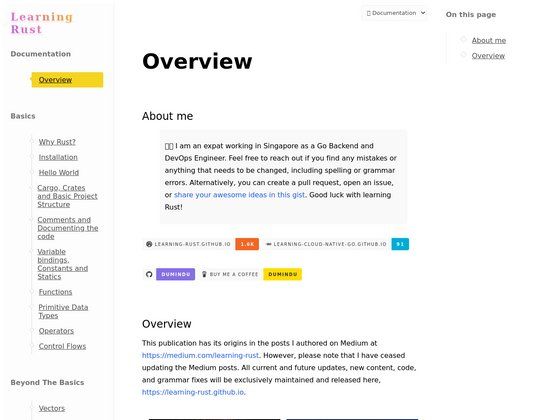
The Antora Default UI Hugo Theme is a documentation-focused Hugo theme that brings the visual design of Antora's default UI to a Hugo site with full Asciidoctor support.
What is the Antora Default UI Hugo Theme?
The Antora Default UI Hugo Theme is an open-source Hugo theme based on the Antora default UI, built to render technical documentation written in AsciiDoc. It takes Asciidoctor-authored content and produces a static documentation site styled after Antora's default look, running on the Hugo static site generator. The theme is developed by Basil on GitHub and is licensed under the Mozilla Public License 2.0.
Key Features
- Asciidoctor support — renders AsciiDoc content through Asciidoctor, with configurable attributes for icons and source highlighting.
- Antora default UI design — replicates the visual style of the Antora default UI, the standard interface for Antora documentation sites.
- highlight.js syntax highlighting — ships with a highlight.js build covering all common languages plus AsciiDoc; custom language packs can be dropped into
assets/js/vendor/highlight.pack.js. - Edit this page links — an optional
editThisPageparameter inconfig.tomladds a link to the source repository for each page. - Custom CSS — site-specific styles go into
assets/css/custom.csswithout editing theme files. - Home page metadata — optional
descriptionandkeywordsparameters for SEO on the home page. - Footer copyright — optional
copyrightandsinceparameters displayed in the footer. - Multiple install paths — either clone the repository into
themes/or add it as a Git submodule.
Who is it for?
- Documentation engineers — set up a Hugo-based docs site for a software project using AsciiDoc files, mirroring the Antora default UI look.
- Technical writers — author content in Asciidoctor and publish it with Hugo without maintaining a custom theme.
- Teams migrating from Antora — keep the Antora UI appearance while moving their static site generation to Hugo.
- Hugo users who prefer AsciiDoc — use AsciiDoc markup instead of Markdown while keeping the Hugo build pipeline.
What can you do with it?
- Publish API and user documentation: write docs in AsciiDoc and render them as a static site with code samples highlighted by highlight.js.
- Brand a documentation portal: add custom CSS, footer copyright, and home-page keywords and description to match a project's identity.
- Collaborate on doc sources: accept edits via the Edit this page link pointing at the content directory in the project repository.
How does it work?
Install Hugo and Asciidoctor, then clone or submodule the theme into themes/antora-default-ui-hugo-theme and set theme = "antora-default-ui-hugo-theme" in config.toml. You then configure Asciidoctor attributes such as icons and source-highlighter, and optionally set copyright, keywords, or editThisPage parameters, before building the site with Hugo.
Pricing
The theme is open source and free to use under the Mozilla Public License 2.0 (MPL-2.0); there are no paid tiers.
Alternatives
- Antora default UI — the original GitLab-hosted UI for the Antora static site generator, which this theme is based on.
- Docsy — a Hugo documentation theme maintained by Google with built-in docs navigation and search features.
FAQ
Does the theme require Asciidoctor?
Yes. The theme renders AsciiDoc content, so you must install Asciidoctor on your machine in addition to Hugo.
Is the Antora Default UI Hugo Theme free?
Yes. It is released under the Mozilla Public License 2.0, so it can be used, modified, and redistributed freely with attribution.
What syntax highlighter does it use?
The theme ships with highlight.js, configured to support all common highlight.js languages plus AsciiDoc. You can download a custom highlight.js package and place it in assets/js/vendor/highlight.pack.js for extra languages.
How do I install the theme?
Clone https://github.com/basil/antora-default-ui-hugo-theme into themes/antora-default-ui-hugo-theme, or add it as a Git submodule, then set theme = "antora-default-ui-hugo-theme" in config.toml.
Can I customize the theme's styles?
Yes. Add custom CSS to assets/css/custom.css, and configure options like editThisPage, description, keywords, since, and copyright in your config.toml.