Template details
Hexo Butterfly Editor
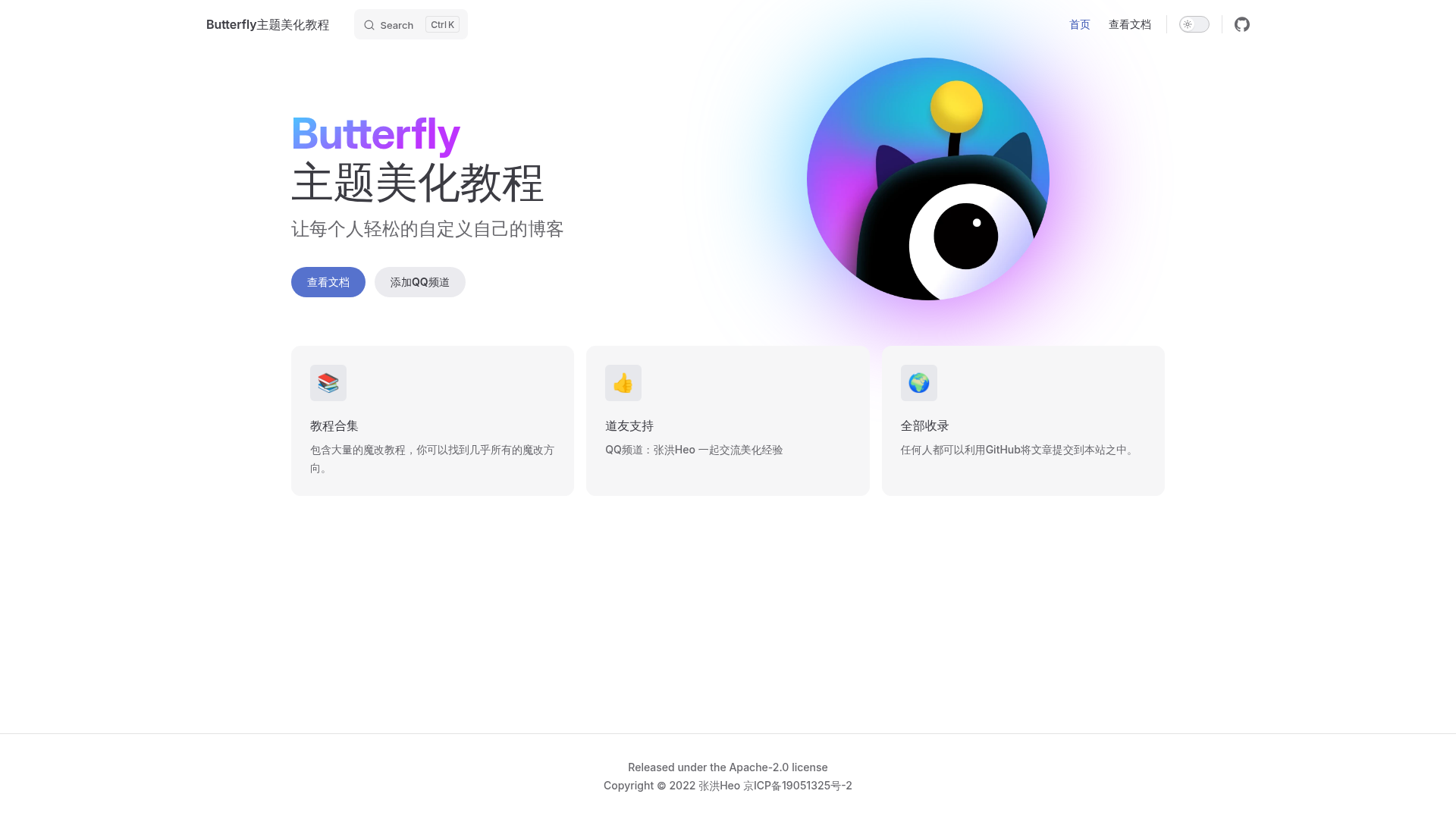
A Chinese-language tutorial navigation site for customizing the Butterfly theme on Hexo, with an open-source GitHub repo and docs at butterfly.zhheo.com.
About this template
hexo-butterfly-editor is a free, open-source documentation hub that collects customization tutorials for the Butterfly theme of Hexo static site generators, published at butterfly.zhheo.com.
What is hexo-butterfly-editor?
hexo-butterfly-editor is a GitHub repository and companion documentation site that serves as a "navigation station" (导航站) for Butterfly theme modifications. It aggregates step-by-step guides, code snippets, and tips for altering the look, layout, and functionality of Butterfly, one of the most popular themes for Hexo blogs. The project is maintained as a public repository with 126 stars, and its site is built using a Node.js-based static site generator with Yarn scripts (yarn docs:dev for local preview, yarn docs:deploy for publishing). The content is primarily in Chinese, reflecting the large Chinese-speaking Hexo community.
Key Features
- Tutorial navigation — Organizes dozens of "魔改" (heavy modification) tutorials into a single, browsable directory, making it easy to find specific customization recipes without searching across forums or blogs.
- Static documentation site — The project deploys to a dedicated website at butterfly.zhheo.com, giving readers a fast, clean reading experience separate from the GitHub repo.
- Yarn-based development workflow — Includes
docs:devanddocs:deployscripts, so contributors can preview changes locally and publish updates with standard Node.js tooling. - Focused scope — Unlike generic Hexo tutorials, every guide targets the Butterfly theme specifically, covering its unique configuration options, CSS overrides, and template partials.
- Open source and community-driven — Hosted on GitHub with 126 stars, the project invites contributions from other Butterfly users who want to share their own modifications.
Who is it for?
- Hexo bloggers running Butterfly — They can consult the tutorials to customize their theme without digging through source code or themes documentation.
- Front-end developers — They can adapt the code snippets to build custom features, such as new widgets, animations, or layout adjustments.
- Chinese-speaking tech bloggers — Since the guides are written in Chinese, they directly serve the largest community of Hexo users, many of whom share Butterfly theme setups.
What can you do with hexo-butterfly-editor?
- Find ready-to-use snippets: Locate code for common changes like altering the sidebar, adding custom fonts, or adjusting post metadata.
- Learn the Butterfly configuration: The navigation helps you discover which settings control which visual elements.
- Contribute your own tutorials: Clone the repository, add a new guide, and submit a pull request to expand the collection for everyone.
How does it work?
The workflow is straightforward: browse the online site for guides, or clone the repository locally and run yarn docs:dev to launch a development server. Contributors write content in the documentation format used by the project, then run yarn docs:deploy to rebuild and publish the site.
Pricing
The project is free and open source — no cost to read the tutorials or to contribute.
FAQ
Is hexo-butterfly-editor free?
Yes, all tutorials are freely accessible on the public website, and the repository is open source under a standard GitHub license.
What does "魔改" mean?
"魔改" (mó gǎi) is Chinese internet slang for "magical modification" — heavy, sometimes unconventional customization of software. In this context, it means deep tweaks to the Butterfly theme's appearance and functionality.
Is the content available in English?
No, the website and tutorials are written in Chinese. There is no English version visible in the repository.
How do I contribute to the collection?
Clone the GitHub repository, add your tutorial article to the documentation directory, and submit a pull request. Use yarn docs:dev to preview your changes locally.