Template details
Reveal.js
The HTML Presentation Framework
About this template
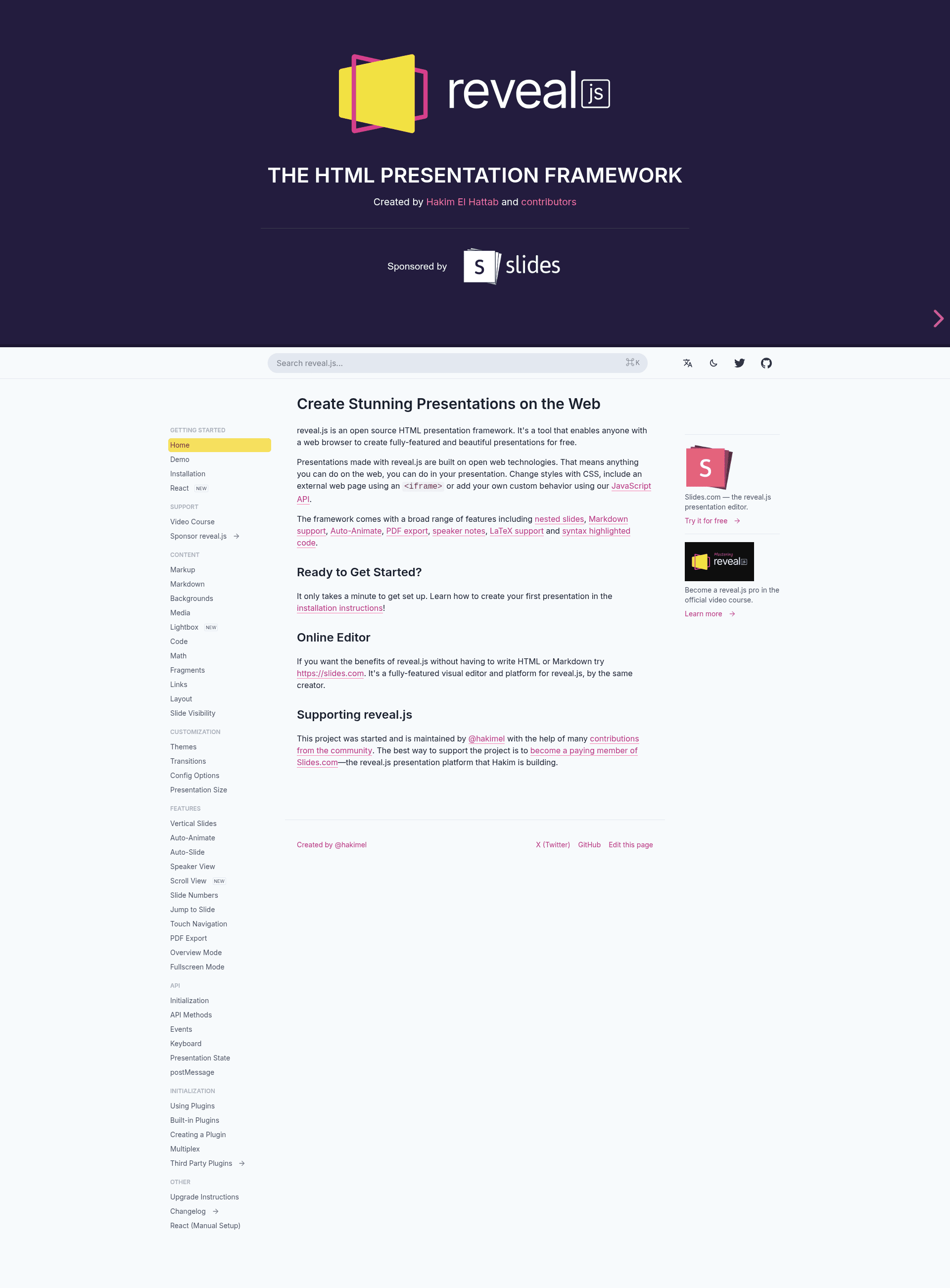
Reveal.js is an open-source HTML presentation framework that turns web-standard markup into feature-rich slide decks that run entirely in the browser. It is created by Hakim El Hattab, MIT licensed, and has over 72,000 stars on GitHub, with a live demo available at revealjs.com.
What is Reveal.js?
Reveal.js is a free, open-source HTML presentation framework that takes input in the form of HTML markup, Markdown, or LaTeX and produces interactive, browser-based slideshows. It runs entirely in the web browser with no server-side dependencies, making decks portable and shareable as static files. The framework has been under development since 2011 and is released under the MIT license.
Key Features
- Nested slides — Organize content into horizontal and vertical slide hierarchies, enabling multi-level presentation structures and drill-down navigation.
- Markdown support — Write slide content directly in Markdown, which is automatically rendered into HTML slides without a separate build step.
- Auto-Animate — Create smooth morphing animations between elements by adding matching data attributes to slides, producing cinematic transitions.
- PDF export — Export the presentation to PDF using a dedicated print stylesheet, accessible through the browser's print dialog.
- Speaker notes — Display a separate speaker view with notes, slide preview, and presentation timer for presenters.
- LaTeX typesetting — Render mathematical formulas using LaTeX/KaTeX within slides via the built-in math plugin.
- Syntax highlighted code — Highlight code snippets on slides using an integrated syntax highlighter, ideal for technical talks.
- Extensive API — Expose a JavaScript API for controlling slide navigation, states, events, and custom plugins.
Who should use Reveal.js?
- Educators and trainers — Create structured course materials and lecture slides with embedded math formulas and code examples.
- Developers and tech speakers — Build slides from markup or Markdown with syntax-highlighted code for meetups and conferences.
- Designers and content creators — Use the visual editor at Slides.com, made by the same team, to craft reveal.js decks without writing HTML.
What can you do with Reveal.js?
- Give conference talks: Present live from a browser with speaker notes, auto-animate transitions, and full-screen slide navigation.
- Publish interactive decks: Share self-contained presentations that anyone can open in a browser without installing software.
- Create documentation slideshows: Embed LaTeX formulas and highlighted code for technical documentation or tutorials.
How does Reveal.js work?
Reveal.js works by interpreting HTML markup where each section element becomes a slide and nested sections become vertical slides. The framework's JavaScript and CSS handle layout, transitions, and plugins, so users only need to write HTML. Getting started is straightforward: install reveal.js, view the demo presentation, and read the documentation at revealjs.com.
Pricing and licensing
Reveal.js itself is free and open source, released under the MIT license. Slides.com, the graphical editor created by the same team, is a separate paid product, and the reveal.js video course is also paid.
FAQ
Is Reveal.js free?
Yes, reveal.js is free and open source under the MIT license. You can use it for personal and commercial presentations without paying license fees.
Does Reveal.js support Markdown?
Yes, reveal.js has built-in Markdown support. You can write slide content in Markdown using the markdown plugin, and it is rendered into slides automatically.
Can I export my Reveal.js presentation to PDF?
Yes, reveal.js includes a PDF export feature. Open the presentation in a browser with the print stylesheet and use the browser's print dialog to export to PDF.
Who created Reveal.js?
Reveal.js was created by Hakim El Hattab. The framework has been developed since 2011, with the current copyright notice covering through 2026.
What is Slides.com?
Slides.com is a graphical editor for creating reveal.js presentations. It is made by the same people behind reveal.js and offers a visual, drag-and-drop way to build decks without writing markup.