Template details
Nuxt TypeScript SSR Firebase Auth
Firebase full password authentication (register, login, forget password, reset password), google/twitter/facebook authentication
About this template
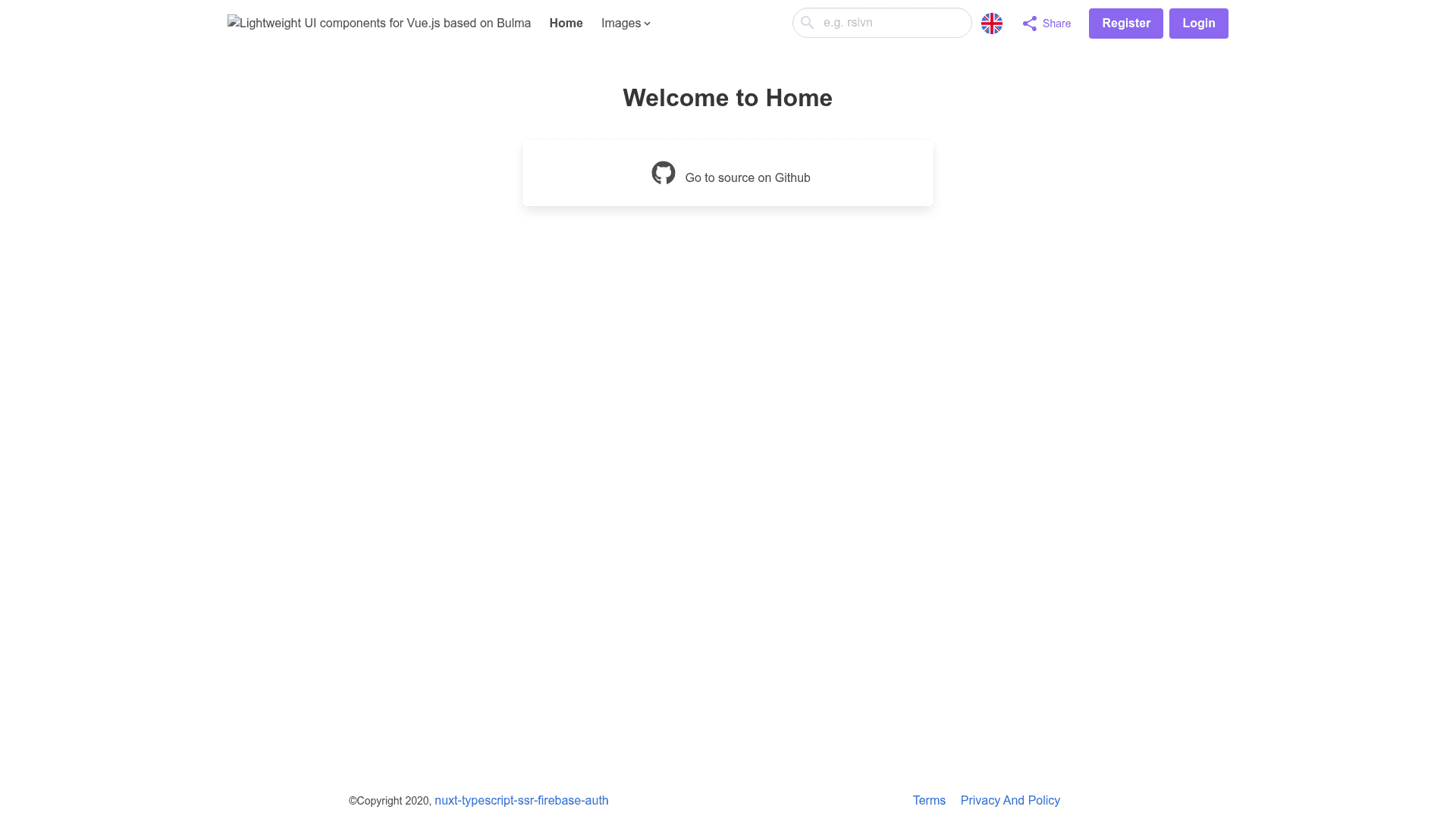
Nuxt TypeScript SSR Firebase Auth is an open-source boilerplate that runs a Nuxt.js universal-mode app on Firebase Hosting and Firebase Functions with full authentication and profile features.
What is Nuxt TypeScript SSR Firebase Auth?
This boilerplate pairs Nuxt.js universal mode (SSR) with Firebase Hosting and Cloud Functions, so nuxtServerInit and dynamic routes keep working — something nuxt generate cannot preserve. It accepts a Firebase project configuration via a .env file and outputs a deployable SSR web app with user authentication, profile pages, push notifications, and a REST API served from shared Express handlers. The repository is maintained on GitHub by rslvn and includes a live demo at nuxt-ts-firebase-auth-ssr.firebaseapp.com.
Key Features
- Complete authentication flows — Password register, login, forgot-password, reset-password, email verification, update password, and remember-me, plus Google, Twitter, and Facebook sign-in with provider linking/unlinking.
- SSR on Firebase Functions — Nuxt runs in universal mode on Cloud Functions so the URL is shared with Firebase Hosting, and performance configuration is included.
- Profile and image management — Dynamic username-based profile pages, account privacy settings, and follower/following privacy toggles; profile and cover photos upload to Firebase Storage with single-image validation, cropping via cropperjs, lazy loading with vue-lazyload, and Buefy lightbox display.
- Firestore integration — The user collection is stored in Cloud Firestore, and custom claims support role-based access.
- Push notifications — Firebase Cloud Messaging sends and receives notifications; device tokens are saved on login and removed on logout.
- Internationalization — nuxt-i18n provides English and Turkish locales, with vee-validate handling form validation in both languages and a
langquery parameter to switch languages. - SEO and sharing — Includes Google, Facebook, and Twitter Card meta tags, a dynamic sitemap, and social share buttons for Facebook, Twitter, WhatsApp, email, and SMS.
- UI toolkit — Buefy (Bulma-based) supplies the design system, custom loading component, toaster notifications, and tooltips.
Who is it for?
- Nuxt.js developers who need a proven SSR deployment recipe on Firebase compared to static hosting.
- Vue developers who want a ready-made authentication starter with multiple providers and account management pages.
- Firebase developers who want an example of wiring together Functions, Hosting, Firestore, Storage, Auth, and FCM in a TypeScript project.
What can you do with it?
- Start an MVP — Deploy a complete auth-enabled SSR web app to Firebase in one step, ideal for validating a new product.
- Build a community platform — Use the dynamic profile pages, public/private account settings, and follower privacy controls to launch a social-style site.
- Send transactional pushes — Use FCM tokens managed by the template to notify users about important activity.
How does it work?
The repository is split into functions/ for Cloud Functions and shared npm modules (types-module for shared types, handlers-module for Express handlers and Firestore/admin services) and src/ for the Nuxt app. To deploy, create a Firebase project, set your project ID in .firebaserc, create a .env file from .env.template with Firebase web and admin credentials, then run npm run install and firebase deploy. Local development works via npm run build then firebase serve, or by running npm run dev inside src/ and optionally enabling Nuxt serverMiddleware to call the same APIs locally.
FAQ
Does this template support social login?
Yes — it includes Google, Twitter, and Facebook authentication through Firebase Auth, and you can link or unlink these providers on an existing password account.
Can I run it locally without Firebase Functions?
Yes. Navigate to src/ and run npm run dev after setting API_URL to a local endpoint. To test API routes locally, enable the serverMiddleware entries for ~/server/api and ~/server/sitemap in src/nuxt.config.ts.
Which Firebase services are used?
Firebase Auth, Firestore, Storage, Hosting, Cloud Functions, and Cloud Messaging (FCM) appear in the boilerplate, plus a dynamic sitemap served from the Functions layer.
What languages are supported?
English and Turkish are configured through nuxt-i18n, and vee-validate messages are integrated with the i18n system.