Template details
Gatsby Starter Chronoblog Hacker
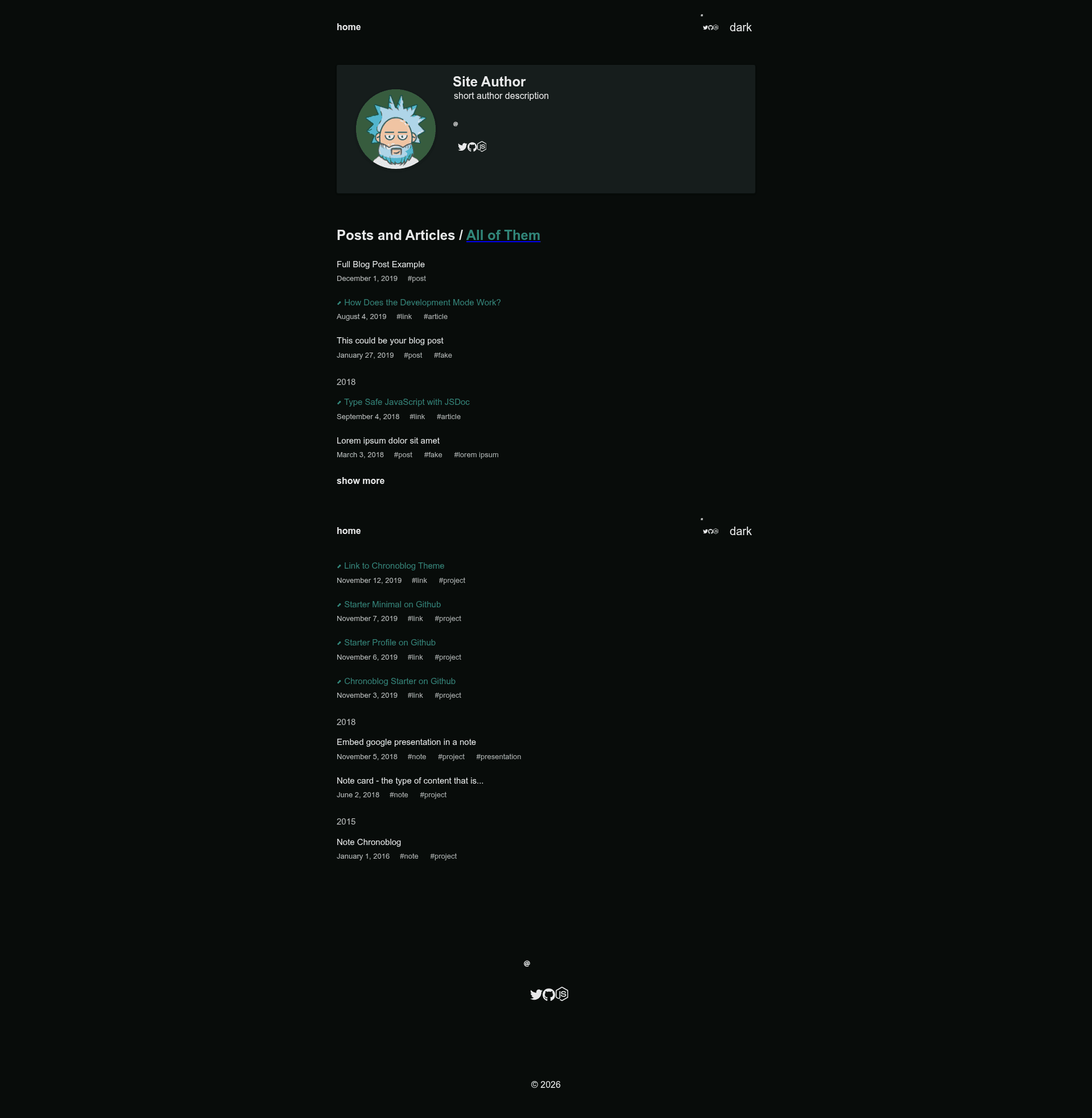
Chronoblog Gatsby Theme Starter. A dark (but with ability to switch to light) starter that uses Source Code Pro font and minimalistic UI
About this template
Gatsby Starter Chronoblog Hacker is a minimalistic, dark-by-default Gatsby starter built on the Chronoblog Gatsby Theme, designed to produce a personal website that combines a blog with a chronological record of your work.
What is Gatsby Starter Chronoblog Hacker?
Gatsby Starter Chronoblog Hacker is a starter template for the Chronoblog Gatsby Theme, a Gatsby.js theme for personal websites and blogs. It scaffolds a static site that takes MDX content as input and generates a blog with search, tags, and SEO metadata. The starter runs on Gatsby and uses Theme UI for styling, with the Source Code Pro font and a minimalistic UI that omits emoji by default. It is maintained by the Chronoblog project, whose main theme repository is at github.com/Chronoblog/gatsby-theme-chronoblog.
Key Features
- Dark/light mode — The starter defaults to a dark theme but includes a toggle to switch to a light theme.
- Search and Tags — Built-in search and tag-based organization for blog posts.
- Theme UI theming — Change primary and secondary colors, fonts, and element border radius through Theme UI settings.
- MDX everywhere — The main menu, footer, and page content are all written in MDX, allowing JSX components inside markdown.
- Code syntax highlighting — Syntax highlighting for code blocks is included.
- SEO out of the box — OpenGraph and Twitter card metadata are generated with React Helmet using sensible default settings.
- Mobile friendly — All elements and custom images are responsive and adapted to any screen size.
- Simple social customization — Icons and links for social networks are easy to configure.
Who is it for?
- Personal bloggers who want a clean, minimal dark-themed site with fast static rendering and MDX authoring.
- Developers who want a Gatsby starter to scaffold a personal site quickly via
gatsby neworgit clone. - Freelancers and professionals who want to maintain a chronological résumé or activity log alongside a blog, following the Chronoblog concept.
What can you do with it?
- Launch a new site in minutes — Run
gatsby new chronoblog-site https://github.com/Chronoblog/gatsby-starter-chronoblog-hackerto create a preconfigured Chronoblog site. - Deploy to modern hosts — One-click deploy buttons are provided for ZEIT Now and Netlify.
- Customize the look — Adjust the Theme UI tokens to change colors, fonts, and spacing without editing React components directly.
How does it work?
The starter installs gatsby-theme-chronoblog as a dependency. After installation, you write content as MDX files in your content directory, and the theme generates pages, tags, and search index. Run gatsby develop for local development at localhost:8000, or gatsby build to generate a static site ready for deployment.
FAQ
Is Gatsby Starter Chronoblog Hacker free?
Yes, it is an open-source starter. The source code is available on GitHub and can be freely used and modified.
Does it support light mode?
Yes, the starter includes both dark and light modes. It defaults to dark but allows switching to light.
Does it include a CMS?
No, content is managed through MDX files rather than a headless CMS. This keeps the setup file-based and git-friendly.
Can I deploy to Netlify?
Yes, a Netlify deploy button is included, and the official Gatsby Netlify deployment guide is referenced in the README.