Template details
Saral
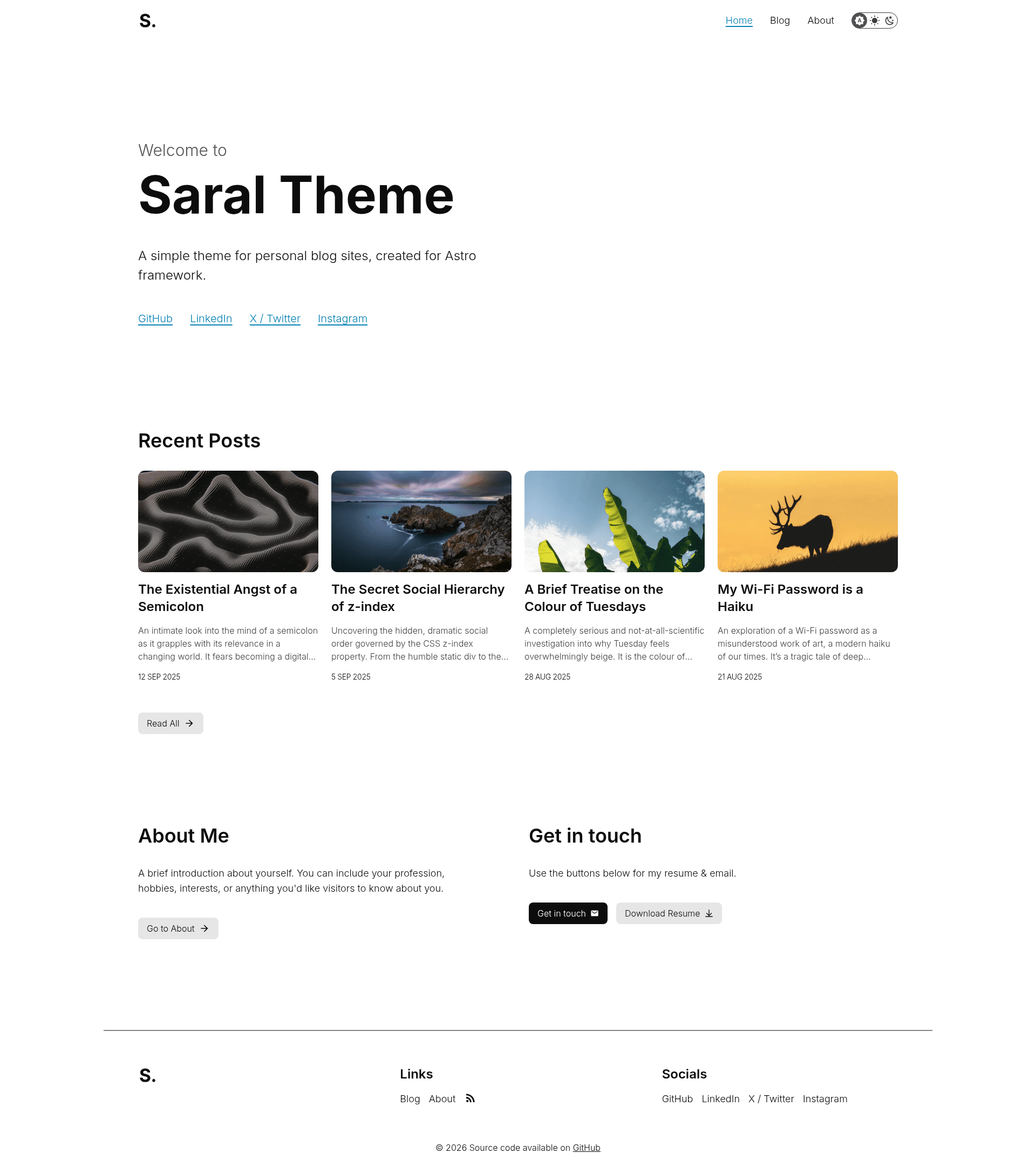
A simple, minimal Astro theme for personal blog sites with dark mode, RSS, reading time, and GitHub Pages deployment.
About this template
Saral is a simple, minimal theme for personal blog sites built on the Astro framework, providing a no-distraction reading experience with dark mode, RSS, and automated post metadata.
What is Saral?
Saral is an open-source Astro theme designed for personal blogs and portfolios. It takes Markdown files placed in src/content/blog as its content source and outputs a static website with automatic reading time, last-update timestamps, and RSS generation. The theme is created by Yash Jawale, derived from his own site at yashjawale.github.io, and is listed in the official Astro themes directory at astro.build/themes/details/saral. It ships with GitHub Actions workflows for linting, formatting, type checking, and deploying to GitHub Pages.
Key Features
- Image optimization — All images are optimized automatically during build, with recommended cover dimensions of 853 by 480 pixels.
- Accessible emojis — Emojis are implemented with accessibility in mind, ensuring screen readers can interpret them.
- Automatic reading time — Every post displays an estimated reading time computed from content length.
- Automatic last update status — Posts automatically show a last-updated date, useful for evergreen content.
- Dark mode support — A built-in dark mode toggle lets readers switch between light and dark themes.
- RSS feed — The theme generates an RSS feed for your blog, enabling subscription through feed readers.
- GitHub workflows — Includes linting, formatting, and type checking via GitHub Actions, plus a deploy workflow for GitHub Pages.
- Markdown content collections — Posts are written as Markdown files managed through Astro's content collections system.
Who is it for?
- Personal bloggers — Writers who want a minimal, clean blog without ads or sidebar clutter, hosted for free on GitHub Pages.
- Astro developers — Developers who want a small, hackable theme that can be customized by editing a few configuration files and components.
- Portfolio owners — Individuals who need a simple site to share written work and updates with an option to add a cover image per post.
What can you do with Saral?
- Add a blog post — Create a new Markdown file in
src/content/blog(the filename becomes the URL slug), add a cover image atsrc/assets/blogimages/YOUR_SLUG/cover.jpg, and merge a pull request; the site builds the new post automatically. - Deploy to GitHub Pages — Use the included
.github/workflows/deploy.ymlworkflow after removing the noindex meta tag fromsrc/components/BaseHead.astro. - Customize branding — Replace favicons and Open Graph images, using a tool like realfavicongenerator.net to generate the files.
- Configure the base path — Edit
baseinsrc/consts.tsto set a subdirectory or an empty string for a root-domain deployment.
How does Saral work?
To start publishing, clone the repository, install dependencies with npm i, and run npm run dev for a local dev server. After customizing the configuration, remove the noindex meta tag, optionally delete the deploy workflow if you are not using GitHub Pages, and update the content and images. Then publish the site; the included GitHub Actions workflow handles linting, formatting, type checking, and deployment.
Pricing
Saral is free and open-source. The theme is publicly available on GitHub and can be used for personal or commercial projects without payment.
FAQ
Is Saral free?
Yes, Saral is a free open-source theme. You can use it for personal or commercial blogs, and the repository encourages starring it if you find it useful.
How do I add a new blog post?
Create a Markdown file in src/content/blog (the filename becomes the URL slug), then add a cover image at src/assets/blogimages/YOUR_SLUG/cover.jpg with recommended dimensions of 853 by 480 pixels. After writing content in Markdown, create a pull request and merge it once the workflow checks pass.
Does Saral support dark mode?
Yes, Saral includes built-in dark mode support. Readers can toggle between light and dark themes, and the preference is remembered.
What hosting does Saral work with?
Saral has a preconfigured GitHub Actions workflow for deploying to GitHub Pages. Because it is a static site generated by Astro, you can also host the output on any static hosting service, though the included workflow targets GitHub Pages.
How do I update the site's base URL?
Edit the base value in src/consts.ts. If your site is not served from a subdirectory, set it to an empty string; otherwise, enter the subdirectory path, such as /saral-theme-astro/.