Template details
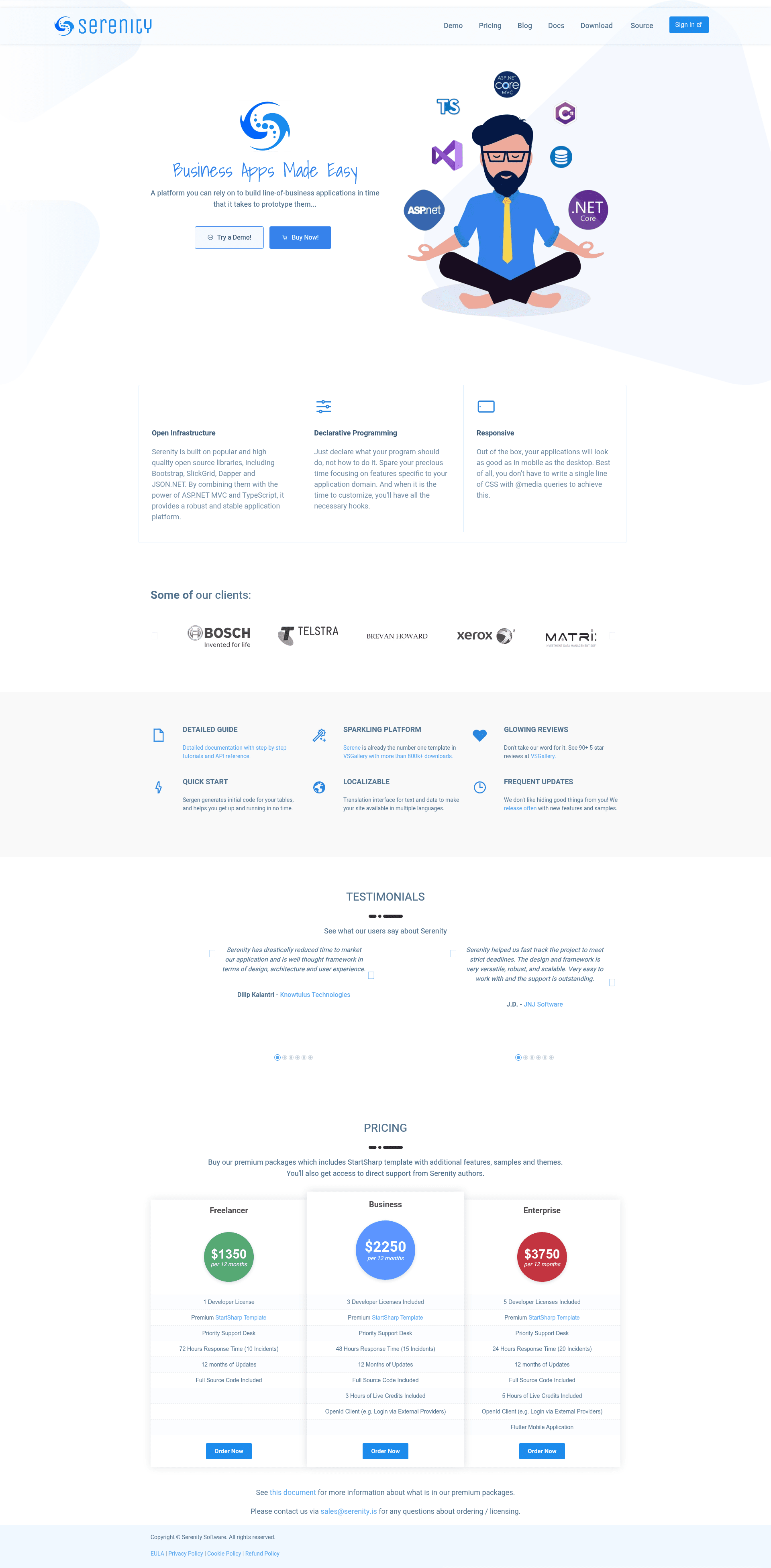
Serenity
Business Apps Made Simple with Asp.Net Core MVC / TypeScript
About this template
Serenity is an open-source ASP.NET Core / TypeScript application platform for building data-centric business applications with a service-based architecture.
What is Serenity?
Serenity is an ASP.NET Core / TypeScript application platform designed to simplify and shorten development of data-centric business applications. It takes a relational database schema as input and produces a full-stack CRUD application: an ASP.NET Core MVC backend, a TypeScript frontend with data grids and forms, and a service layer that handles data access, validation, and authorization. The platform is open source under the MIT license, so it can be used in commercial applications without licensing fees.
Key Features
- Service-based architecture — Business logic is separated from the UI through a service layer that centralizes CRUD operations, validation, and permission checks.
- Code generation — The Serene application template scaffolds entities, services, and UI code from your database schema, reducing repetitive boilerplate.
- Integrated ORM — Serenity includes its own data access layer that maps tables to entities and constructs SQL queries, so no separate ORM is required.
- TypeScript widget system — The frontend is built with TypeScript widgets for data grids, forms, editors, and dialogs that can be extended or customized.
- Serenity Developer Tools — A free Chrome extension provides a widget inspector, element picker, property viewer, DOM highlighting, and source code viewer for debugging widgets.
- Quickstart with dotnet CLI — Install the Serene.Templates package and run
dotnet new serene -n MySereneAppto create a new project, then runnpm ianddotnet run. - Documentation and tutorials — The Serenity Developer Guide at serenity.is/docs includes step-by-step tutorials, and community members have published video tutorials in English and Arabic.
Who is it for?
- .NET developers — Use Serenity to create admin panels and business data management applications without writing repetitive CRUD code from scratch.
- Full-stack teams — Combine the ASP.NET Core backend with the TypeScript frontend to deliver data-centric modules with grids, forms, and dashboards.
- Consultants and agencies — Build custom data management systems for clients; the paid StartSharp template adds advanced samples and modules.
What can you do with Serenity?
- Start a new business application: Run
dotnet new install Serene.Templates, thendotnet new serene -n MySereneAppto scaffold a runnable ASP.NET Core MVC / TypeScript project. - Build CRUD screens quickly: Use the built-in code generation to produce data grids, search forms, and edit dialogs from your database schema.
- Extend generated code: Add custom business rules to the generated services and customize the TypeScript widgets for specific workflows.
- Debug with developer tools: Use the Serenity Developer Tools Chrome extension to inspect widgets, properties, and DOM elements in your browser.
How does Serenity work?
Serenity uses design-time code generation: the Serene template reads your database schema and generates entity classes, service methods, and UI pages. At runtime, the service layer handles data access, validation, and authorization, and the TypeScript widgets bind to those services to render grids and forms. There is a live online demo at https://demo.serenity.is.
Pricing
Serenity is free and open source under the MIT license. The project also offers premium support packages at https://serenity.is, which include the StartSharp template with advanced samples, features, and modules. No specific prices are listed on the page.
FAQ
Is Serenity free?
Yes, Serenity (including its Serene application template) is free and open source under the MIT license, which permits usage in commercial applications.
Do I need to know TypeScript?
Serenity's frontend is built with TypeScript, so a basic understanding of TypeScript is helpful. The platform provides pre-built widgets for grids and forms, and the Serene template generates TypeScript code for you.
How do I create a new Serenity project?
Install the Serene.Templates package with dotnet new install Serene.Templates, then run dotnet new serene -n MySereneApp, navigate to the MySereneApp.Web folder, run npm i, and start with dotnet run.
What is StartSharp?
StartSharp is a premium application template that comes with Serenity support packages. It includes advanced samples, features, and modules not present in the free Serene template, and is available from the Serenity members area.