Template details
Skinny Bones
A minimal Jekyll starter theme with flexible layouts, Sass, and GitHub Pages compatibility.
About this template
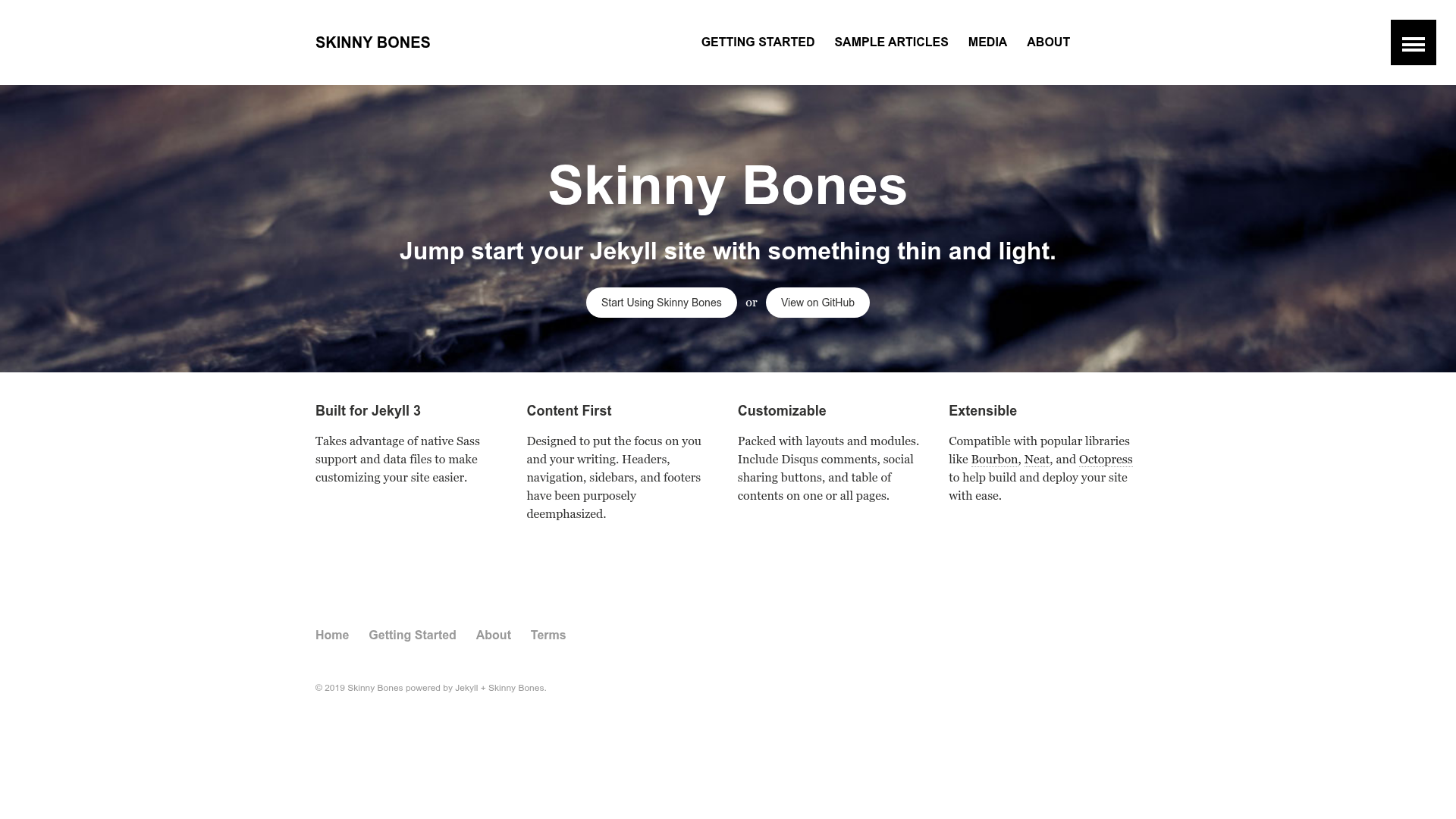
Skinny Bones is a minimal Jekyll starter theme by Michael Rose (mmistakes) that provides a bare-bones foundation for building your own Jekyll site without imposing heavy styling.
What is Skinny Bones?
Skinny Bones is a Jekyll starter theme created by Michael Rose (also known as mmistakes) that gives you the structural pieces of a Jekyll site—layouts, components, and configuration—while intentionally keeping the visual styling minimal and easy to override. As input, you bring your own content and markup; as output, the theme generates a static website that is compatible with Jekyll 3.x and can be hosted on GitHub Pages. It is one of several Jekyll themes published by mmistakes, alongside Minimal Mistakes, So Simple, and Basically Basic.
Key Features
- Jekyll 3.x and GitHub Pages compatible — Works with Jekyll 3.x and can be deployed to GitHub Pages without needing custom plugins.
- Sass stylesheet — The theme's styles are written in Sass, so you can customize variables, mixins, and partials to create your own look.
- Data file configuration — Site navigation, footer content, and multiple author profiles are defined in YAML data files, making them easier to edit than hard-coded layout files.
- Optional Disqus comments — Turn on discussion threads for individual posts or pages with a simple setting.
- Table of contents — A TOC component is available for long-form articles, letting readers jump between sections.
- Social sharing links — Add share buttons to posts so readers can spread your content across social platforms.
- Google AdSense support — The theme offers a slot to insert AdSense ads, giving you a way to monetize your site.
- Flexible layouts and components — The repository includes a variety of layouts and components for pages, posts, and archive views.
Who should use Skinny Bones?
- Developers who want to start a Jekyll blog quickly — Use the provided post layout, pagination-ready structure, and optional TOC to publish long-form content with minimal setup.
- Designers who need a blank canvas — The bare styling was intentionally left minimal so you can layer your own CSS framework or custom design without fighting a pre-built theme.
- GitHub Pages hobbyists — Because it is compatible with Jekyll 3.x and GitHub Pages, you can push the project to a repository and have a live site without a separate build step.
- Existing mmistakes theme users — If you find Minimal Mistakes too heavy, this starter gives a lighter alternative with a familiar structure.
What can you do with Skinny Bones?
- Launch a personal blog — Write posts in Markdown, enable Disqus for commenting, add social sharing, and let the theme handle navigation and footer via data files.
- Create a project documentation site — Use the flexible layouts to organize pages and a table of contents for longer docs.
- Prototype a new Jekyll theme — Since the styling is bare, you can quickly replace it with your own Sass and test layouts without carrying extra design baggage.
- Monetize content — Insert Google AdSense ads through the built-in slot to earn revenue from your pages.
Alternatives
- Minimal Mistakes — Another Jekyll theme by the same author, offering significantly more layouts, UI components, and configuration options.
- So Simple — A simpler Jekyll theme by mmistakes that focuses on readability and a clean reading experience.
FAQ
Is Skinny Bones compatible with GitHub Pages?
Yes. The theme is built for Jekyll 3.x and is compatible with GitHub Pages, so you can host your site for free by pushing the project to a GitHub repository.
What does Skinny Bones include?
It includes Sass-powered styles, YAML data files for navigation, footer, and multiple authors, plus optional support for Disqus comments, table of contents, social sharing, and Google AdSense. It also provides flexible layouts and components for building pages and posts.
Who is the author of Skinny Bones?
The theme is created by Michael Rose, who publishes under the GitHub handle mmistakes. He also maintains the more popular Jekyll themes Minimal Mistakes, So Simple, and Basically Basic.
Can I use Skinny Bones for a non-blog website?
Yes. While it includes post layouts suitable for blogging, the flexible layouts and data-driven navigation also support building company sites, portfolios, documentation, and other static sites.