Template details
Slate
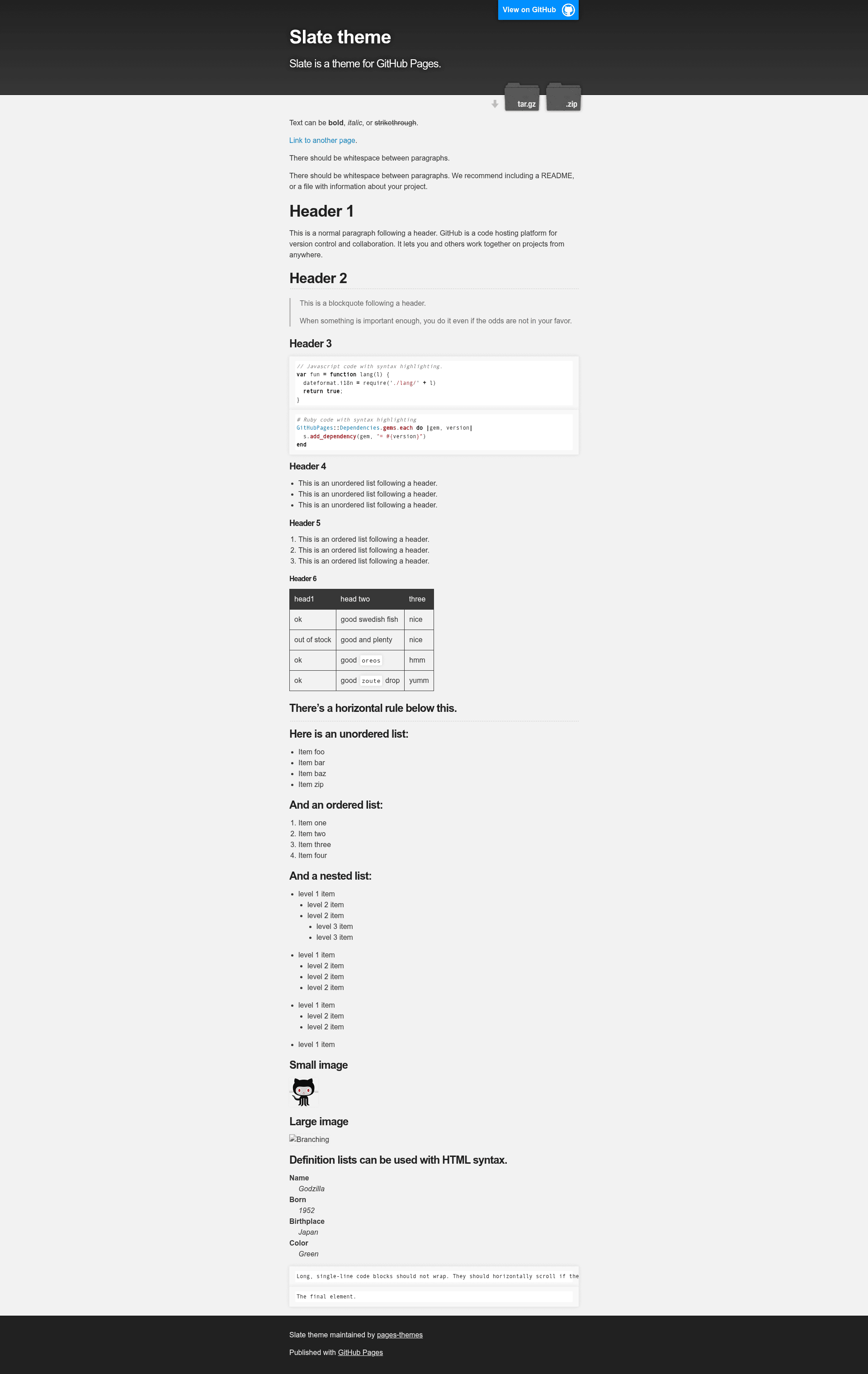
Slate is a Jekyll theme for GitHub Pages
About this template
Slate is a Jekyll theme for GitHub Pages that provides a minimal, configurable starting point for publishing project and personal websites.
What is the Slate theme?
Slate is a free, open-source Jekyll theme published by the pages-themes organization on GitHub, built specifically for GitHub Pages sites. It takes a Jekyll project's _config.yml settings and generates a static page with a header, a centered content column, and optional download buttons; no HTML editing is required for basic use. The theme is hosted at pages-themes.github.io/slate for previewing, and its source repository is github.com/pages-themes/slate.
Key Features
- Remote theme installation — Add
remote_theme: pages-themes/slate@v0.2.0to_config.ymlalong with thejekyll-remote-themeplugin to apply the theme without forking the repo. - Configuration variables — Set
title,description,show_downloads, andgoogle_analyticsin_config.yml; the theme uses these to populate the page header, meta description, download URL links, and the analytics snippet. - Custom stylesheet support — Override the theme's default Sass by creating
/assets/css/style.scss, importing the theme with@import "{{ site.theme }}", and adding your own CSS or Sass right after the import line. - Layout overrides — Replace the default HTML by copying
_layouts/default.htmlfrom the theme's repository into your own site and editing that copy; smaller changes like a custom favicon can be placed in your_includesfolder. - Google Analytics customization — Paste a current Google Analytics code snippet into
_includes/head-custom-google-analytics.htmlto use the latest tracking code instead of the theme's older embedded version. - URL override support — Override GitHub-generated URLs (such as
site.github.zip_url) by adding agithub:block in_config.ymland specifying custom values for those variables. - Local preview and tests — Clone the repo, run
script/bootstrapto install dependencies, thenbundle exec jekyll serveto preview at localhost:4000; runscript/cibuildto execute the theme's minimal build test suite.
Who should use the Slate theme?
- GitHub Pages beginners — Publish a personal or project page in minutes by adding one remote_theme line and a couple of variables, without dealing with HTML or theme internals.
- Open-source maintainers — Create a clean project landing page with download links (through
show_downloads) and a small maintenance footprint, since the theme is designed for quick setup. - Jekyll developers — Use Slate as a simple base, then extend it with custom Sass or a modified default layout to add exactly the complexity they need.
What can you do with the Slate theme?
- Launch a project site — Set
remote_themetopages-themes/slate@v0.2.0, add your repository's title and description, and publish a minimalist page with download buttons for your release files. - Build a personal homepage — Use the fixed header and centered content layout for a short bio or link page; adjust the look by editing the theme's Sass variables in your custom
style.scss. - Document a tool or library — Add a documentation subfolder under the theme's pages, and rely on its clean typography; the project philosophy statement explicitly mentions creating "first (or 100th) website" and favors simplicity over flexibility.
How does the theme work?
Activating Slate takes two steps: add remote_theme and the plugin to _config.yml, then commit; GitHub Pages builds the Jekyll site with the theme. For local development, add gem "github-pages" to your Gemfile and run bundle install, then bundle exec jekyll serve to preview at localhost:4000. Configuration variables set in _config.yml are read during build to produce the final HTML.
Alternatives
Other Jekyll themes for GitHub Pages include Minima (the default Jekyll theme) and Cayman, both of which also use a remote_theme approach for installation.
Frequently asked questions
Is the Slate theme free?
Yes, Slate is open source and published by the pages-themes organization. You can use it on any GitHub Pages site at no cost, and contribute improvements through the repository's CONTRIBUTING file.
How do I change the theme's colors?
Create /assets/css/style.scss in your site, set new Sass variable values before the @import "{{ site.theme }}" line, and add your own CSS afterward. The theme's default stylesheet then compiles with your overrides.
Can I use my own Google Analytics code?
Yes. Set the google_analytics variable in _config.yml with your tracking ID, or place the latest Google Analytics snippet into _includes/head-custom-google-analytics.html to replace the theme's older default code entirely.
How do I override links that the theme generates from GitHub?
Find the variable name in the default layout, such as site.github.zip_url. Then in _config.yml add a github: block and set that variable (without the site. prefix) to your custom URL; Jekyll will use your value during the build.
Does Slate work in local Jekyll development?
Yes. Clone the repository, run script/bootstrap to install dependencies, and run bundle exec jekyll serve for a local preview at localhost:4000. The repo also includes a test suite that can be run with script/cibuild.