Template details
Social Analytics Dashboard Template
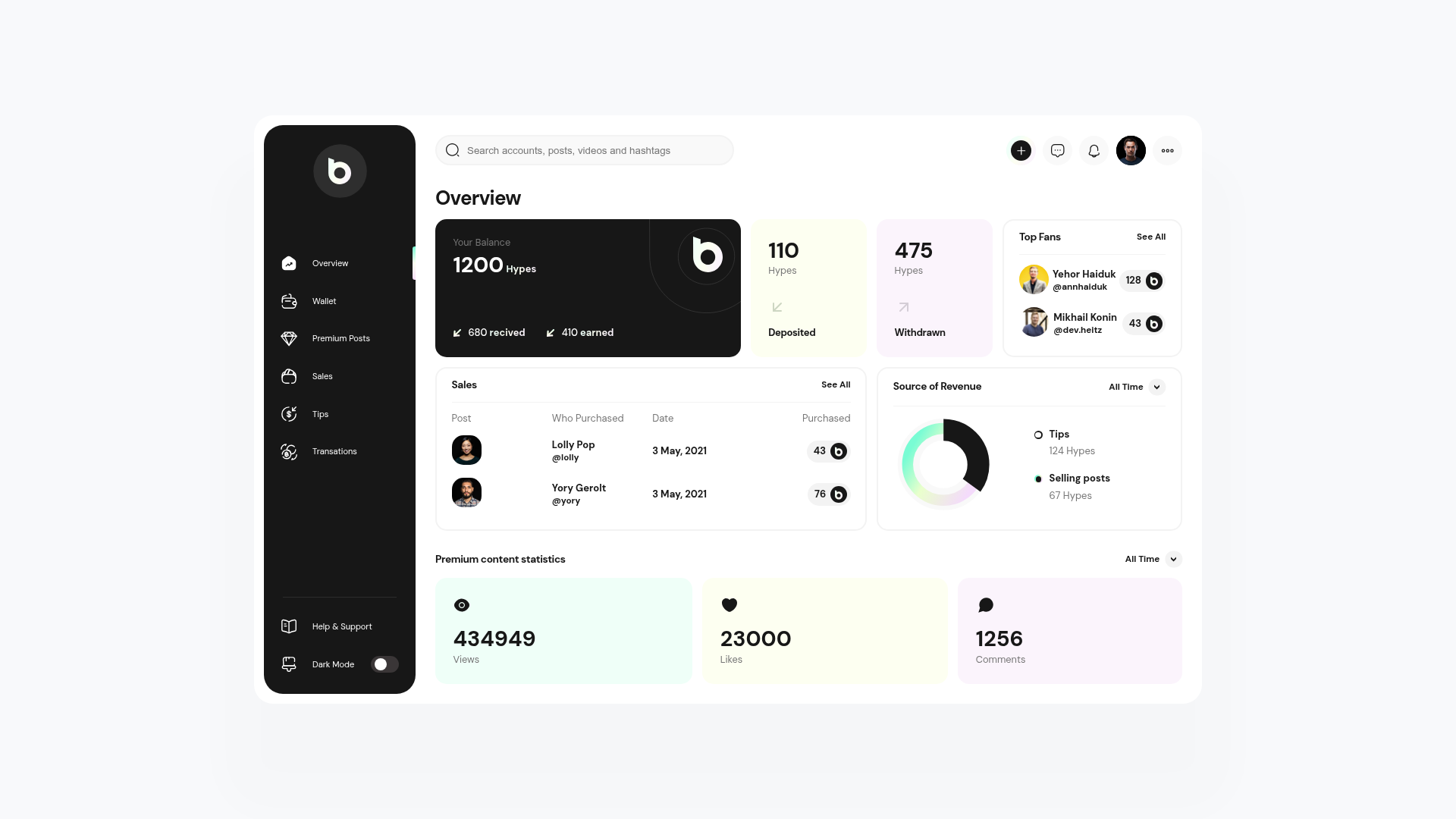
Free, responsive HTML/CSS/Sass dashboard template for social analytics, built with BEM, Webpack, and no jQuery.
About this template
Social Analytics Dashboard Template is a free, open-source HTML/CSS/Sass dashboard template for building responsive social-media analytics interfaces, distributed as a GitHub template with a Webpack-powered workspace.
What is Social Analytics Dashboard Template?
This template is a ready-made static dashboard UI for social media analytics, created by developer Mikhail Konin and designer Yehor Haiduk. It takes a set of reusable BEM components — like counter cards, pie charts, lists, and sidebar navigation — and assembles them into a fully responsive layout powered by CSS Grid. The output is a compiled static site you can open directly from the dist folder, along with a full source code workspace for development.
Key Features
- No external dependencies — Runs on vanilla JavaScript, HTML, and Sass; no jQuery, no CSS frameworks, no runtime libraries.
- BEM component architecture — The interface is split into modular components including Select, Notifer, Toggle, Hamburger, Counter Card, Pie Chart, Search, List, Menu, Messages, and Profile, each with its own folder under src/components/.
- Sass with configurable design tokens — Colors, typography, and spacing variables live in src/config/colors.config.scss, typography.config.scss, and variables.config.scss, so you can re-theme the entire dashboard from three files.
- Webpack build pipeline — Uses Webpack with Babel, loaders, and minimizers; development and production configurations are separated into configuration/webpack/webpack.dev.config.js and webpack.prod.config.js.
- Git workflow tooling pre-configured — Husky runs pre-commit tests, commitlint enforces conventional commit message tags (feat, fix, docs, etc.), and standard-version auto-generates a CHANGELOG.md and releases.
- Responsive CSS Grid layout — The entire layout is built on CSS Grid with mobile-float and pc-float positioning variants for the user bar, and a working hamburger menu for mobile states.
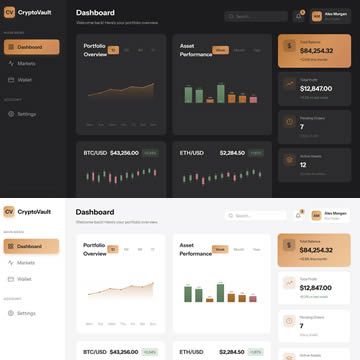
- Dark and light themes — Theme files under src/theme/ provide theme-dark.scss and theme-light.scss that you can switch between or extend.
- Google Fonts built in — Typography is loaded from Google Fonts, and font settings are centralized in typography.config.scss.
Who is it for?
- Front-end developers who need a clean, framework-free starting point for a dashboard project and want to learn or apply BEM, Sass, and Webpack in a realistic codebase.
- Freelancers and small agencies that need to deliver a social analytics or admin interface quickly; they can copy the dist files directly or re-skin the source via the config SCSS files.
- Open-source contributors who want to improve a popular template; the repo invites feature requests and bug reports through GitHub issues and lists contributors in the README.
- Students learning modern front-end tooling who benefit from the separated Webpack configs, pre-commit hooks, and conventional commit setup as a reference implementation.
What can you do with Social Analytics Dashboard Template?
- Deploy a static analytics dashboard — Use the precompiled files in the dist folder to host a working dashboard on any static server without running a build step.
- Create a branded dashboard — Modify the three Sass config files to change colors, fonts, and spacing, then rebuild with Webpack to generate a custom skin.
- Scaffold a new project with quality gates — Click the "Use this template" button on GitHub to clone a repository that already has commitlint, Husky, and standard-version configured.
How does the template work?
The quick start offers two paths: if you only need the compiled project, clone the repository and use the dist folder. If you need the full workspace, install NodeJS 17.3 and Yarn 1.22, run yarn install, and use the shortcut scripts in package.json to build or develop. All source files live in src/, with components in src/components/, layouts in src/layouts/, and build configurations in configuration/webpack/.
FAQ
Is the Social Analytics Dashboard Template free?
Yes, the template is free and open-source under the MIT license (copyright 2022 Mikhail Konin and Yehor Haiduk). It also links a sponsor page for optional donations via YooMoney.
Do I need to install dependencies to use it?
Only if you want the full Webpack development workspace. The repository includes a dist folder with the compiled static files, which you can use directly without Node.js or Yarn.
What technologies does it use?
The template uses HTML, Sass (SCSS), vanilla JavaScript, and CSS Grid, with Webpack and Babel as build tools. It explicitly has no external dependencies, no jQuery, and no front-end framework.
How do I customize colors and fonts?
All design tokens are in src/config/. Edit colors.config.scss for colors, typography.config.scss for fonts, and variables.config.scss for gaps, border radius, and transitions, then rebuild the Sass via the Webpack pipeline.
Does it include interactive components?
Yes, four JavaScript components are included: Select (custom dropdown), Notifer (notices), Toggle (switcher), and Hamburger (mobile menu state). The remaining components, such as Counter Card, Pie Chart, and Search, are pure HTML/CSS.