Template details
Soft UI Flowbite
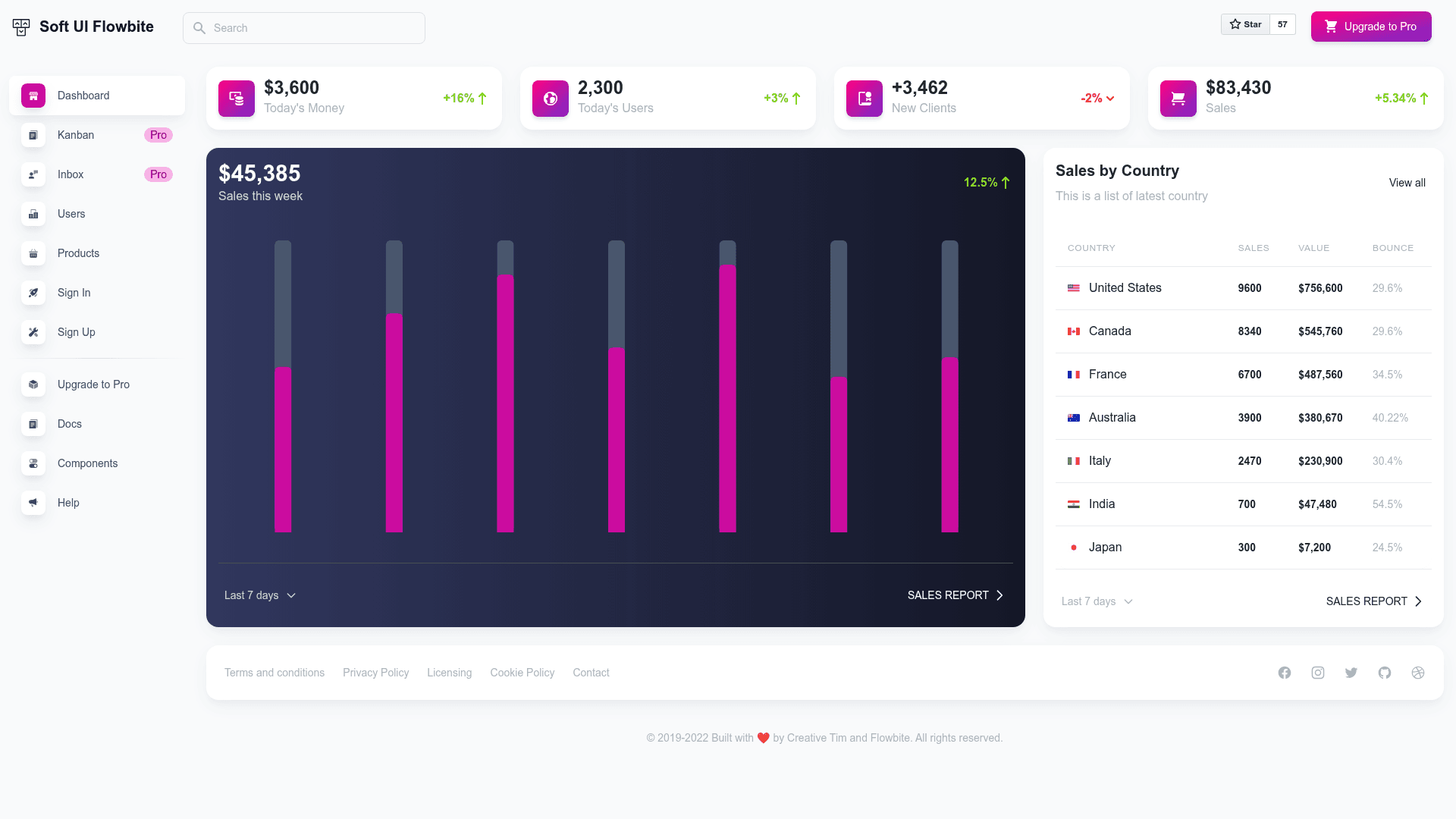
Free admin dashboard template by Creative Tim using TailwindCSS and Flowbite, with 30+ components and 5 example pages.
About this template
Soft UI Flowbite is a free admin dashboard template by Creative Tim that combines TailwindCSS, Flowbite components, and Apex Charts to ship frontend interfaces for web applications.
What is Soft UI Flowbite?
Soft UI Flowbite is a free, open-source dashboard template built on TailwindCSS and Flowbite, produced by Creative Tim. It takes HTML/Tailwind source files and produces responsive admin interfaces, and it includes over 30 individual components such as buttons, inputs, navbars, nav tabs, cards, and alerts. The template runs in any modern browser and ships with a Hugo-based static site structure that can be built with Node.js and Tailwind tooling.
Key Features
- 30+ frontend components — Buttons, inputs, navbars, nav tabs, cards, and alerts are included as individual elements that can be combined freely.
- TailwindCSS color customization — Every component accepts color variations that you can modify through the TailwindCSS config file and utility classes.
- 5 prebuilt example pages — The download includes a dashboard, sign-in, sign-up, products, and users page (visible in the content folder) to jump-start projects.
- Flowbite integration — Built on the Flowbite open-source TailwindCSS component library, which provides consistent styling and behavior.
- Apex Charts for data visualization — Charts are powered by Apex Charts, a modern interactive open-source charting library.
- Developer documentation — Each element is documented in a dedicated learning lab at Creative Tim's website, covering usage and customization.
- Browser support — Officially supports the last two versions of Chrome, Firefox, Edge, Safari, and Opera.
- Quick setup — Install dependencies with
npm installoryarn installafter downloading from Creative Tim; requires Node.js LTS.
Who is it for?
- Frontend developers who need a prebuilt dashboard UI to integrate into SaaS products, admin panels, or internal tools without designing from scratch.
- Startup teams that want a free, professionally styled dashboard to launch an MVP quickly and then customize colors and layouts via TailwindCSS.
- Hugo users who want a static-site-friendly dashboard theme; the file structure includes Hugo layouts, content pages, and configuration files.
What can you do with Soft UI Flowbite?
- Build an admin dashboard: Assemble the prebuilt cards, tables, and chart components into a functional dashboard page using the demo as a starting point.
- Create authentication flows: Use the included sign-in and sign-up pages to handle user login and registration screens.
- Prototype a web app with prebuilt blocks: Combine the 30+ components to create pages like products listings and user management views in hours rather than weeks.
- Visualize data with Apex Charts: Embed interactive line, bar, or area charts into any page through the included chart integration.
FAQ
Is Soft UI Flowbite free?
Yes, Soft UI Flowbite is free to download from Creative Tim. A paid PRO version is also available on the same product page, which adds more components, pages, and features for commercial use.
Does Soft UI Flowbite use a framework?
It is built on TailwindCSS and Flowbite, both of which are CSS/component libraries. The project includes a Hugo static site structure, so it works as a static dashboard template rather than a React, Vue, or Laravel application.
What do I need to run it?
You need Node.js LTS and a package manager such as npm or yarn. After downloading, run npm install or yarn install in the root directory to install local dependencies.
What browsers are supported?
The template officially supports the last two versions of Chrome, Firefox, Edge, Safari, and Opera.
Can I customize colors?
Yes, all component colors can be changed using TailwindCSS configuration and utility classes, so you can adapt the soft UI design to your brand.