Template details
Solid Quickstart
A Solid Quickstart template that will get you started with everything you need to build a Solid project.
About this template
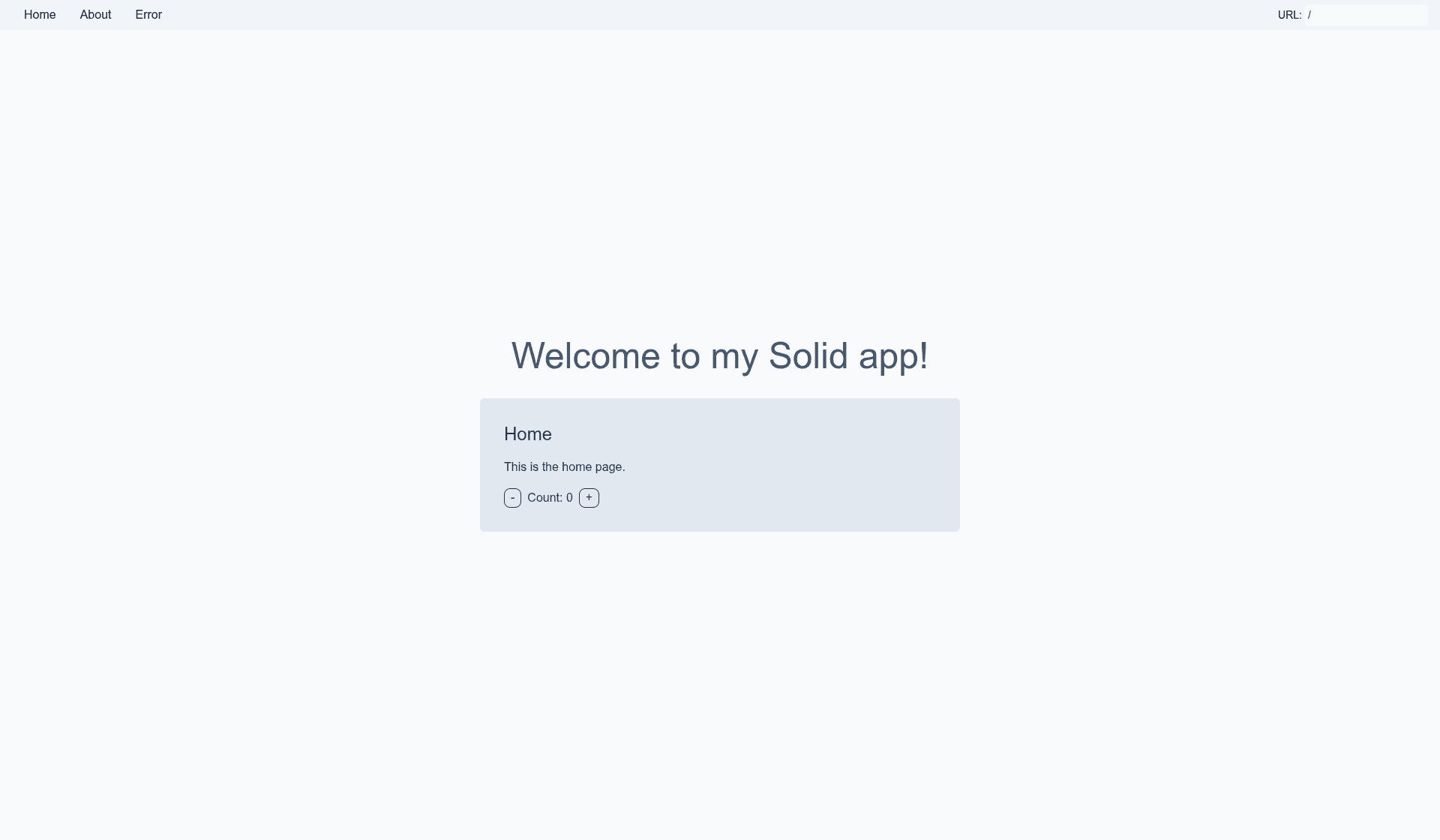
Solid Quickstart is a free Netlify starter template that demonstrates Solid's routing system, showing how the router and Suspense work together to parallelize data fetching through the .data.ts pattern.
What is Solid Quickstart?
Solid Quickstart is a small example app from the netlify-templates GitHub organization. Its explicit goal is to showcase the routing features of Solid, with route-level data loading tied to .data.ts files. The template runs on Netlify, supports local development, and produces a static production build in the dist folder.
Key Features
- Routing showcase — The template's core purpose is to demonstrate Solid's routing features, including how the router handles navigation.
- Suspense + data pattern — Uses
.data.tsfiles to let the router and Suspense parallelize data fetching for each route, a pattern you can copy into your own Solid apps. - One-click Netlify deployment — A Deploy to Netlify button creates a new repository from this template and sets it up for immediate deployment on Netlify.
- Local development workflow — Clone the repo, run
npm install, thennpm run devto start the app, ornpm run dev -- --opento launch it in a new browser tab. - Production builds —
npm run buildbundles Solid in production mode, minifies the output, and adds hashes to filenames in thedistfolder for cache busting. - Netlify CLI integration — Supports
netlify deployto get a preview link andnetlify deploy --prodfor production, as well asnetlify sites:create-template solid-quickstartto create a repo, Netlify project, and deploy in one command. - Continuous deployment setup — Run
netlify initto create a new Netlify project from your repo, ornetlify linkto connect an existing repo; both enable deployment through GitHub webhooks. - Community support — Help is available through the Netlify support forums if you get stuck.
Who is it for?
- Solid developers — Learn how to structure routing and data fetching with
.data.tsand Suspense by reading the template's source code. - Developers starting a new Solid app — Use the template as a minimal, working base and immediately deploy it to Netlify instead of configuring a project from scratch.
- Teams evaluating Netlify's platform — Test the Deploy to Netlify button, the Netlify CLI commands, and continuous deployment workflows with a real Solid project.
What can you do with Solid Quickstart?
- Explore Solid routing: Run the dev server and navigate between routes to see how the router and Suspense handle parallel data fetching tied to each route.
- Quickly deploy a Solid app: Click the Deploy to Netlify button to create a new repo and get a live URL without leaving the browser.
- Automate deployment from GitHub: Use
netlify initornetlify linkto set up continuous deployment so changes pushed to your repository trigger Netlify builds automatically.
How does Solid Quickstart work?
The template is a Solid app with route-level .data.ts files. In development, clone the repo, run npm install, and start with npm run dev. For production, npm run build outputs a static site to dist. To deploy, use the browser button, the netlify deploy CLI, or the netlify sites:create-template solid-quickstart command.
FAQ
Is Solid Quickstart free?
Yes, the template is publicly available in the netlify-templates GitHub organization, and the README describes no pricing or paid tiers. You can clone it, run it locally, and deploy it to Netlify using the free tier that the deployment instructions assume.
How do I run Solid Quickstart locally?
Clone the repository, run npm install, then run npm run dev to start the development server. If you want it to open in a new browser tab automatically, use npm run dev -- --open.
What does npm run build do?
It builds the app for production into the dist folder, correctly bundles Solid in production mode, minifies the code, and includes hashes in filenames for optimal caching. The output is ready to be deployed to any static host, including Netlify.
What is the .data.ts pattern?
It's a convention shown by this template for tying data fetching to a route. The router and Suspense work together to parallelize the data fetching for each route, which is a key concept the template demonstrates.