Template details
Start Bootstrap Shop Item
A shop item Bootstrap HTML template created by Start Bootstrap
About this template
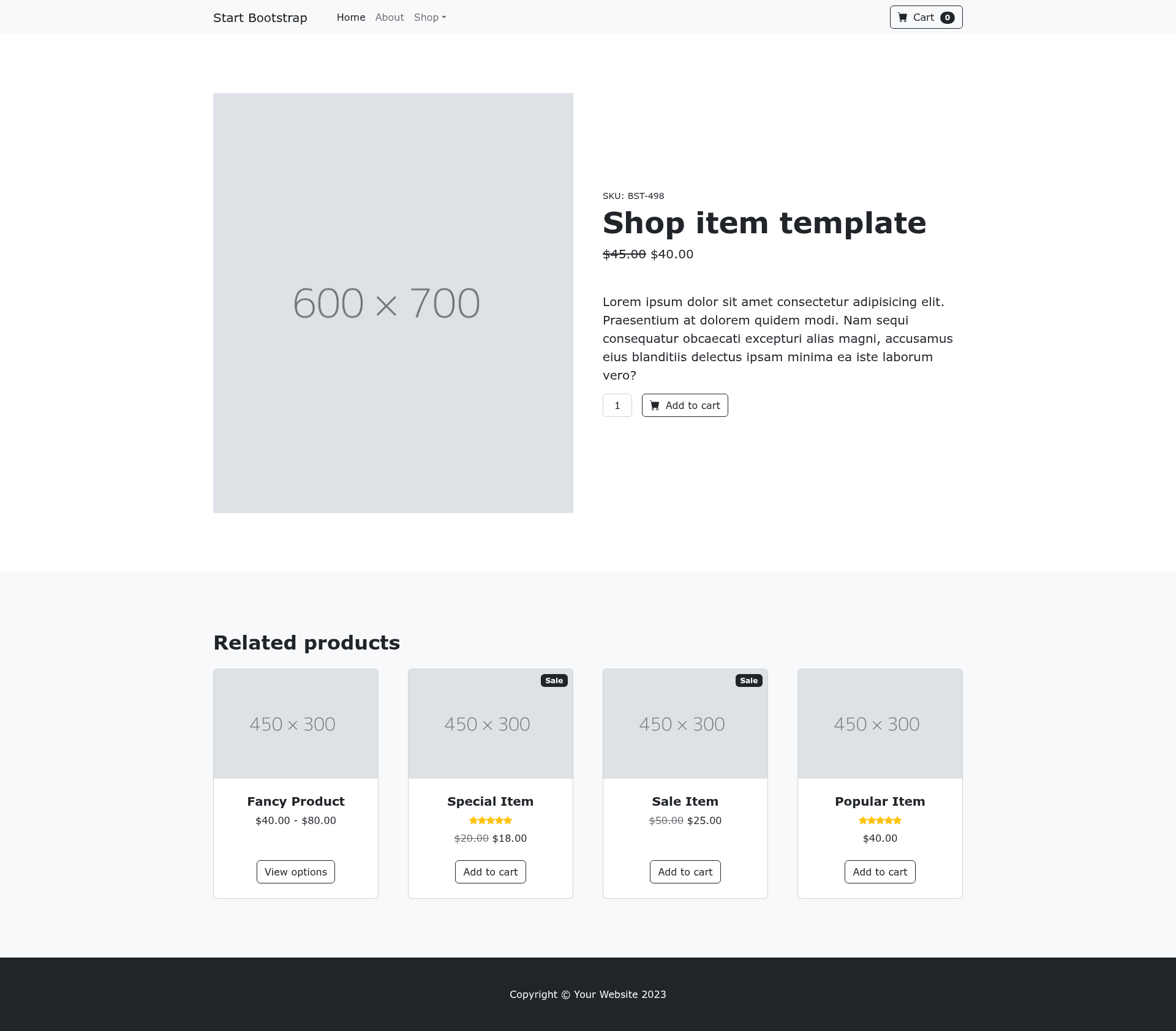
Shop Item is a free, open-source Bootstrap HTML template from Start Bootstrap that provides a single-product store item layout for ecommerce websites.
What is Shop Item?
Shop Item is a minimal HTML template built on the Bootstrap framework that displays a single product with a product image, title, price, and description. It is created by Start Bootstrap, an open source library of Bootstrap templates, and is released under the MIT license. The template accepts no backend input: you edit the HTML (or Pug source) and SCSS files to change the product details, then the compiled static page is served directly. It works on any static web host, and the GitHub repository lists Bootstrap 4 and Bootstrap 5 among its supported topics.
Key Features
- Bootstrap framework — Built on Bootstrap's responsive grid and component classes, and the repository metadata lists Bootstrap 4 and 5 as supported versions.
- Pug source files — The HTML is authored in Pug under
src/pug/and compiles to clean, static HTML in thedistdirectory. - SCSS styling — Styles are written in SCSS under
src/scss/and built to CSS, allowing variable-based customization of colors, fonts, and spacing. - npm build environment — Includes scripts such as
npm run buildto compile assets, Pug, JS, and SCSS intodist, andnpm startto launch a live-reloading preview in your browser. - MIT license — Free for commercial and personal use, with no obligation to credit the author, as stated in the included license file.
- Multiple installation paths — Download directly from Start Bootstrap, install via
npm i startbootstrap-shop-item, or clone the GitHub repository.
Who is it for?
- Front-end developers — who want a ready-made Bootstrap product page to customize and integrate into a client's ecommerce site.
- Small business owners — who need a fast, clean way to showcase a single product without building a page from scratch.
- Learners and tinkerers — who can study the Pug and SCSS structure to understand how a simple store item template is assembled with Bootstrap.
Use cases
- Single product landing page: Replace the placeholder product name, price, and image in
index.htmlwith real product information and publish the static page. - Theme base for an online store: Modify the SCSS variables to match a brand, rebuild the CSS, and use the resulting HTML snippet inside a larger storefront.
- Prototyping a store item UI: Use the template as a starting point to mock up a product detail block before wiring it to a real backend.
How does Shop Item work?
Two usage modes are supported. In basic usage, download the template and edit the HTML and CSS files inside the dist directory, then open index.html in a browser to preview changes. In advanced usage, clone the repository, run npm install, and then npm start — this opens a live preview, watches your files under src, and auto-reloads the browser when you save edits. The build pipeline compiles Pug, SCSS, and JavaScript into static assets in dist.
FAQ
Is Shop Item free?
Yes. The template is released under the MIT license, so it can be used free of charge for both personal and commercial projects without paying a license fee.
How do I install Shop Item?
You have three options: download the latest release from Start Bootstrap, run npm i startbootstrap-shop-item if you use npm, or clone the repository from GitHub with git clone https://github.com/StartBootstrap/startbootstrap-shop-item.git.
What technologies does Shop Item use?
It builds on Bootstrap for layout and components, Pug for HTML templating, SCSS for styling, and JavaScript for interactive behavior. The npm scripts handle compiling these sources into a plain static HTML/CSS/JS site.
Can I customize Shop Item without npm?
Yes. The basic usage path requires no npm — you can directly edit the HTML and CSS files in the dist directory. Npm is only needed for the advanced workflow that recompiles Pug and SCSS sources.
Does Shop Item require a server or backend?
No. It is a static template. After editing, the files in dist can be opened directly in a browser or hosted on any static file server or CDN.